Free Shipping on Domestic Orders $75+

Motorola V276 Flex Cable Replacement

What you need

  1. Motorola V276 Flex Cable Replacement, Battery: step 1, image 1 of 1
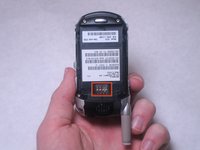
    • Locate the silver button on the back of the phone, near the bottom.

    • Depress the silver button with one hand and slide the back cover of the phone away from the antenna.

    • The back cover should slide off easily.

    Ask FixBot

    Add Comment

  2. Motorola V276 Flex Cable Replacement: step 2, image 1 of 1
    • Insert a plastic spudger near one corner of the battery (preferably one furthest from the phone's antenna).

    • Gently pry the battery up and away from the phone. The battery should easily raise out of its place.

    • Now that the battery is exposed, use your fingers to remove the it from the phone.

    Ask FixBot

    Add Comment

  3. Motorola V276 Flex Cable Replacement: step 3, image 1 of 2 Motorola V276 Flex Cable Replacement: step 3, image 2 of 2
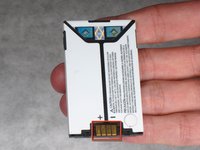
    • Note the metal connections on the phone, which are now exposed with the battery removed.

    • There are corresponding metal connectors on the replacement battery.

    • When you install the battery, be sure both connectors are matched up. Otherwise, your battery will be unable to supply power to your phone.

    Ask FixBot

    Add Comment

  4. Motorola V276 Flex Cable Replacement, Motherboard: step 4, image 1 of 1
    • Use a spudger to remove the rubber plug from the upper left corner of the back of the phone.

    Ask FixBot

    Add Comment

  5. Motorola V276 Flex Cable Replacement: step 5, image 1 of 1
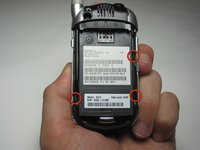
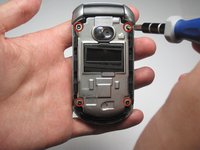
    • Use a Torx T6 screwdriver to remove the 4 screws that secure the back plate of the phone.

    Ask FixBot

    Add Comment

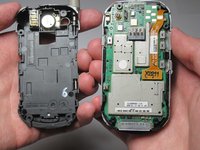
  6. Motorola V276 Flex Cable Replacement: step 6, image 1 of 3 Motorola V276 Flex Cable Replacement: step 6, image 2 of 3 Motorola V276 Flex Cable Replacement: step 6, image 3 of 3
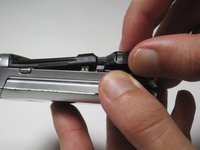
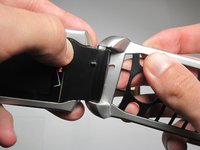
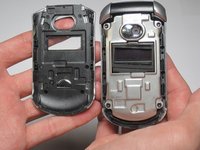
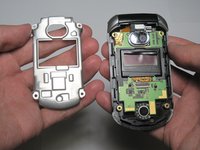
    • Three tabs will hold the back plastic plate in.

    • To remove the back plate, pull the tabs towards the outside of the phone and lift the plate up simultaneously

    • Be careful when removing the back plate; don't put too much stress on the back plate or the plastic may snap

    Ask FixBot

    Add Comment

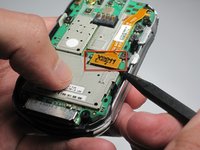
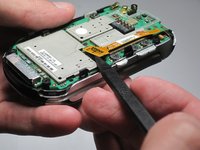
  7. Motorola V276 Flex Cable Replacement: step 7, image 1 of 3 Motorola V276 Flex Cable Replacement: step 7, image 2 of 3 Motorola V276 Flex Cable Replacement: step 7, image 3 of 3
    • Use a spudger to remove the ribbon cable from the motherboard.

    • Be delicate while removing the ribbon cable because it is slightly fragile and it is necessary for the phone to function

    Ask FixBot

    Add Comment

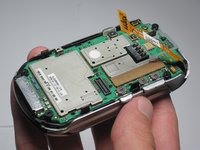
  8. Motorola V276 Flex Cable Replacement: step 8, image 1 of 1
    • Gently peel back the motherboard from the main part of the phone.

    Ask FixBot

    Add Comment

  9. Motorola V276 Flex Cable Replacement, Flex Cable: step 9, image 1 of 1
    • Remove the keypad from the bottom half of the phone.

    Ask FixBot

    Add Comment

  10. Motorola V276 Flex Cable Replacement: step 10, image 1 of 2 Motorola V276 Flex Cable Replacement: step 10, image 2 of 2
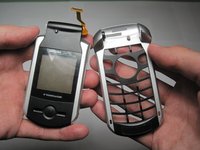
    • Detach the bottom half of the phone by pulling out on the bottom half and pulling up on the top half.

    • A small amount of force is necessary to pull the two pieces apart, but be careful because the plastic may break.

    Ask FixBot

    Add Comment

  11. Motorola V276 Flex Cable Replacement: step 11, image 1 of 2 Motorola V276 Flex Cable Replacement: step 11, image 2 of 2
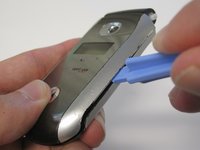
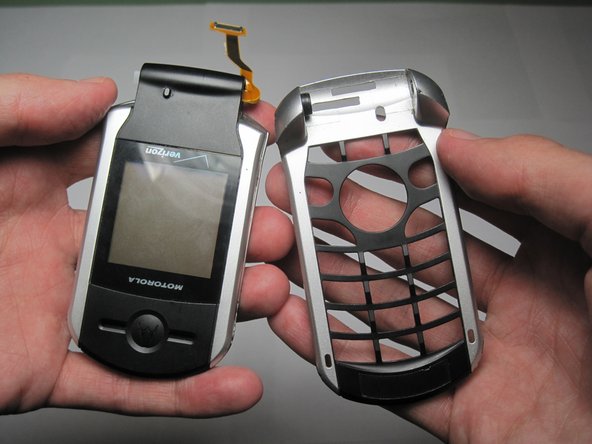
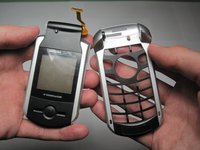
    • Use a plastic opening tool to remove the front cover of the phone.

    Ask FixBot

    Add Comment

  12. Motorola V276 Flex Cable Replacement: step 12, image 1 of 2 Motorola V276 Flex Cable Replacement: step 12, image 2 of 2
    • Remove the four screws holding in the metal cover.

    Ask FixBot

    Add Comment

  13. Motorola V276 Flex Cable Replacement: step 13, image 1 of 1
    • Use a spudger to remove the plastic protector case around the camera.

    Ask FixBot

    Add Comment

  14. Motorola V276 Flex Cable Replacement: step 14, image 1 of 1
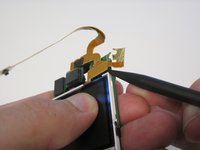
    • Use a plastic opening tool to peel off the gold tape that holds the flex cable in place.

    Ask FixBot

    Add Comment

  15. Motorola V276 Flex Cable Replacement: step 15, image 1 of 1
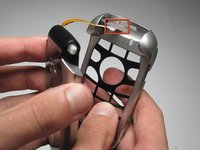
    • Slide the ribbon cable through the tiny slit located in the hole on the side of the frame.

    Ask FixBot

    Add Comment

  16. Motorola V276 Flex Cable Replacement: step 16, image 1 of 2 Motorola V276 Flex Cable Replacement: step 16, image 2 of 2
    • Slide the ribbon cable through the rectangular hole in the bottom half of the frame.

    Ask FixBot

    Add Comment

  17. Motorola V276 Flex Cable Replacement: step 17, image 1 of 1
    • Remove the ribbon cable and the motherboard (still connected) from the frame of the phone.

    Ask FixBot

    Add Comment

  18. Motorola V276 Flex Cable Replacement: step 18, image 1 of 2 Motorola V276 Flex Cable Replacement: step 18, image 2 of 2
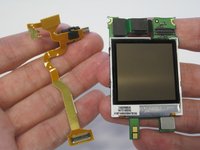
    • Use a spudger to detach the ribbon cable from the motherboard.

    Ask FixBot

    Add Comment

Conclusion

To reassemble your device, follow these instructions in reverse order.

Cancel: I did not complete this guide.

Jonathan Cheung

Member since: 04/11/10

1 Reputation

3 Guides authored

Team

Cal Poly, Team 27-96, Amido Spring 2010 Member of Cal Poly, Team 27-96, Amido Spring 2010

CPSU-AMIDO-S10S27G96

4 Members

26 Guides authored

0 Guide Comments

Add Comment

View Statistics:

Past 24 Hours: 0

Past 7 Days: 9

Past 30 Days: 44

All Time: 1,771