Free Shipping on Domestic Orders $75+

Motorola RIZR Z3 Motherboard Replacement

What you need

  1. Motorola RIZR Z3 Motherboard Replacement, Battery: step 1, image 1 of 2 Motorola RIZR Z3 Motherboard Replacement, Battery: step 1, image 2 of 2
    • Press the panel release button on the top of the phone and simultaneously pull the rear panel away from the phone.

    Ask FixBot

    Add Comment

  2. Motorola RIZR Z3 Motherboard Replacement: step 2, image 1 of 2 Motorola RIZR Z3 Motherboard Replacement: step 2, image 2 of 2
    • Tilt the battery by lifting at the exposed notch.

    • Slide the battery out of its casing.

    Ask FixBot

    Add Comment

  3. Motorola RIZR Z3 Motherboard Replacement, Motherboard: step 3, image 1 of 1
    • Use a T4 screwdriver to unscrew all six of the .216 inch screws that attach the housing to the case.

    Ask FixBot

    Add Comment

  4. Motorola RIZR Z3 Motherboard Replacement: step 4, image 1 of 2 Motorola RIZR Z3 Motherboard Replacement: step 4, image 2 of 2
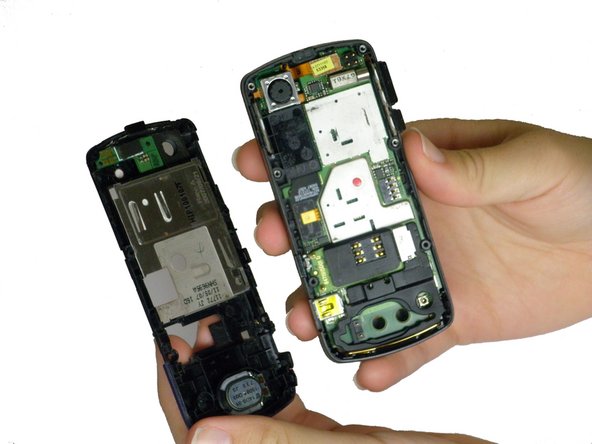
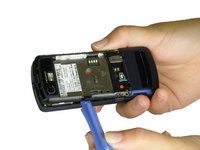
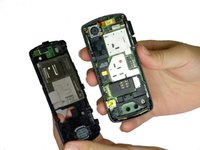
    • Use a plastic opening tool to lift the plastic casing.

    • Pull the plastic casing directly away from the phone.

    Ask FixBot

    Add Comment

  5. Motorola RIZR Z3 Motherboard Replacement: step 5, image 1 of 1
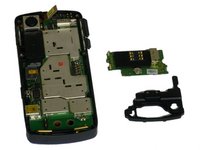
    • Lift the black rubber loudspeaker housing up and out of the plastic casing.

    Ask FixBot

    Add Comment

  6. Motorola RIZR Z3 Motherboard Replacement: step 6, image 1 of 2 Motorola RIZR Z3 Motherboard Replacement: step 6, image 2 of 2
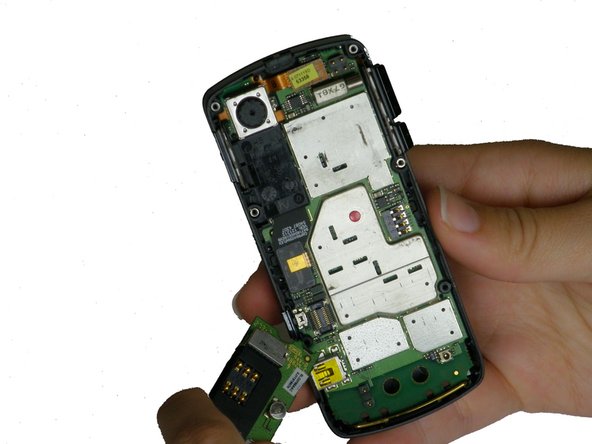
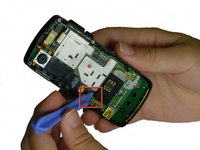
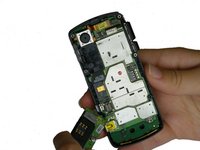
    • Use a plastic opening tool to gently lift up the SIM card reader, located above the rubber antenna casing. You should hear a click as it releases.

    • Caution: Remove carefully, if broken, the phone will not be able to make calls.

    Ask FixBot

    Add Comment

  7. Motorola RIZR Z3 Motherboard Replacement: step 7, image 1 of 2 Motorola RIZR Z3 Motherboard Replacement: step 7, image 2 of 2
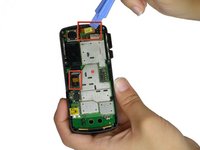
    • Use a plastic opening tool to pry the two ribbon cable connectors, unclipping them from their sockets on the motherboard.

    • Caution: Remove carefully, if broken, the phone will not function properly.

    Ask FixBot

    Add Comment

  8. Motorola RIZR Z3 Motherboard Replacement: step 8, image 1 of 2 Motorola RIZR Z3 Motherboard Replacement: step 8, image 2 of 2
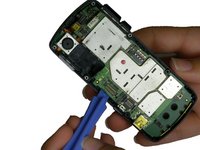
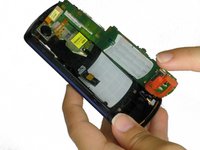
    • Use a plastic opening tool to gently pry the motherboard up until you can tilt it with your fingers. Unhook it from the casing and slowly pull it out.

    • Caution: Do this gently Unclipping too fast may cause damage to your phone.

    Ask FixBot

    Add Comment

Conclusion

To reassemble your device, follow these instructions in reverse order.

Cancel: I did not complete this guide.

Andrew Brock

Member since: 10/07/11

8 Reputation

1 Guide authored

Team

Cal Poly, Team 5-34, Amido Fall 2011 Member of Cal Poly, Team 5-34, Amido Fall 2011

CPSU-AMIDO-F11S5G34

4 Members

12 Guides authored

0 Guide Comments

Add Comment

View Statistics:

Past 24 Hours: 0

Past 7 Days: 4

Past 30 Days: 32

All Time: 1,645