Free Shipping on Domestic Orders $75+

Motorola Moto X 2nd Generation Front Camera Replacement

What you need

    1. Motorola Moto X 2nd Generation Front Camera Replacement, Front Camera: step 1, image 1 of 3 Motorola Moto X 2nd Generation Front Camera Replacement, Front Camera: step 1, image 2 of 3 Motorola Moto X 2nd Generation Front Camera Replacement, Front Camera: step 1, image 3 of 3
      • Remove SIM card tray. Remember to power off the phone at first.

      Ask FixBot

      Add Comment

    2. Motorola Moto X 2nd Generation Front Camera Replacement: step 2, image 1 of 2 Motorola Moto X 2nd Generation Front Camera Replacement: step 2, image 2 of 2
      • Push the eject pin to open a gap and place a guitar pick into the gap.

      Ask FixBot

      Add Comment

    3. Motorola Moto X 2nd Generation Front Camera Replacement: step 3, image 1 of 2 Motorola Moto X 2nd Generation Front Camera Replacement: step 3, image 2 of 2
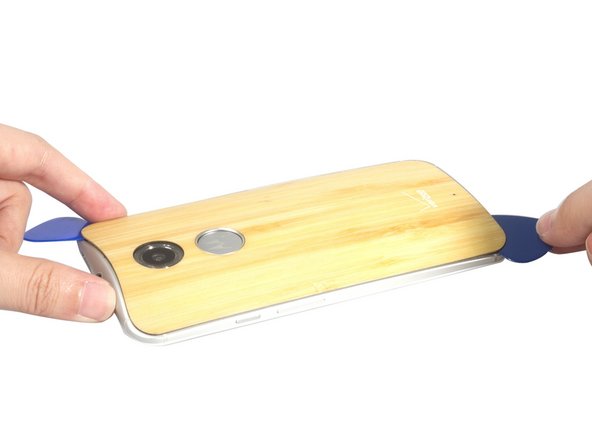
      • Slide the guitar pick to cut the adhesive sticker and peel off the soft back cover carefully.

      Ask FixBot

      Add Comment

    4. Motorola Moto X 2nd Generation Front Camera Replacement: step 4, image 1 of 2 Motorola Moto X 2nd Generation Front Camera Replacement: step 4, image 2 of 2
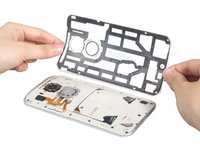
      • Remove those two pieces rubber cover.

      Ask FixBot

      Add Comment

    5. Motorola Moto X 2nd Generation Front Camera Replacement: step 5, image 1 of 2 Motorola Moto X 2nd Generation Front Camera Replacement: step 5, image 2 of 2
      • Release power button connecting flex connector and battery connector.

      Ask FixBot

      Add Comment

    6. Motorola Moto X 2nd Generation Front Camera Replacement: step 6, image 1 of 2 Motorola Moto X 2nd Generation Front Camera Replacement: step 6, image 2 of 2
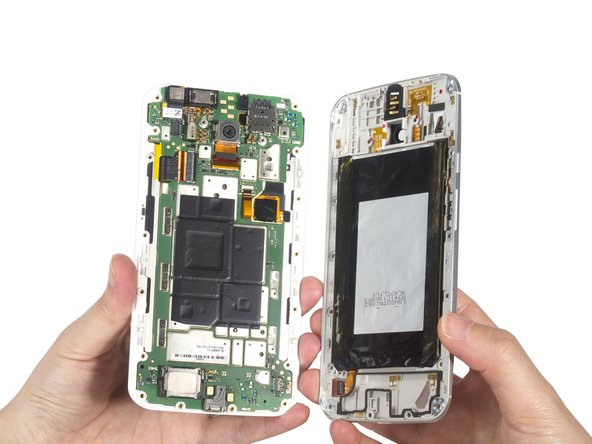
      • Twist off all 18 black torx screws and remove middle housing from front assembly.

      Ask FixBot

      Add Comment

    7. Motorola Moto X 2nd Generation Front Camera Replacement: step 7, image 1 of 3 Motorola Moto X 2nd Generation Front Camera Replacement: step 7, image 2 of 3 Motorola Moto X 2nd Generation Front Camera Replacement: step 7, image 3 of 3
      • Release front camera connector and remove it.

      Ask FixBot

      Add Comment

Conclusion

To reassemble your device, follow these instructions in reverse order.

Cancel: I did not complete this guide.

5 other people completed this guide.

Sophia

Member since: 03/25/14

43,911 Reputation

62 Guides authored

3 Guide Comments

Front Camera icon is not showing on my camera app please solve it

Surya C - Reply Share

How to solve it

koromaalies22 - Reply Share

My front camera is not working

koromaalies22 - Reply Share

Add Comment

View Statistics:

Past 24 Hours: 0

Past 7 Days: 7

Past 30 Days: 34

All Time: 2,722