Free Shipping on Domestic Orders $75+

Motorola Moto G5 Plus Motherboard Disassembly

Prerequisite Only
This is a prerequisite-only guide! This guide is part of another procedure and isn’t meant to be used alone.

What you need

    1. Motorola Moto G5 Plus Motherboard Disassembly, Disassembly: step 1, image 1 of 1
      • Power off the phone.

      Ask FixBot

      Add Comment

    2. Motorola Moto G5 Plus Motherboard Disassembly: step 2, image 1 of 2 Motorola Moto G5 Plus Motherboard Disassembly: step 2, image 2 of 2
      • Remove the SIM card using a thin paperclip by inserting one end of the paper clip into the small hole on the top left corner. This will eject the SIM card from the phone.

      • Be sure to store the SIM card in a safe location.

      Ask FixBot

      Add Comment

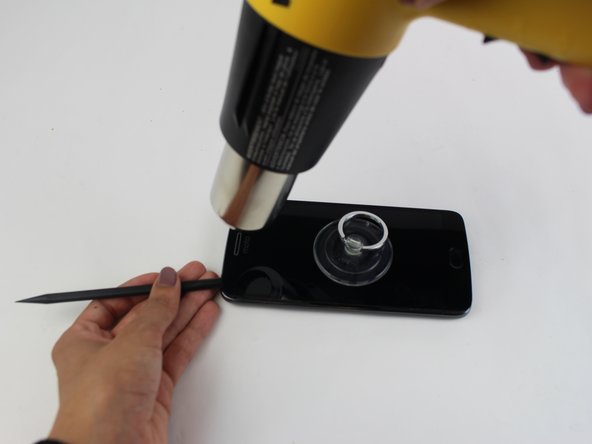
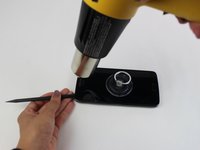
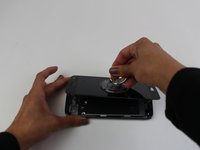
    3. Motorola Moto G5 Plus Motherboard Disassembly: step 3, image 1 of 3 Motorola Moto G5 Plus Motherboard Disassembly: step 3, image 2 of 3 Motorola Moto G5 Plus Motherboard Disassembly: step 3, image 3 of 3
      • The screen is likely to crack as you pry it up. You should not complete this step unless you have a replacement screen available.

      • Stick the small suction cup onto the screen. Use this to remove the screen from the phone frame in later steps.

      • Using a heat gun on a low setting, slowly raise the temperature of the screen by repeatedly running the heat gun along the edges of the screen. This will soften the glue that holds the screen to the phone frame.

      • Use the suction cup to gently pull up on the screen while using the plastic opening tool to gently pry the edges of the screen up.

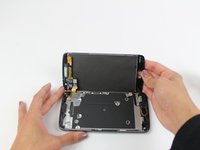
      • Once the screen has been completely separated from the phone frame, flip it to one side to expose the inside of the phone.

      Ask FixBot

      Add Comment

    4. Motorola Moto G5 Plus Motherboard Disassembly: step 4, image 1 of 1
      • Using a size 000 Philips head screwdriver, unscrew the nineteen 4 mm screws. Yellow tinted kapton tape will need to be removed to get to some of the screws.

      Ask FixBot

      Add Comment

    5. Motorola Moto G5 Plus Motherboard Disassembly: step 5, image 1 of 2 Motorola Moto G5 Plus Motherboard Disassembly: step 5, image 2 of 2
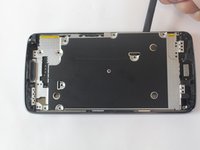
      • Remove the interior metal covering using the plastic opening tool.

      Ask FixBot

      Add Comment

    6. Motorola Moto G5 Plus Motherboard Disassembly: step 6, image 1 of 1
      • Pull off all of the yellow tinted kapton tape.

      Ask FixBot

      Add Comment

    7. Motorola Moto G5 Plus Motherboard Disassembly: step 7, image 1 of 1
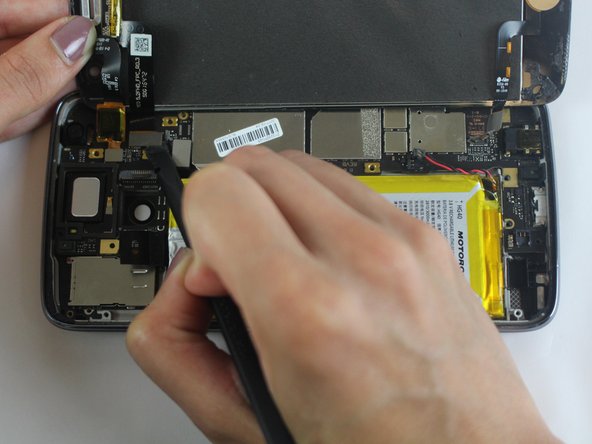
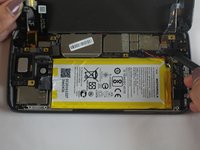
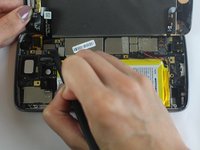
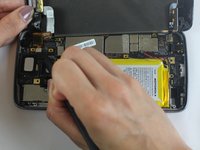
      • Unplug the battery by lifting up on the black plug with the plastic opening tool. This will shut off any power to the phone and prevent further damage.

      • Be careful not to damage the motherboard underneath the plugs.

      Ask FixBot

      Add Comment

    8. Motorola Moto G5 Plus Motherboard Disassembly: step 8, image 1 of 3 Motorola Moto G5 Plus Motherboard Disassembly: step 8, image 2 of 3 Motorola Moto G5 Plus Motherboard Disassembly: step 8, image 3 of 3
      • Remove the 3 flat-topped connectors that connect the screen to the phone frame by prying them up with the plastic opening tool.

      • Fully detach the screen and set it to the side.

      Ask FixBot

      Add Comment

    1. Motorola Moto G5 Plus Motherboard Disassembly, Motherboard Disassembly: step 9, image 1 of 1
      • Using the Philips 000 Screwdriver, unscrew the 3.1 mm screw.

      Ask FixBot

      Add Comment

    2. Motorola Moto G5 Plus Motherboard Disassembly: step 10, image 1 of 1
      • Using the plastic opening tool, unplug the oscillating vibration motor.

      Ask FixBot

      Add Comment

    3. Motorola Moto G5 Plus Motherboard Disassembly: step 11, image 1 of 1
      • Unplug the flat-top connector with the plastic opening tool.

      Ask FixBot

      Add Comment

    4. Motorola Moto G5 Plus Motherboard Disassembly: step 12, image 1 of 1
      • Using the plastic opening tool, pry open the two tabs that hold the motherboard to the phone frame.

      Ask FixBot

      Add Comment

    5. Motorola Moto G5 Plus Motherboard Disassembly: step 13, image 1 of 1
      • Remove the motherboard from the phone by prying it up with the plastic opening tool.

      Ask FixBot

      Add Comment

Conclusion

To reassemble your device, follow these instructions in reverse order.

Cancel: I did not complete this guide.

2 other people completed this guide.

Nicole Klukowski

Member since: 10/09/17

1,591 Reputation

5 Guides authored

Team

USF Tampa, Team S1-G6, Leahy Fall 2017 Member of USF Tampa, Team S1-G6, Leahy Fall 2017

USFT-LEAHY-F17S1G6

5 Members

96 Guides authored

0 Guide Comments

Add Comment

View Statistics:

Past 24 Hours: 0

Past 7 Days: 2

Past 30 Days: 22

All Time: 555