Free Shipping on Domestic Orders $75+

Motorola Moto G4 Plus SIM Card Replacement

What you need

    1. Motorola Moto G4 Plus SIM Card Replacement, SIM Card: step 1, image 1 of 2 Motorola Moto G4 Plus SIM Card Replacement, SIM Card: step 1, image 2 of 2
      • Insert a fingernail or a spudger into the notch on bottom edge of the phone near the charging port.

      • Pry the back cover away from the body of the phone.

      Ask FixBot

      Add Comment

    2. Motorola Moto G4 Plus SIM Card Replacement: step 2, image 1 of 3 Motorola Moto G4 Plus SIM Card Replacement: step 2, image 2 of 3 Motorola Moto G4 Plus SIM Card Replacement: step 2, image 3 of 3
      • Continue to gently lift the back cover until all plastic clips have been released.

      • Remove the back cover.

      • To reinstall the back cover, align the cover over the body and gently press all around the edges until you feel the clips snap into place.

      Ask FixBot

      Add Comment

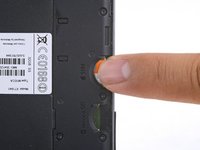
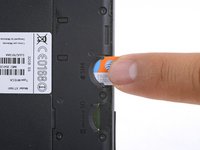
    3. Motorola Moto G4 Plus SIM Card Replacement: step 3, image 1 of 2 Motorola Moto G4 Plus SIM Card Replacement: step 3, image 2 of 2
      • Slide out and remove the SIM card.

      Ask FixBot

      Add Comment

Conclusion

To reassemble your device, follow these instructions in reverse order.

Repair didn’t go as planned? Check out our Motorola Moto G4 Plus Answers community for troubleshooting help.

Cancel: I did not complete this guide.

2 other people completed this guide.

Arthur Shi

Member since: 01/03/18

346,929 Reputation

923 Guides authored

Team

iFixit Member of iFixit

Staff

123 Members

85,581 Guides authored

0 Guide Comments

Add Comment

View Statistics:

Past 24 Hours: 1

Past 7 Days: 8

Past 30 Days: 51

All Time: 3,878