Free Shipping on Domestic Orders $75+

Motorola Moto G Pure 2021 Back Cover Replacement

What you need

  1. Motorola Moto G Pure 2021 Back Cover Replacement, Back Cover: step 1, image 1 of 3 Motorola Moto G Pure 2021 Back Cover Replacement, Back Cover: step 1, image 2 of 3 Motorola Moto G Pure 2021 Back Cover Replacement, Back Cover: step 1, image 3 of 3
    Tool used on this step:
    Precision Tweezers Set
    $11.95
    Buy
    • When disassembling the phone, the battery should be discharged below 20%.

    • Turn the phone off.

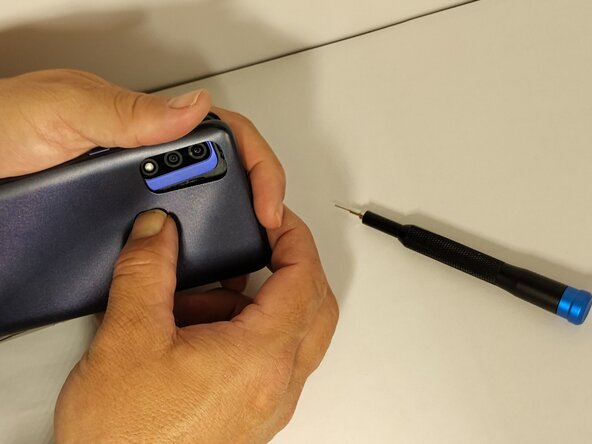
    • Use a SIM card eject tool to release the SIM card tray from the phone.

    • Use precision tweezers to remove the SIM Tray.

    Ask FixBot

    Add Comment

  2. Motorola Moto G Pure 2021 Back Cover Replacement: step 2, image 1 of 3 Motorola Moto G Pure 2021 Back Cover Replacement: step 2, image 2 of 3 Motorola Moto G Pure 2021 Back Cover Replacement: step 2, image 3 of 3
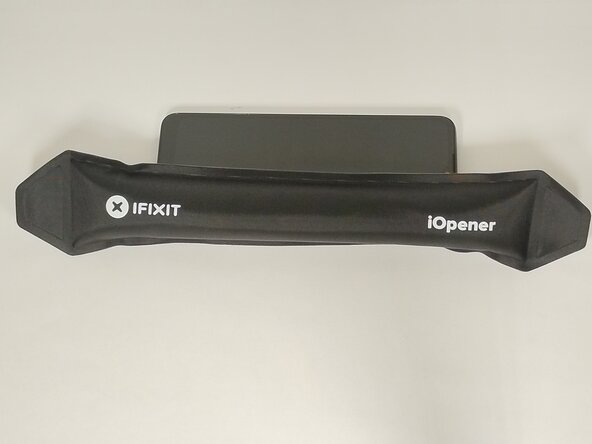
    • Use caution when handling the iOpener after heating.

    • Adhering to the instructions printed on the iOpener, heat the iOpener.

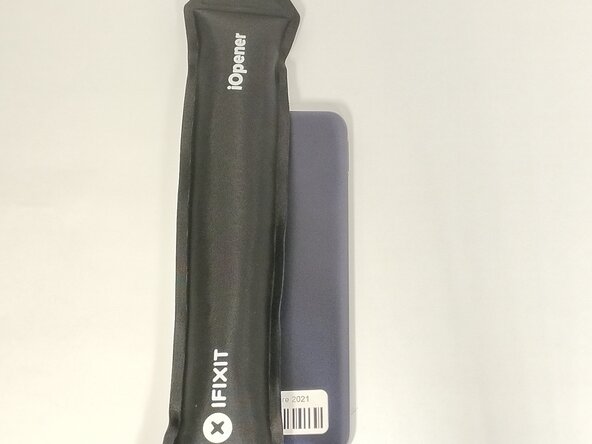
    • To soften the adhesive that holds the back cover to the screen, place the iOpener on the right side of the phone screen for 2 - 3 minutes.

    • Reheat the iOpener.

    • Place the iOpener on the left side of the phone for 2 - 3 minutes.

    Ask FixBot

    Add Comment

  3. Motorola Moto G Pure 2021 Back Cover Replacement: step 3, image 1 of 3 Motorola Moto G Pure 2021 Back Cover Replacement: step 3, image 2 of 3 Motorola Moto G Pure 2021 Back Cover Replacement: step 3, image 3 of 3
    Tool used on this step:
    Clampy - Anti-Clamp
    $24.95
    Buy
    • Do not use excessive force when prying back cover from phone.

    • In this step, you will be cutting the adhesive between the screen and back cover.

    • You may need to reapply heat to the phone screen and back cover to keep adhesive pliable.

    • The suction cup or Anti-Clamp may be used to separate the back cover from the screen.

    • Opening picks are recommended to minimize damage to screen or the back cover during removal.

    • Starting at the center of the left side, insert the opening pick with a slight downward angle.

    Ask FixBot

    Add Comment

  4. Motorola Moto G Pure 2021 Back Cover Replacement: step 4, image 1 of 3 Motorola Moto G Pure 2021 Back Cover Replacement: step 4, image 2 of 3 Motorola Moto G Pure 2021 Back Cover Replacement: step 4, image 3 of 3
    • Continue to use the tool to separate the screen from the back cover along the edges.

    • As you separate the back cover from the screen, you may want to leave an opening pick inserted on each side of the phone. This will help keep the adhesive from bonding the screen to the back cover.

    • Continue to work the tool along the seam to separate the sides and the top and bottom of the screen from the back cover.

    Ask FixBot

    Add Comment

  5. Motorola Moto G Pure 2021 Back Cover Replacement: step 5, image 1 of 3 Motorola Moto G Pure 2021 Back Cover Replacement: step 5, image 2 of 3 Motorola Moto G Pure 2021 Back Cover Replacement: step 5, image 3 of 3
    • Use the tool to separate the adhesive around the corners.

    • Once all of the adhesive around the edge of the phone has been cut, you can proceed to the next step.

    Ask FixBot

    Add Comment

  6. Motorola Moto G Pure 2021 Back Cover Replacement: step 6, image 1 of 3 Motorola Moto G Pure 2021 Back Cover Replacement: step 6, image 2 of 3 Motorola Moto G Pure 2021 Back Cover Replacement: step 6, image 3 of 3
    Tool used on this step:
    Spudger Retail 3 Pack
    $9.95
    Buy
    • There is adhesive around the main camera lenses and fingerprint sensor.

    • Place the iOpener over main camera lenses and fingerprint sensor.

    • Heat the back case for 2 - 3 minutes.

    • Do not use excessive force when removing the back cover from the screen.

    • Use a spudger to press the fingerprint sensor out of the back cover.

    Ask FixBot

    Add Comment

  7. Motorola Moto G Pure 2021 Back Cover Replacement: step 7, image 1 of 3 Motorola Moto G Pure 2021 Back Cover Replacement: step 7, image 2 of 3 Motorola Moto G Pure 2021 Back Cover Replacement: step 7, image 3 of 3
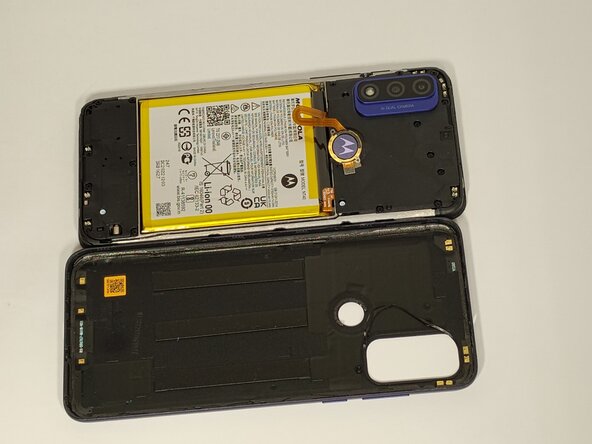
    • Remove the back cover.

    Ask FixBot

    Add Comment

Conclusion

To reassemble your device, follow these instructions in reverse order.

Cancel: I did not complete this guide.

0 Guide Comments

Add Comment

View Statistics:

Past 24 Hours: 0

Past 7 Days: 7

Past 30 Days: 39

All Time: 120