Free Shipping on Domestic Orders $75+

Motorola Moto G Power (2020) Fingerprint Sensor Replacement

    1. Motorola Moto G Power (2020) Fingerprint Sensor Replacement, Back Case: step 1, image 1 of 1
      • Position a suction cup securely on the back panel of the device.

      • Insert the opening pick into both sides of the phone and carefully slide it along to open the back panel of the device.

      • Do not fully remove the back panel; disconnect the fingerprint sensor first.

      Ask FixBot

      Add Comment

    2. Motorola Moto G Power (2020) Fingerprint Sensor Replacement: step 2, image 1 of 1
      • Apply gentle pressure to the fingerprint sensor with your finger to detach it from the back panel.

      • You may need to apply firm pressure to remove the circular sensor from the panel.

      Ask FixBot

      Add Comment

    3. Motorola Moto G Power (2020) Fingerprint Sensor Replacement: step 3, image 1 of 1
      • Fully remove the back panel from the device.

      Ask FixBot

      Add Comment

    1. Motorola Moto G Power (2020) Fingerprint Sensor Replacement, Fingerprint Sensor: step 4, image 1 of 1
      • Using a Torx T3 screwdriver, remove nine 2.2 mm screws.

      Ask FixBot

      Add Comment

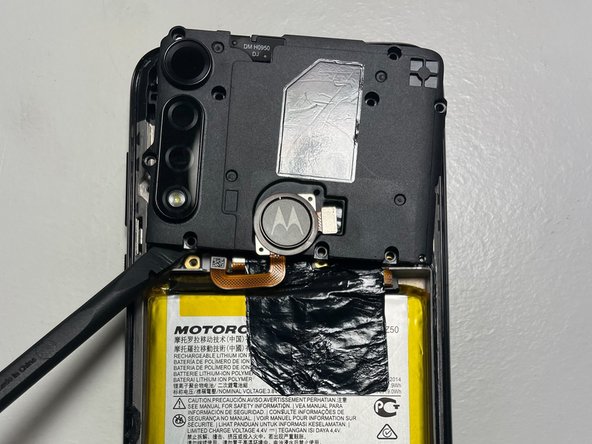
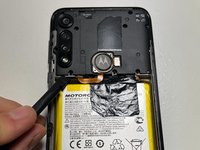
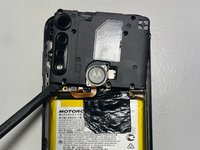
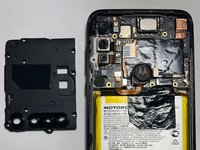
    2. Motorola Moto G Power (2020) Fingerprint Sensor Replacement: step 5, image 1 of 3 Motorola Moto G Power (2020) Fingerprint Sensor Replacement: step 5, image 2 of 3 Motorola Moto G Power (2020) Fingerprint Sensor Replacement: step 5, image 3 of 3
      • Use the spudger to gently lift the cover.

      • If needed, use the spudger's tip against a corner of the cover to help lift it.

      • Set the back cover aside.

      • DO NOT use excessive force when lifting up the back cover.

      Ask FixBot

      Add Comment

    3. Motorola Moto G Power (2020) Fingerprint Sensor Replacement: step 6, image 1 of 1
      • Carefully use the spudger to lift the sensor cable, disconnecting the fingerprint sensor from the motherboard.

      • WARNING: Handle the sensor cable with care; it can be easily damaged.

      Ask FixBot

      Add Comment

    4. Motorola Moto G Power (2020) Fingerprint Sensor Replacement: step 7, image 1 of 1
      • Carefully remove the fingerprint sensor from the device and set it aside.

      • Do not use excessive force when lifting the back cover or any other component.

      Ask FixBot

      Add Comment

Conclusion

To reassemble your device, follow these instructions in reverse order.

Cancel: I did not complete this guide.

One other person completed this guide.

Harry Jung

Member since: 06/23/22

781 Reputation

4 Guides authored

Team

0 Guide Comments

Add Comment

View Statistics:

Past 24 Hours: 1

Past 7 Days: 3

Past 30 Days: 57

All Time: 1,887