Free Shipping on Domestic Orders $75+

Motorola Droid RAZR M Front Assembly Replacement

What you need

  1. Motorola Droid RAZR M Front Assembly Replacement, Front Assembly: step 1, image 1 of 3 Motorola Droid RAZR M Front Assembly Replacement, Front Assembly: step 1, image 2 of 3 Motorola Droid RAZR M Front Assembly Replacement, Front Assembly: step 1, image 3 of 3
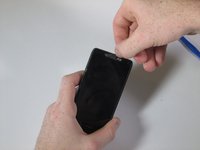
    • Open the small latch on the left side of the device by lifting gently with your finger, exposing the SIM card and microSD card slots.

    • If either of these cards are present, remove them to prevent damaging them while taking apart the phone. Our device does not have either.

    • Close the latch once the two cards are removed.

    Ask FixBot

    Add Comment

  2. Motorola Droid RAZR M Front Assembly Replacement: step 2, image 1 of 3 Motorola Droid RAZR M Front Assembly Replacement: step 2, image 2 of 3 Motorola Droid RAZR M Front Assembly Replacement: step 2, image 3 of 3
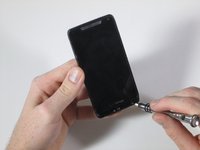
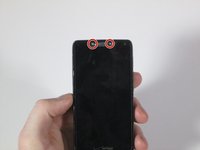
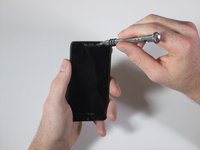
    • Remove the six 4mm T3 Torx screws. There are 3 on each side of the device.

    Ask FixBot

    Add Comment

  3. Motorola Droid RAZR M Front Assembly Replacement: step 3, image 1 of 3 Motorola Droid RAZR M Front Assembly Replacement: step 3, image 2 of 3 Motorola Droid RAZR M Front Assembly Replacement: step 3, image 3 of 3
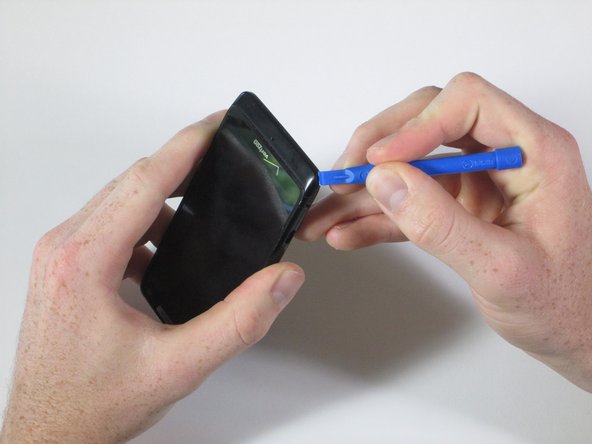
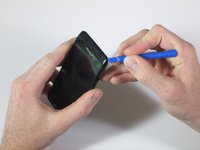
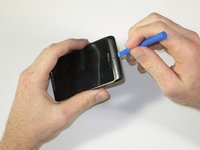
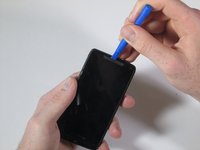
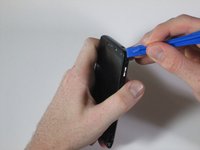
    • Run the plastic opening tool under the bottom edge of the phone to detach the small plastic cover below the Verizon logo.

    • It will take some force to remove this piece. Work around the bottom corners to unlatch the two hooks holding the piece in place.

    • The small plastic hooks can break during removal. Be careful that you don't damage them, but it will take some force to get them undone.

    • Once the plastic cover is detached, pull the piece away with your fingers.

    Ask FixBot

    Add Comment

  4. Motorola Droid RAZR M Front Assembly Replacement: step 4, image 1 of 2 Motorola Droid RAZR M Front Assembly Replacement: step 4, image 2 of 2
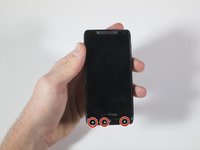
    • Remove the three T4 Torx screws. There are three at the bottom of the device.

    Ask FixBot

    Add Comment

  5. Motorola Droid RAZR M Front Assembly Replacement: step 5, image 1 of 3 Motorola Droid RAZR M Front Assembly Replacement: step 5, image 2 of 3 Motorola Droid RAZR M Front Assembly Replacement: step 5, image 3 of 3
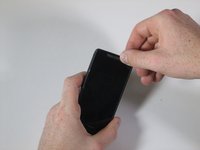
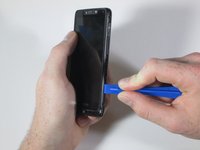
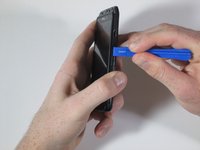
    • Using the plastic opening tool, peel away the silver Motorola plate at the top of the phone. There is a fair amount of adhesive underneath, so you may have to pry it from a few different angles.

    • As soon as you can get your finger underneath, pull away the silver plate.

    Ask FixBot

    Add Comment

  6. Motorola Droid RAZR M Front Assembly Replacement: step 6, image 1 of 2 Motorola Droid RAZR M Front Assembly Replacement: step 6, image 2 of 2
    • Remove the two 7mm T4 Torx screws at the top of the device.

    Ask FixBot

    Add Comment

  7. Motorola Droid RAZR M Front Assembly Replacement: step 7, image 1 of 3 Motorola Droid RAZR M Front Assembly Replacement: step 7, image 2 of 3 Motorola Droid RAZR M Front Assembly Replacement: step 7, image 3 of 3
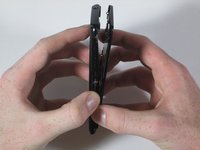
    • When you detach the front from the back, don't pull the two pieces entirely apart. There is a flat orange wire that connects the two pieces that will be disconnected in the next step.

    • Snap apart the two internal clips located on the top corners of the device, and the two clips in the bottom corners.

    • Run the plastic opening tool around the edge of the entire device to pry apart the front of the phone from the back.

    • There is a small black plastic piece located at the bottom of the front assembly. Do not worry if the strip falls off; just simply snap it back on and proceed.

    Ask FixBot

    Add Comment

  8. Motorola Droid RAZR M Front Assembly Replacement: step 8, image 1 of 3 Motorola Droid RAZR M Front Assembly Replacement: step 8, image 2 of 3 Motorola Droid RAZR M Front Assembly Replacement: step 8, image 3 of 3
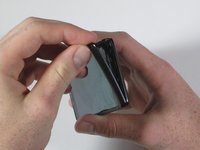
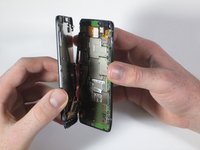
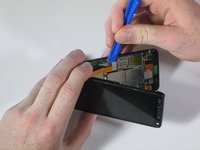
    • Like a clamshell, slowly open the device from the top. Open the remainder of the device slowly while being mindful of the flat orange wire that connects the motherboard to the front assembly.

    • Undo the snap connection in the lower left corner by inserting the plastic opening tool under the end of the orange wire connected to the motherboard. Lift gently.

    • Once the snap connection is undone, pull apart the front assembly from the rest of the phone.

    Ask FixBot

    Add Comment

Conclusion

To reassemble your device, follow these instructions in reverse order.

Cancel: I did not complete this guide.

4 other people completed this guide.

Ethan Look

Member since: 04/21/15

498 Reputation

3 Guides authored

Team

Cal Poly, Team 15-1, Amido Spring 2015 Member of Cal Poly, Team 15-1, Amido Spring 2015

CPSU-AMIDO-S15S15G1

4 Members

14 Guides authored

0 Guide Comments

Add Comment

View Statistics:

Past 24 Hours: 0

Past 7 Days: 4

Past 30 Days: 28

All Time: 1,441