Free Shipping on Domestic Orders $75+

Motorola Droid Pro Screen Replacement

What you need

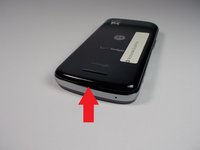
    1. Motorola Droid Pro Screen Replacement, SD Card/SIM Card PCB Board: step 1, image 1 of 2 Motorola Droid Pro Screen Replacement, SD Card/SIM Card PCB Board: step 1, image 2 of 2
      • Remove the back cover and battery by using the thumb tabs.

      Ask FixBot

      Add Comment

    2. Motorola Droid Pro Screen Replacement: step 2, image 1 of 1
      • Unscrew the 8 back panel screws using the T4 Torx screwdriver.

      Ask FixBot

      Add Comment

    3. Motorola Droid Pro Screen Replacement: step 3, image 1 of 1
      • Use a spudger to open the phone along the sides between the back panel and the chrome trim.

      • It is held together by small clips that lock in. You may have to use a little force to unlock them.

      • Go around on all sides then pull the back panel off.

      Ask FixBot

      Add Comment

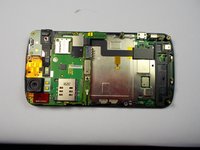
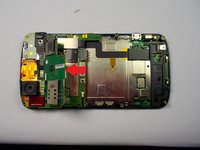
    4. Motorola Droid Pro Screen Replacement: step 4, image 1 of 2 Motorola Droid Pro Screen Replacement: step 4, image 2 of 2
      • Gently lift the SD & SIM card board (PCB) as shown in the following pictures.

      • This will expose the ribbon cable attached to the board and another ribbon cable for the mother board. Remove them both using the spudger.

      • Once the small one is removed the small board can be pulled off.

      Ask FixBot

      Add Comment

    1. Motorola Droid Pro Screen Replacement, Screen: step 5, image 1 of 1
      • Unscrew the 6 screws using the T5 Torx screwdriver.

      Ask FixBot

      Add Comment

    2. Motorola Droid Pro Screen Replacement: step 6, image 1 of 1
      • Unlock the ribbon cable and then you can pull the screen out.

      • When replacing screen make sure you lock the ribbon cable back in place.

      Ask FixBot

      Add Comment

Conclusion

To reassemble your device, follow these instructions in reverse order.

Cancel: I did not complete this guide.

Peter Cakounes

Member since: 10/21/14

19 Reputation

4 Guides authored

Team

0 Guide Comments

Add Comment

View Statistics:

Past 24 Hours: 2

Past 7 Days: 8

Past 30 Days: 29

All Time: 504