Free Shipping on Domestic Orders $75+

Motorola Defy Display Assembly Replacement

What you need

  1. Motorola Defy Display Assembly Replacement, Display Assembly: step 1, image 1 of 2 Motorola Defy Display Assembly Replacement, Display Assembly: step 1, image 2 of 2
    • Remove the battery cover and the battery itself.

    Ask FixBot

    Add Comment

  2. Motorola Defy Display Assembly Replacement: step 2, image 1 of 2 Motorola Defy Display Assembly Replacement: step 2, image 2 of 2
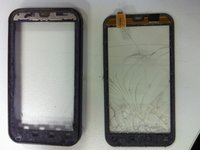
    • Using a Torx T5 screwdriver, remove both screws near the camera.

    Ask FixBot

    Add Comment

  3. Motorola Defy Display Assembly Replacement: step 3, image 1 of 1
    • Using the Torx T5 screwdriver, remove all 7 screws around the mobile: 3 on each side + 1 on the botton.

    Ask FixBot

    Add Comment

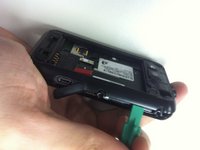
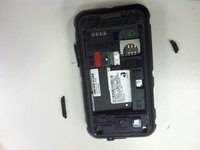
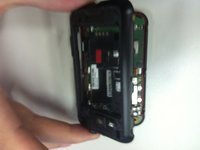
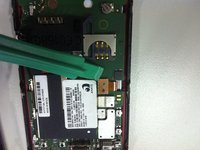
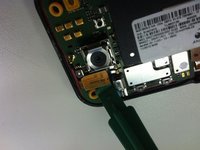
  4. Motorola Defy Display Assembly Replacement: step 4, image 1 of 3 Motorola Defy Display Assembly Replacement: step 4, image 2 of 3 Motorola Defy Display Assembly Replacement: step 4, image 3 of 3
    • Using a plastic opener tool, open the device removing the back cover.

    • Remove the power button and volume button.

    Ask FixBot

    Add Comment

  5. Motorola Defy Display Assembly Replacement: step 5, image 1 of 3 Motorola Defy Display Assembly Replacement: step 5, image 2 of 3 Motorola Defy Display Assembly Replacement: step 5, image 3 of 3
    • After opening the device, carefully, using the plastic opening tool, peel off the lcd and digitalizer conectors from the mainboard.

    Ask FixBot

    Add Comment

  6. Motorola Defy Display Assembly Replacement: step 6, image 1 of 1
    • Remove the two yellow rubber protectors near the screws. The rectangular yellow rubber protector might fall off too so put it aside.

    Ask FixBot

    Add Comment

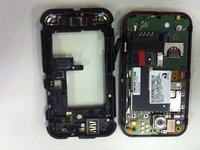
  7. Motorola Defy Display Assembly Replacement: step 7, image 1 of 1
    • Separate the Frame + Digitizer, the LCD and the mainboard.

    Ask FixBot

    Add Comment

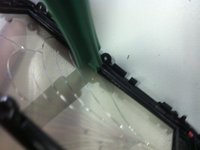
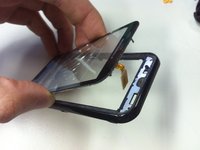
  8. Motorola Defy Display Assembly Replacement: step 8, image 1 of 3 Motorola Defy Display Assembly Replacement: step 8, image 2 of 3 Motorola Defy Display Assembly Replacement: step 8, image 3 of 3
    • Now, using a plastic opening tool, carefully insert it between the frame and the glass and force it slowly to remove the adhesive. You may also heat it to help.

    • Now, Remove the rest of adhesive from the frame to better apply the new digitizer on it.

    • Follow this backwards to reassemble the mobile.

    Ask FixBot

    Add Comment

Conclusion

To reassemble your device, follow these instructions in reverse order.

Cancel: I did not complete this guide.

11 other people completed this guide.

0 Guide Comments

Add Comment

View Statistics:

Past 24 Hours: 2

Past 7 Days: 12

Past 30 Days: 44

All Time: 6,142