Free Shipping on Domestic Orders $75+

Motorola C350 Upper Speaker Replacement

What you need

  1. Motorola C350 Upper Speaker Replacement, Rear case freeing: step 1, image 1 of 2 Motorola C350 Upper Speaker Replacement, Rear case freeing: step 1, image 2 of 2
    • Use your finger to press the button and free the device rear case.

    • You may have to force it a bit more to free its bottom if you open it for the first time.

    Ask FixBot
  2. Motorola C350 Upper Speaker Replacement, Removing battery: step 2, image 1 of 1
    • slide the black button to free the battery so you can grab it with your other hand.

    Ask FixBot
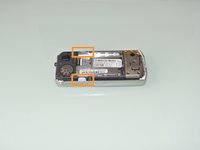
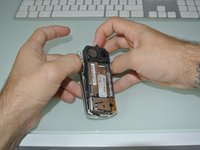
  3. Motorola C350 Upper Speaker Replacement, Separating the front case: step 3, image 1 of 2 Motorola C350 Upper Speaker Replacement, Separating the front case: step 3, image 2 of 2
    • You will see one plastic clip on each side of the device. Use your thumbs to push them apart and being able to separate the front case from the device other components.

    Ask FixBot
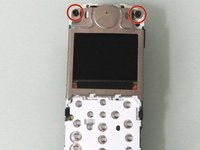
  4. Motorola C350 Upper Speaker Replacement, Logic Board: step 4, image 1 of 2 Motorola C350 Upper Speaker Replacement, Logic Board: step 4, image 2 of 2
    • Remove the 4 T6 Torx screws

    Ask FixBot
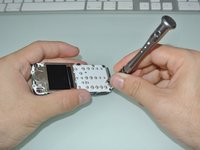
  5. Motorola C350 Upper Speaker Replacement: step 5, image 1 of 2 Motorola C350 Upper Speaker Replacement: step 5, image 2 of 2
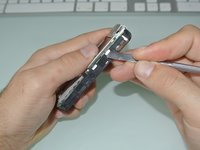
    • Use a metal spudger to pell off the four metal clips and separate the motherboard and keyboard from the main plastic part.

    Ask FixBot
  6. Motorola C350 Upper Speaker Replacement: step 6, image 1 of 1
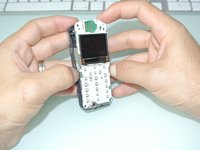
    • The last thing you need to doto access the Logic Board is to separate the Keyboard/Screen block just taking apart with your fingers.

    Ask FixBot
  7. Motorola C350 Upper Speaker Replacement, Upper Speaker: step 7, image 1 of 1
    • The upper speaker is kept in place by a metal plate.

    • Use a metal spudger to free the 3 clips on the back side

    Ask FixBot
  8. Motorola C350 Upper Speaker Replacement: step 8, image 1 of 1
    • Insert your metal spudger to remove the metal plate and free the upper speaker.

    Ask FixBot
Conclusion

To reassemble your device, follow these instructions in reverse order.

Vincent Monteil

Member since: 07/06/13

7,031 Reputation

19 Guides authored

0 Guide Comments

Add Comment

View Statistics:

Past 24 Hours: 1

Past 7 Days: 8

Past 30 Days: 64

All Time: 708