
Motorola C168 Front Panel Replacement

Christopher Wu and 5 other contributors
Last updated on Jan 5, 2024
Views: 1.5K
View statistics:
- Past 24 Hours:
- 3
- Past 7 Days:
- 13
- Past 30 Days:
- 51
- All Time:
- 1,456
Comments: 0
No one has left comments on this guide. Will you be first?
Go to guide commentsCompleted: 1 2
1 person has marked this guide "completed." Will you be next?
2 people have marked this guide "completed." Including you — great job!
Favorites: 0 1
No one has favorited (and subscribed to) this guide. Will you be the first?
1 person has favorited (and subscribed to) this guide — and that's you!
Better Introduction
Improve this guide by completing or revising its introduction.
What you need
Tools
-
Spudger4.9


-
-
-
Turn the phone so its back is facing you.
-
Press the release button on the back cover, while simultaneously pulling the cover down.
-
Remove the back cover.
 Ask FixBot
-
-
-
-
-
-
Orient the phone so its back is facing you.
-
Using a Torx T-4 screwdriver, carefully remove the 4 screws located at the corners of the phone.
-
-
-
Tool used on this step:Spudger$3.99
-
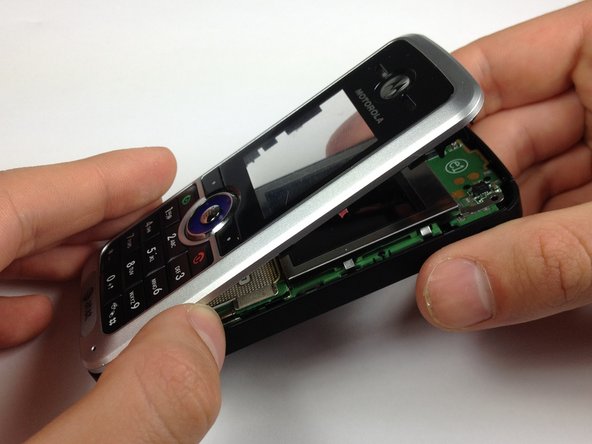
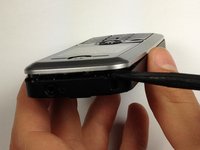
Lodge a spudger in between the front panel and the main frame of the phone.
-
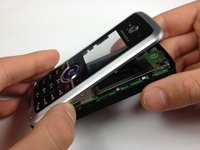
Using a good amount of torque, pry the front panel from the phone.
-
-


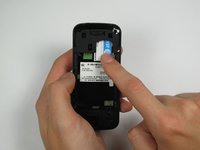
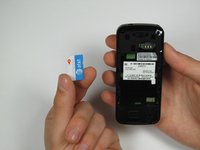


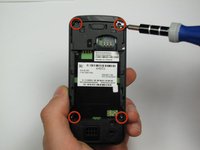
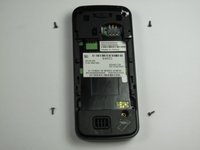

To reassemble your device, follow these instructions in reverse order.
Cancel: I did not complete this guide.
One other person completed this guide.

Team

Cal Poly, Team 12-40, Regan Spring 2012 Member of Cal Poly, Team 12-40, Regan Spring 2012
CPSU-REGAN-S12S12G40
4 Members
48 Guides authored
