Free Shipping on Domestic Orders $75+

Moto Z Fingerprint Sensor Replacement

What you need

  1. Moto Z Fingerprint Sensor Replacement, Display Assembly: step 1, image 1 of 1
    • Heat an iOpener and apply it to the left edge of the phone for at least 90 seconds.

    • A hair dryer, heat gun, or hot plate may also be used, but be careful not to overheat the phone—the OLED display and internal battery are both susceptible to heat damage.

    • As you're waiting for the adhesive to soften, move on and read the following step to get an idea of where to pry.

    Ask FixBot

    Add Comment

  2. Moto Z Fingerprint Sensor Replacement: step 2, image 1 of 2 Moto Z Fingerprint Sensor Replacement: step 2, image 2 of 2
    • In the following steps you will be cutting through the adhesive around the edge of the display assembly.

    • To avoid damage, do not cut in the following areas:

    • The OLED panel

    • The home button

    • The flash unit

    Ask FixBot

    Add Comment

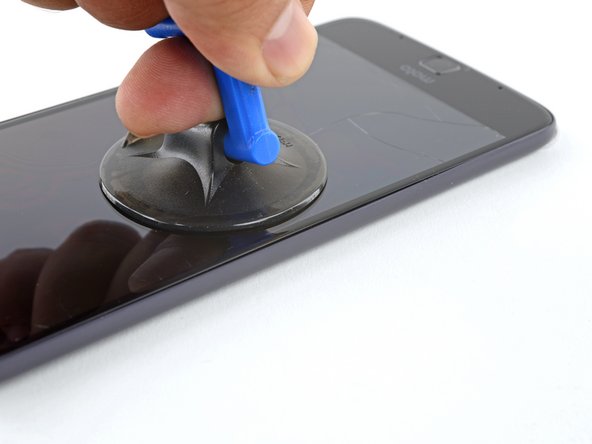
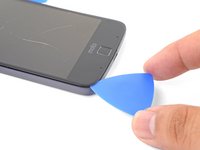
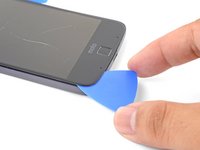
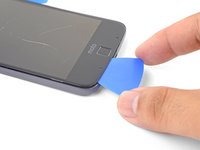
  3. Moto Z Fingerprint Sensor Replacement: step 3, image 1 of 3 Moto Z Fingerprint Sensor Replacement: step 3, image 2 of 3 Moto Z Fingerprint Sensor Replacement: step 3, image 3 of 3
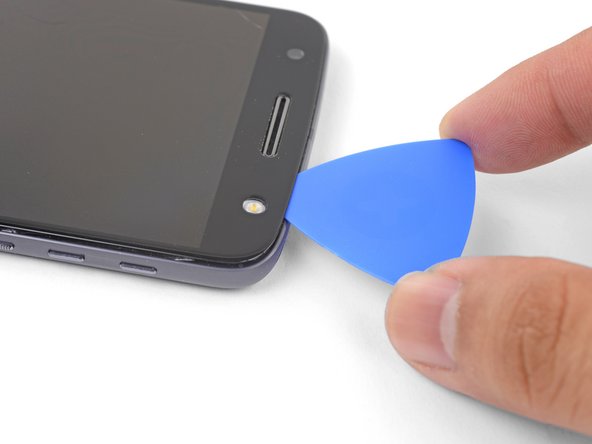
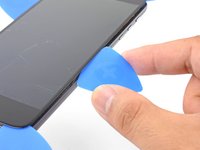
    • Apply a suction cup as close to the heated edge as possible.

    • Lift on the suction cup and insert the tip of an opening pick into the gap.

    • Do not insert the pick more than 1/16" (1.5 mm). Over-inserting the pick may damage the OLED panel.

    Ask FixBot

    Add Comment

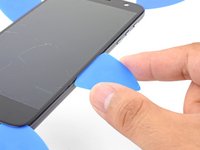
  4. Moto Z Fingerprint Sensor Replacement: step 4, image 1 of 3 Moto Z Fingerprint Sensor Replacement: step 4, image 2 of 3 Moto Z Fingerprint Sensor Replacement: step 4, image 3 of 3
    • Carefully slide the tip of the opening pick down and up the side of the phone, making sure not to cut deeper than 1/16" (1.5 mm).

    • As you run the pick along the side, you will feel the tip of the pick press against the edge of the OLED panel. That is as far as the pick should go without damaging the panel.

    • Once you have separated the adhesive, leave an opening pick in the side to keep the adhesive from resealing.

    Ask FixBot

    Add Comment

  5. Moto Z Fingerprint Sensor Replacement: step 5, image 1 of 1
    • Repeat the heating, lifting, and cutting steps for the remaining long edge of the phone.

    Ask FixBot

    Add Comment

  6. Moto Z Fingerprint Sensor Replacement: step 6, image 1 of 1
    Ask FixBot

    Add Comment

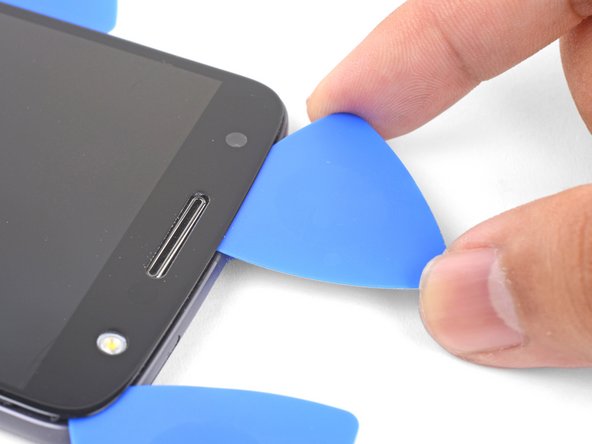
  7. Moto Z Fingerprint Sensor Replacement: step 7, image 1 of 2 Moto Z Fingerprint Sensor Replacement: step 7, image 2 of 2
    • Insert an opening pick into the flash side corner of the phone and carefully slice around the flash unit.

    • Do not insert the pick more than 1/16" (1.5 mm) into the edge.

    • Once you are done cutting, leave the pick in the corner to prevent the adhesive from resealing.

    Ask FixBot

    Add Comment

  8. Moto Z Fingerprint Sensor Replacement: step 8, image 1 of 3 Moto Z Fingerprint Sensor Replacement: step 8, image 2 of 3 Moto Z Fingerprint Sensor Replacement: step 8, image 3 of 3
    • Insert an opening pick into the remaining top corner of the phone.

    • Carefully slice through the adhesive across the top of the phone.

    • Do not insert the pick beyond 1/2" (12.5 mm).

    Ask FixBot

    Add Comment

  9. Moto Z Fingerprint Sensor Replacement: step 9, image 1 of 1
    • Apply a heated iOpener to the bottom edge of the phone for at least 90 seconds.

    Ask FixBot

    Add Comment

  10. Moto Z Fingerprint Sensor Replacement: step 10, image 1 of 3 Moto Z Fingerprint Sensor Replacement: step 10, image 2 of 3 Moto Z Fingerprint Sensor Replacement: step 10, image 3 of 3
    • Insert an opening pick into a bottom corner and slice towards the home button, stopping before you reach it.

    • Once you're done with the corner, leave a pick in place to prevent the adhesive from sealing.

    • Repeat the process for the other bottom corner.

    Ask FixBot

    Add Comment

  11. Moto Z Fingerprint Sensor Replacement: step 11, image 1 of 2 Moto Z Fingerprint Sensor Replacement: step 11, image 2 of 2
    • Carefully twist the first opening pick slightly to help release the edge adhesive.

    • Repeat the same process for each remaining pick, moving them as necessary and twisting slightly to release the adhesive.

    Ask FixBot

    Add Comment

  12. Moto Z Fingerprint Sensor Replacement: step 12, image 1 of 3 Moto Z Fingerprint Sensor Replacement: step 12, image 2 of 3 Moto Z Fingerprint Sensor Replacement: step 12, image 3 of 3
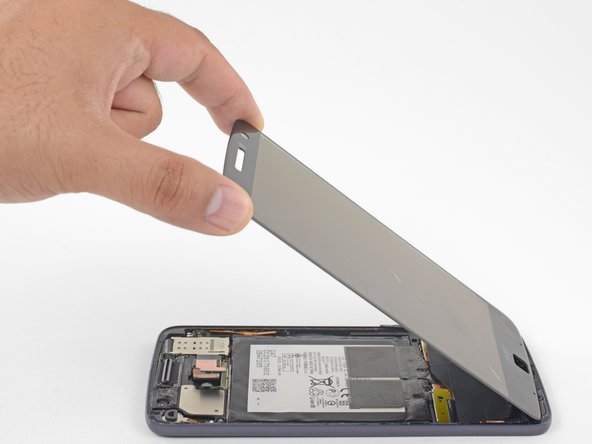
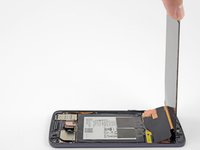
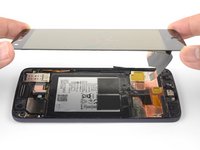
    • Lift the earpiece end of the display up to provide access to the display cables.

    • Do not open the display beyond 90 degrees, and always support the display panel.

    Ask FixBot

    Add Comment

  13. Moto Z Fingerprint Sensor Replacement: step 13, image 1 of 3 Moto Z Fingerprint Sensor Replacement: step 13, image 2 of 3 Moto Z Fingerprint Sensor Replacement: step 13, image 3 of 3
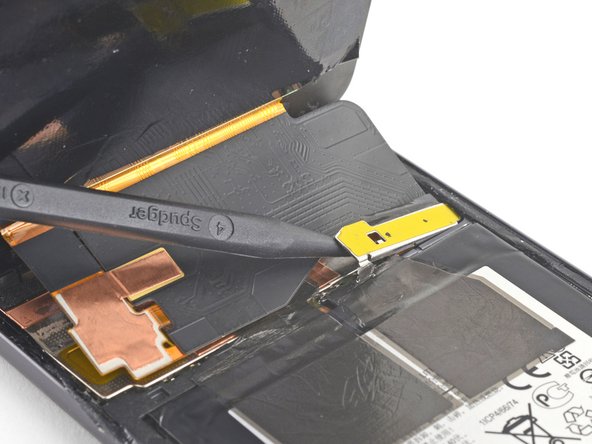
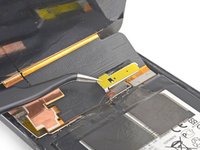
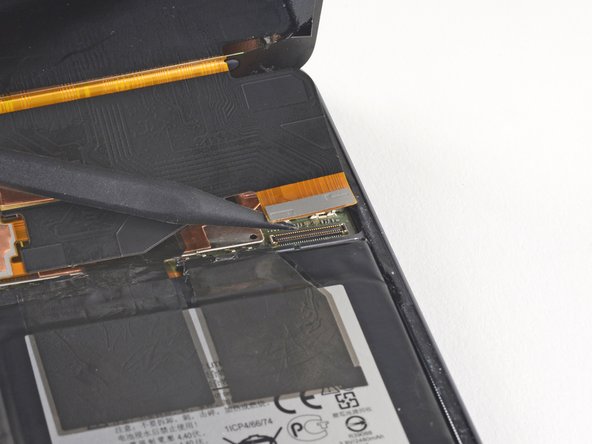
    • Use the point of a spudger to pry the display cable shield up.

    • Remove the display cable shield.

    Ask FixBot

    Add Comment

  14. Moto Z Fingerprint Sensor Replacement: step 14, image 1 of 2 Moto Z Fingerprint Sensor Replacement: step 14, image 2 of 2
    • Use the point of the spudger to lift and disconnect the display cable connector from its socket.

    Ask FixBot

    Add Comment

  15. Moto Z Fingerprint Sensor Replacement: step 15, image 1 of 2 Moto Z Fingerprint Sensor Replacement: step 15, image 2 of 2
    • Remove the display assembly.

    • Compare your new replacement part to the original part. You may need to transfer remaining components (such as the flash lens) or remove adhesive backings from the new part before installing.

    • Before you reinstall the display assembly, thoroughly remove any remaining adhesive and glass from the frame.

    • After removing all traces of glue and glass from the frame, clean the adhesion areas with 90% (or higher) isopropyl alcohol and a lint-free cloth or coffee filter.

    • Be sure to turn on your phone and test your repair before installing new adhesive and resealing the phone.

    • Use the Motorola Moto Z display adhesive to reseal your phone. Follow this guide for instructions on how to apply adhesive to the replacement screen.

    Ask FixBot

    Add Comment

  16. Moto Z Fingerprint Sensor Replacement, Fingerprint Sensor: step 16, image 1 of 2 Moto Z Fingerprint Sensor Replacement, Fingerprint Sensor: step 16, image 2 of 2
    Tool used on this step:
    Tweezers
    $4.99
    Buy
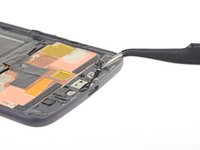
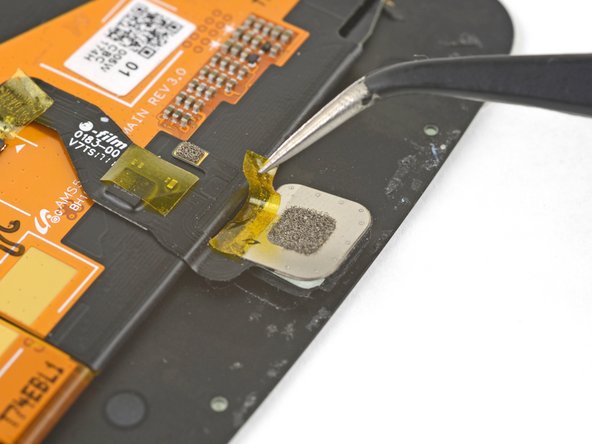
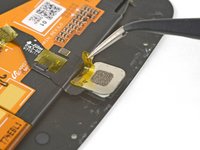
    • Use tweezers to peel off any tape on the home button connector and home button

    Ask FixBot

    Add Comment

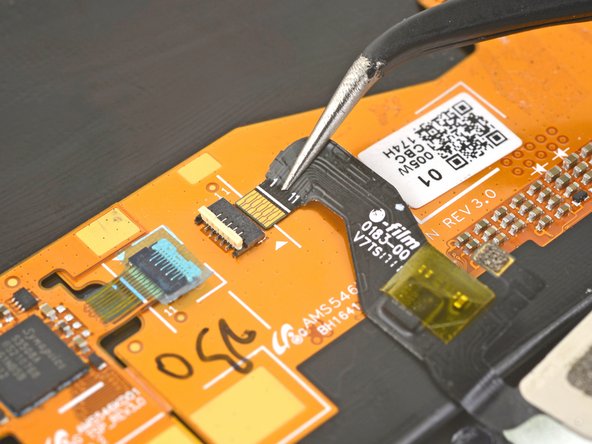
  17. Moto Z Fingerprint Sensor Replacement: step 17, image 1 of 2 Moto Z Fingerprint Sensor Replacement: step 17, image 2 of 2
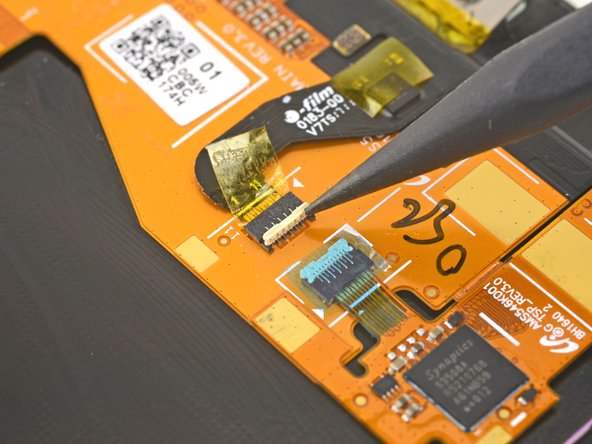
    • Use the point of a spudger to flip up the home button connector's lock.

    Ask FixBot

    Add Comment

  18. Moto Z Fingerprint Sensor Replacement: step 18, image 1 of 2 Moto Z Fingerprint Sensor Replacement: step 18, image 2 of 2
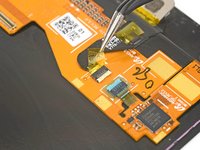
    • Use tweezers to carefully pull the home button cable straight out of the socket.

    Ask FixBot

    Add Comment

  19. Moto Z Fingerprint Sensor Replacement: step 19, image 1 of 1
    • Remove the home button.

    Ask FixBot

    Add Comment

Conclusion

To reassemble your device, follow these instructions in reverse order.

Take your e-waste to an R2 or e-Stewards certified recycler.

Repair didn’t go as planned? Check out our Motorola Moto Z Answers community for troubleshooting help.

Cancel: I did not complete this guide.

One other person completed this guide.

Arthur Shi

Member since: 01/03/18

337,958 Reputation

851 Guides authored

Team

iFixit Member of iFixit

Staff

122 Members

26,591 Guides authored

0 Guide Comments

Add Comment

View Statistics:

Past 24 Hours: 1

Past 7 Days: 19

Past 30 Days: 67

All Time: 2,383