Free Shipping on Domestic Orders $75+

Moto C Plus Daughterboard Replacement

What you need

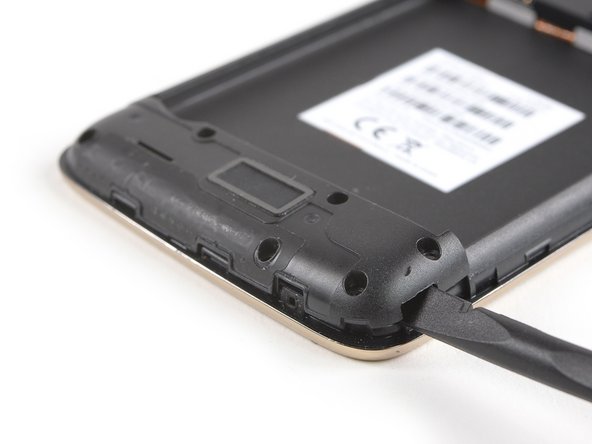
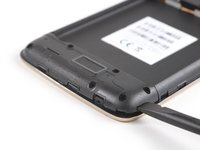
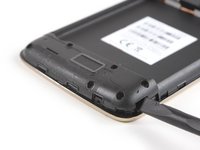
  1. Moto C Plus Daughterboard Replacement, Back Cover: step 1, image 1 of 3 Moto C Plus Daughterboard Replacement, Back Cover: step 1, image 2 of 3 Moto C Plus Daughterboard Replacement, Back Cover: step 1, image 3 of 3
    • Power off your phone before beginning disassembly.

    • Insert a thumbnail, or spudger, into the notch on the bottom right to start separating the phone unit from the back cover.

    • Move to the bottom left corner and pry the phone unit out of the back cover until you can get a good grip.

    Ask FixBot

    Add Comment

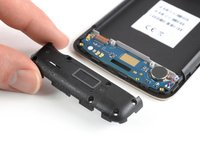
  2. Moto C Plus Daughterboard Replacement: step 2, image 1 of 2 Moto C Plus Daughterboard Replacement: step 2, image 2 of 2
    • Lift the phone out of the back cover.

    Ask FixBot

    Add Comment

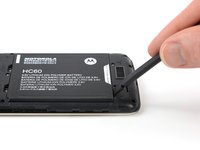
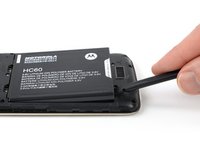
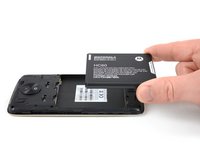
  3. Moto C Plus Daughterboard Replacement, Battery: step 3, image 1 of 3 Moto C Plus Daughterboard Replacement, Battery: step 3, image 2 of 3 Moto C Plus Daughterboard Replacement, Battery: step 3, image 3 of 3
    • Use a spudger or fingernail to lift the battery starting at the notch on the bottom left.

    • Lever the battery out of its recess and remove it.

    Ask FixBot

    Add Comment

  4. Moto C Plus Daughterboard Replacement, Daughterboard Cover: step 4, image 1 of 1
    • Remove the six 3.1 mm Phillips #00 screws securing the daughterboard cover.

    Ask FixBot

    Add Comment

  5. Moto C Plus Daughterboard Replacement: step 5, image 1 of 3 Moto C Plus Daughterboard Replacement: step 5, image 2 of 3 Moto C Plus Daughterboard Replacement: step 5, image 3 of 3
    • Apply a spudger to the right side of the daughterboard cover.

    • Twist the spudger sideways to pry up the daughterboard cover until you get a good grip.

    • Remove the daughterboard cover.

    Ask FixBot

    Add Comment

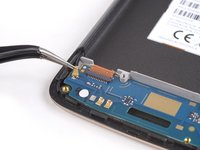
  6. Moto C Plus Daughterboard Replacement, Daughterboard: step 6, image 1 of 2 Moto C Plus Daughterboard Replacement, Daughterboard: step 6, image 2 of 2
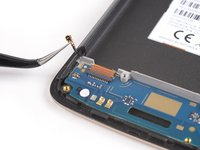
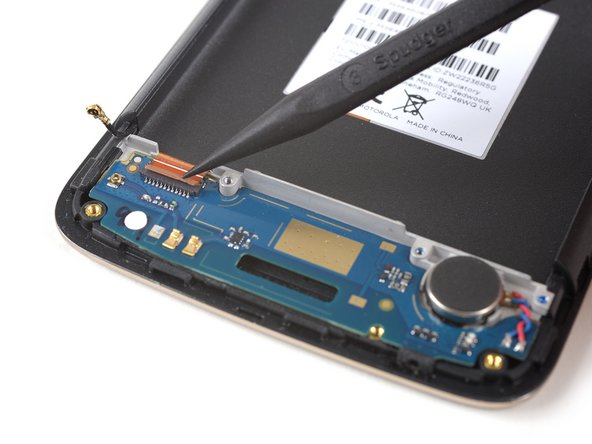
    • Disconnect the antenna cable and fold it out of the way.

    Ask FixBot

    Add Comment

  7. Moto C Plus Daughterboard Replacement: step 7, image 1 of 2 Moto C Plus Daughterboard Replacement: step 7, image 2 of 2
    • Use the tip of a spudger to open the brown flap of the ZIF connector that holds the interconnect cable in its place.

    • When reassembling make sure the white line on the cable aligns with the closed flap.

    Ask FixBot

    Add Comment

  8. Moto C Plus Daughterboard Replacement: step 8, image 1 of 2 Moto C Plus Daughterboard Replacement: step 8, image 2 of 2
    Tool used on this step:
    Tweezers
    $4.99
    Buy
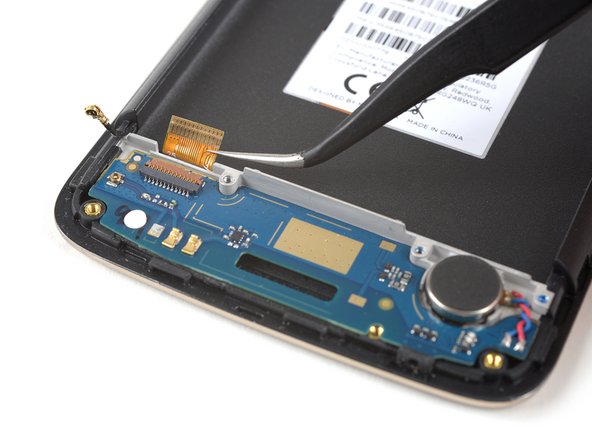
    • Use a pair of tweezers to pull the interconnect flex cable out of the ZIF connector.

    Ask FixBot

    Add Comment

  9. Moto C Plus Daughterboard Replacement: step 9, image 1 of 1
    • Prepare an iOpener and apply it to the bottom part of the display for at least two minutes to loosen the adhesive beneath the daughterboard.

    Ask FixBot

    Add Comment

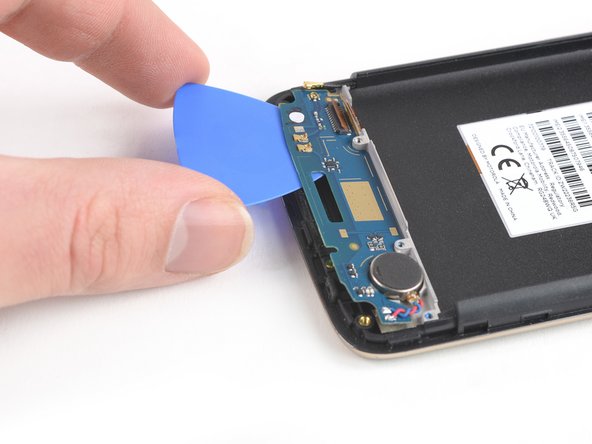
  10. Moto C Plus Daughterboard Replacement: step 10, image 1 of 3 Moto C Plus Daughterboard Replacement: step 10, image 2 of 3 Moto C Plus Daughterboard Replacement: step 10, image 3 of 3
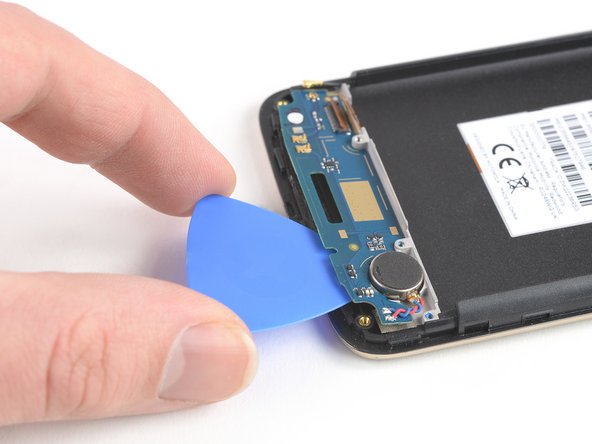
    • Apply an opening pick to the bottom edge of the daughterboard.

    • Carefully slide the opening pick under the daughterboard to cut the adhesive underneath.

    • Take care to cut the adhesive underneath the vibration motor.

    • Slide the opening pick from right to left to cut all the adhesive.

    Ask FixBot

    Add Comment

  11. Moto C Plus Daughterboard Replacement: step 11, image 1 of 1
    • Remove the daughterboard including the soldered-on vibration motor.

    Ask FixBot

    Add Comment

Conclusion

To reassemble your device, follow these instructions in reverse order.

Apply new adhesive where it’s necessary.

Cancel: I did not complete this guide.

One other person completed this guide.

Dominik Schnabelrauch

Member since: 11/23/16

260,237 Reputation

682 Guides authored

Team

iFixit Member of iFixit

Staff

122 Members

26,593 Guides authored

0 Guide Comments

Add Comment

View Statistics:

Past 24 Hours: 0

Past 7 Days: 10

Past 30 Days: 37

All Time: 1,075