
Moto C Battery Replacement

Dominik Schnabelrauch and 3 other contributors
Last updated on May 15, 2023
Views: 1.9K
View statistics:
- Past 24 Hours:
- 1
- Past 7 Days:
- 23
- Past 30 Days:
- 72
- All Time:
- 1,940
Comments: 0
No one has left comments on this guide. Will you be first?
Go to guide commentsCompleted: 1 2
1 person has marked this guide "completed." Will you be next?
2 people have marked this guide "completed." Including you — great job!
Favorites: 0 1
No one has favorited (and subscribed to) this guide. Will you be the first?
1 person has favorited (and subscribed to) this guide — and that's you!
Featured Guide
This guide has been found to be exceptionally cool by the iFixit staff.
Introduction
Go to step 1 ↓Use this guide to remove a worn out or dead battery in your Motorola Moto C.
Before you begin, download the Rescue and Smart Assistant app to backup your device and diagnose whether your problem is software or hardware related.
What you need
Parts
-
Moto C Battery - Genuine$32.99

-
-
-
Insert a thumbnail, or spudger, into the notch on the bottom right corner to start separating the phone unit from the back cover.
-
Move it to the bottom left corner and pry the phone unit out of the back cover until you can get a good grip.
 Ask FixBot
-
-
-
-
-
-
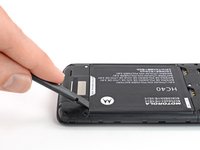
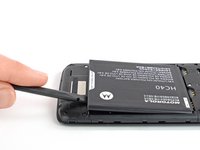
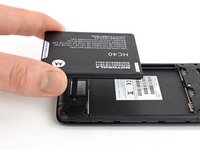
Use a finger or spudger to lever the battery out of its recess and remove it.
-
-


To reassemble your device, follow these instructions in reverse order.
Take your e-waste to an R2 or e-Stewards certified recycler.
Cancel: I did not complete this guide.
One other person completed this guide.


