Free Shipping on Domestic Orders $75+

Mooka AP-S0610L Bottom Cover Replacement

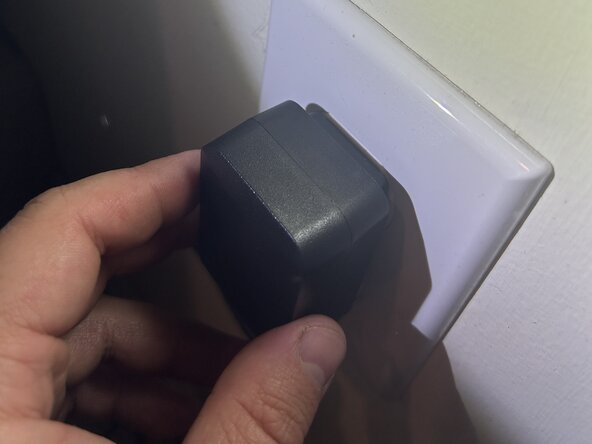
  1. Mooka AP-S0610L Bottom Cover Replacement, Bottom Cover: step 1, image 1 of 1
    • Unplug the purifier cable from the wall outlet.

    • WARNING: Failure to complete this could cause injury such as electric shock.

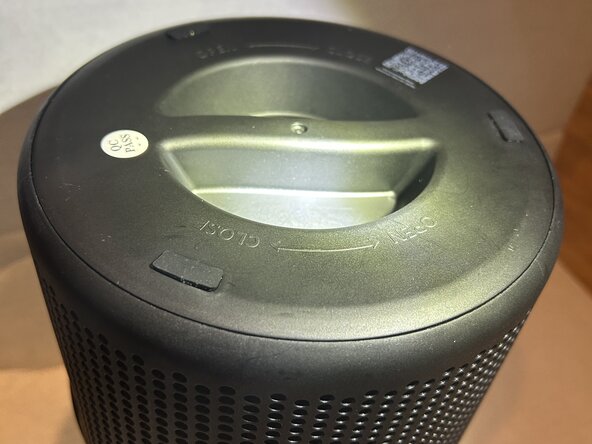
  2. Mooka AP-S0610L Bottom Cover Replacement: step 2, image 1 of 1
    • Tip the device upside down, so the touch panel is facing the floor and the bottom of the device is facing up.

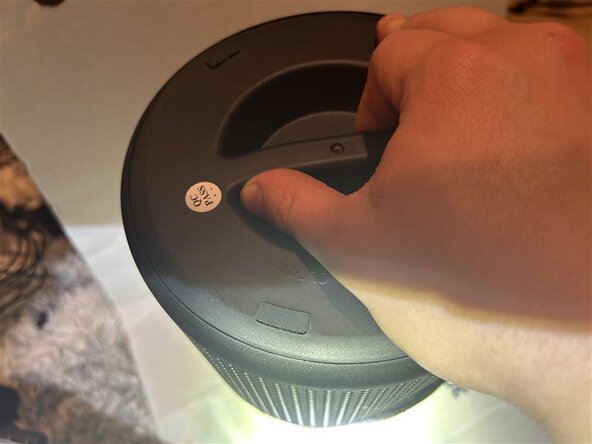
  3. Mooka AP-S0610L Bottom Cover Replacement: step 3, image 1 of 1
    • Twist the bottom cover off in a counterclockwise direction.

Conclusion

To reassemble your device, follow these instructions in reverse order.

Dominic Goncalves

Member since: 03/24/25

290 Reputation

2 Guides authored

Team

0 Guide Comments

Add Comment

View Statistics:

Past 24 Hours: 0

Past 7 Days: 1

Past 30 Days: 12

All Time: 135