Free Shipping on Domestic Orders $75+

Mobvoi TicWatch C2 Battery Replacement

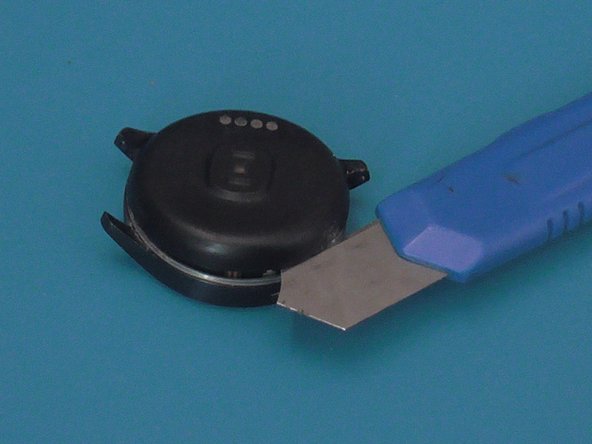
  1. Mobvoi TicWatch C2 Battery Replacement, Remove the plastic shell: step 1, image 1 of 3 Mobvoi TicWatch C2 Battery Replacement, Remove the plastic shell: step 1, image 2 of 3 Mobvoi TicWatch C2 Battery Replacement, Remove the plastic shell: step 1, image 3 of 3
    • With a sharp and thin object, press and open the plastic shell, equipped with the charging connectors, upwards. It is attached with glue , to facilitate , it can also be heated. Do not completely remove the shell but lift it because the connector is attached to the mainboard.

    Ask FixBot

    Add Comment

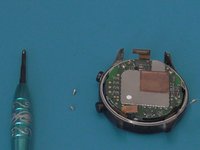
  2. Mobvoi TicWatch C2 Battery Replacement, Open and disconnect charging connector: step 2, image 1 of 3 Mobvoi TicWatch C2 Battery Replacement, Open and disconnect charging connector: step 2, image 2 of 3 Mobvoi TicWatch C2 Battery Replacement, Open and disconnect charging connector: step 2, image 3 of 3
    • Lift the plastic cover and disconnect the charging connector from the mainboard.

    Ask FixBot

    Add Comment

  3. Mobvoi TicWatch C2 Battery Replacement, Disconnect other peripherals: step 3, image 1 of 1
    • Disconnect the other 4 connectors that remain to remove the battery and mainboard block.

    Ask FixBot

    Add Comment

  4. Mobvoi TicWatch C2 Battery Replacement, Remove Mainboard and batteri block from front housing: step 4, image 1 of 1
    • Remove mainboard and battery block from display front housing

    Ask FixBot

    Add Comment

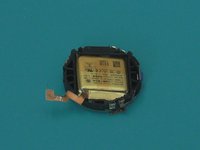
  5. Mobvoi TicWatch C2 Battery Replacement, Remove Mainboard and battery from plastic shell: step 5, image 1 of 3 Mobvoi TicWatch C2 Battery Replacement, Remove Mainboard and battery from plastic shell: step 5, image 2 of 3 Mobvoi TicWatch C2 Battery Replacement, Remove Mainboard and battery from plastic shell: step 5, image 3 of 3
    • With a philips screwdriver remove the two screws that hold the mainboard and the battery to the plastic shell.

    Ask FixBot

    Add Comment

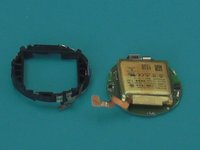
  6. Mobvoi TicWatch C2 Battery Replacement, Final remove battery: step 6, image 1 of 1
    • The battery is held on the mainboard with little glue.Easy to remove

    Ask FixBot

    Add Comment

Conclusion

To reassemble your device, follow these instructions in reverse order.

Cancel: I did not complete this guide.

One other person completed this guide.

Wow Store

Member since: 10/27/22

133 Reputation

1 Guide authored

0 Guide Comments

Add Comment

View Statistics:

Past 24 Hours: 4

Past 7 Days: 34

Past 30 Days: 103

All Time: 1,215