Free Shipping on Domestic Orders $75+

Mitsubishi T200 Screen Replacement

What you need

  1. Mitsubishi T200 Screen Replacement, Screen: step 1, image 1 of 2 Mitsubishi T200 Screen Replacement, Screen: step 1, image 2 of 2
    • Begin disassembling the phone by removing the phone back cover and battery.

    Ask FixBot

    Add Comment

  2. Mitsubishi T200 Screen Replacement: step 2, image 1 of 1
    • To remove the back plate, loosen and remove the four screws by using a #00 Philips head screwdriver.

    Ask FixBot

    Add Comment

  3. Mitsubishi T200 Screen Replacement: step 3, image 1 of 1
    • Separate the front plastic component from the motherboard component.

    Ask FixBot

    Add Comment

  4. Mitsubishi T200 Screen Replacement: step 4, image 1 of 1
    • Take the circuit board off the motherboard.

    Ask FixBot

    Add Comment

  5. Mitsubishi T200 Screen Replacement: step 5, image 1 of 2 Mitsubishi T200 Screen Replacement: step 5, image 2 of 2
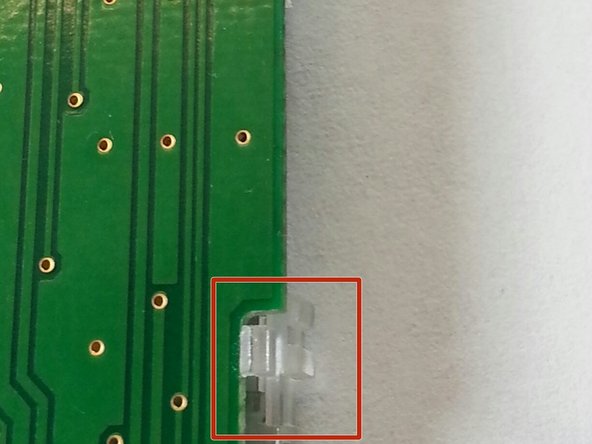
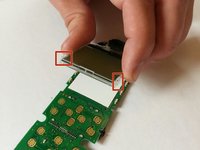
    • Unclip the four clips to remove the screen (connected to the clear plastic) from the circuit board.

    Ask FixBot

    Add Comment

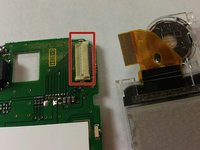
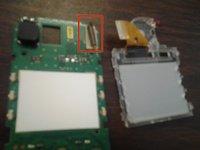
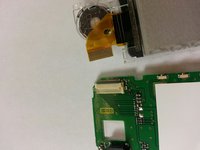
  6. Mitsubishi T200 Screen Replacement: step 6, image 1 of 2 Mitsubishi T200 Screen Replacement: step 6, image 2 of 2
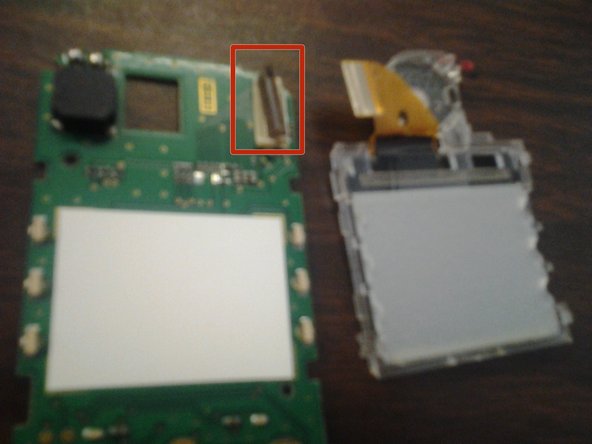
    • Remove the attached ribbon from the circuit board by prying open the gray plastic clip at the top right of the circuit board.

    Ask FixBot

    Add Comment

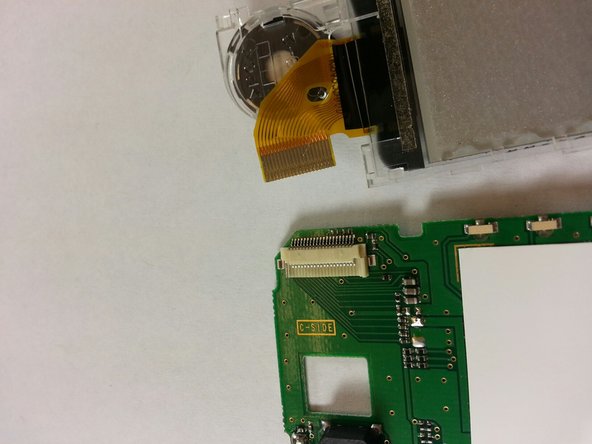
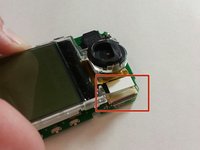
  7. Mitsubishi T200 Screen Replacement: step 7, image 1 of 2 Mitsubishi T200 Screen Replacement: step 7, image 2 of 2
    • We can now insert the new screen and reassemble the device.

    • Place the ribbon of the new screen into the clip on the top right of the circuit board.

    Ask FixBot

    Add Comment

  8. Mitsubishi T200 Screen Replacement: step 8, image 1 of 1
    • Clip the new screen onto the circuit board.

    Ask FixBot

    Add Comment

  9. Mitsubishi T200 Screen Replacement: step 9, image 1 of 1
    • Replace circut board back on top of motherboard.

    Ask FixBot

    Add Comment

  10. Mitsubishi T200 Screen Replacement: step 10, image 1 of 1
    • Take the entire internal assembly and join it with the front plastic housing.

    • Ensure that the tops of both pieces clip into place before joining the bottom ones.

    Ask FixBot

    Add Comment

  11. Mitsubishi T200 Screen Replacement: step 11, image 1 of 1
    • Join the phone's face assembly to the back plastic housing. Make sure you carefully insert the front into the antenna's clip first.

    • Snap the whole unit together.

    Ask FixBot

    Add Comment

  12. Mitsubishi T200 Screen Replacement: step 12, image 1 of 1
    • Firmly replace screws into the backing.

    Ask FixBot

    Add Comment

Finish Line

Cancel: I did not complete this guide.

2 other people completed this guide.

Taylor Lewis

Member since: 02/13/14

20 Reputation

1 Guide authored

Team

Ohio State, Team 1-5, Meza Spring 2014 Member of Ohio State, Team 1-5, Meza Spring 2014

OSU-MEZA-S14S1G5

4 Members

6 Guides authored

0 Guide Comments

Add Comment

View Statistics:

Past 24 Hours: 1

Past 7 Days: 12

Past 30 Days: 52

All Time: 1,276