Introduction
Use this guide to replace the M12 battery in the Milwaukee M12 2951-20.
Battery replacement may be necessary if the radio no longer powers on, fails to hold a charge, or shuts off unexpectedly while unplugged from AC power.
Before beginning, ensure the device is powered off and disconnected from any external power source. Only use a compatible Milwaukee M12 lithium-ion battery pack. Using an incompatible battery may damage the device or create a safety hazard.
What you need
-
-
Unplug the AC power cord from the side of the radio.
-
Press the release buttons on the M12 battery pack and slide it out of the battery bay.
 Ask FixBot
-
-
-
-
Use a Phillips #1 screwdriver to remove the 15mm screw securing the battery cover.
-
Remove the cover and set it aside.
-
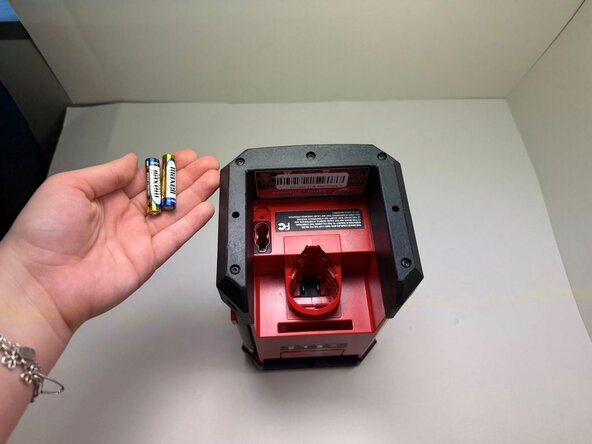
Remove the two AAA batteries from the compartment.
-




To reassemble your device, follow these instructions in reverse order.

Team

Austin Community College, Team 9-3, Watkins Spring 2026 Member of Austin Community College, Team 9-3, Watkins Spring 2026
AUSTINCC-WATKINS-S26S9G3
3 Members
5 Guides authored
