Free Shipping on Domestic Orders $75+

Microsoft Surface Pro 2 Audio Ports Replacement

What you need

  1. Microsoft Surface Pro 2 Audio Ports Replacement, LCD Display: step 1, image 1 of 2 Microsoft Surface Pro 2 Audio Ports Replacement, LCD Display: step 1, image 2 of 2
    • To avoid electrical shocks, unplug and turn off your Surface Pro 2 before proceeding.

    Ask FixBot
    Add Comment

  2. Microsoft Surface Pro 2 Audio Ports Replacement: step 2, image 1 of 1
    • Avoid any skin or eye contact with the heating pad or heating gun because they may cause bodily harm.

    • Using a heating pad or heating gun, heat the edges of the screen to soften the glue. This area extends roughly one inch from the edge of the device.

    • The glue is under the darker border of the device display.

    Ask FixBot
    Add Comment

  3. Microsoft Surface Pro 2 Audio Ports Replacement: step 3, image 1 of 1
    • Using a plastic opening tool and a suction cup as needed for leverage, gently insert one edge of the opening tool under the corner of the screen.

    • If the tool does not easily slide under the screen, return to heating before proceeding.

    • Slowly work the tool around the entire edge of the screen.

    Ask FixBot

    Add Comment

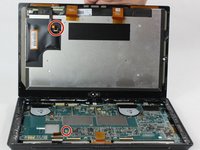
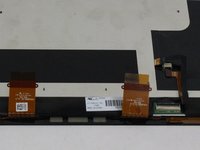
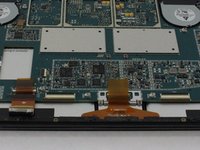
  4. Microsoft Surface Pro 2 Audio Ports Replacement: step 4, image 1 of 3 Microsoft Surface Pro 2 Audio Ports Replacement: step 4, image 2 of 3 Microsoft Surface Pro 2 Audio Ports Replacement: step 4, image 3 of 3
    • Detach the orange cables that connect the screen to the motherboard by pulling on the small tabs. Using the nylon spudger, release these cables.

    • Please note the third small connector in red.

    • Allow the glue to cool before letting it come into contact with any other surface.

    Ask FixBot

    Add Comment

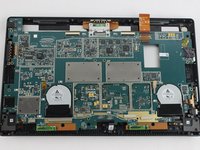
  5. Microsoft Surface Pro 2 Audio Ports Replacement, Motherboard: step 5, image 1 of 3 Microsoft Surface Pro 2 Audio Ports Replacement, Motherboard: step 5, image 2 of 3 Microsoft Surface Pro 2 Audio Ports Replacement, Motherboard: step 5, image 3 of 3
    • Make sure that the front-facing camera is completely disconnected, and then remove the plastic bracket.

    • Remove the 22 screws on the bezel.

    • Remove the left and right brackets; the left has 16 screws and the right has 15 screws.

    • The three different torx screws used are T3, T4, and T5.

    Ask FixBot

    Add Comment

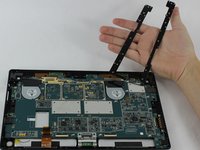
  6. Microsoft Surface Pro 2 Audio Ports Replacement: step 6, image 1 of 3 Microsoft Surface Pro 2 Audio Ports Replacement: step 6, image 2 of 3 Microsoft Surface Pro 2 Audio Ports Replacement: step 6, image 3 of 3
    • Once the brackets are removed, set them aside.

    • The motherboard itself also has screws.

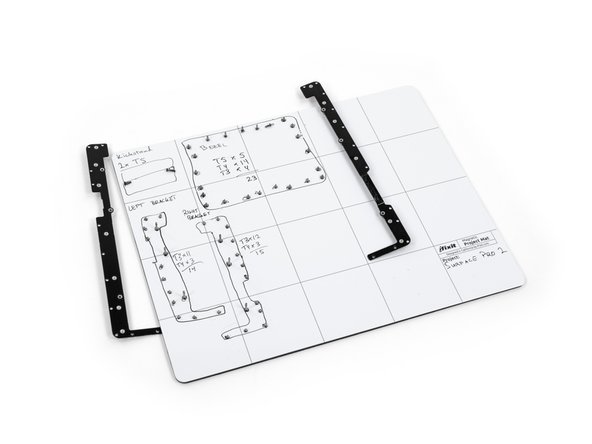
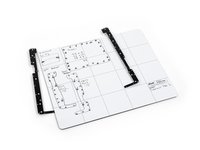
    • Remove the 25 screws of varying sizes that attach the motherboard to the back plate.

    • View the attached photo of a screw diagram to help keep track of your screws.

    Ask FixBot

    Add Comment

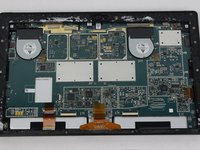
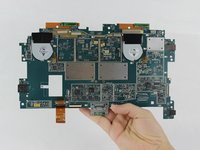
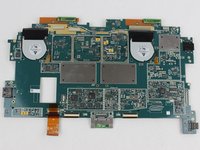
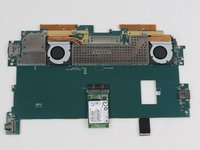
  7. Microsoft Surface Pro 2 Audio Ports Replacement: step 7, image 1 of 3 Microsoft Surface Pro 2 Audio Ports Replacement: step 7, image 2 of 3 Microsoft Surface Pro 2 Audio Ports Replacement: step 7, image 3 of 3
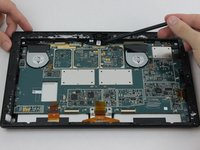
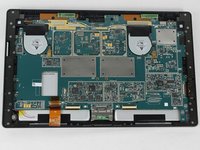
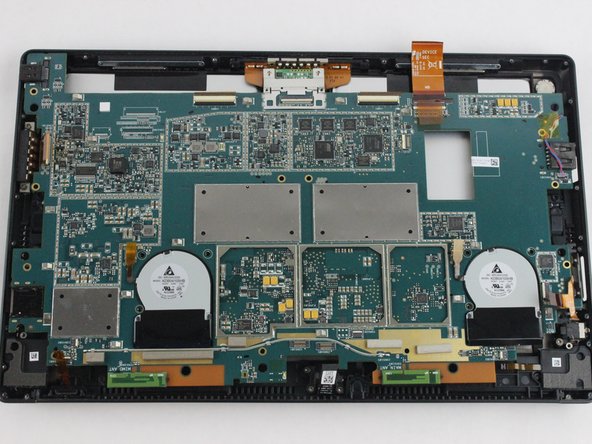
    • You have now completely removed the motherboard, and it should look like the pictures shown.

    • Be sure to be cautious with all the connections with the cables on the motherboard.

    Ask FixBot

    Add Comment

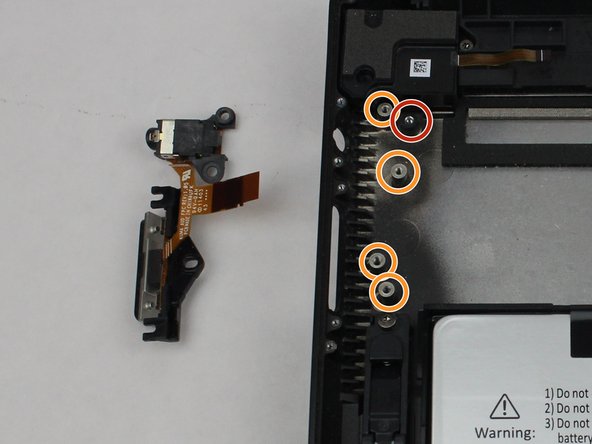
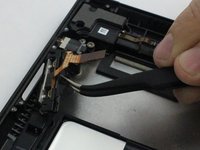
  8. Microsoft Surface Pro 2 Audio Ports Replacement, Audio Ports: step 8, image 1 of 2 Microsoft Surface Pro 2 Audio Ports Replacement, Audio Ports: step 8, image 2 of 2
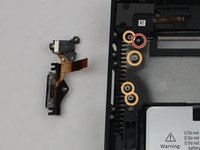
    • The entire assembly can be removed by taking out one final screw.

    • These screws as well as the ribbon were removed during the perquisite guide for removing the motherboard.

    Ask FixBot

    Add Comment

Conclusion

To reassemble your device, follow these instructions in reverse order.

Cancel: I did not complete this guide.

Mathew B

Member since: 09/19/16

323 Reputation

2 Guides authored

Team

USF Tampa, Team 6-2, Remmell Fall 2016 Member of USF Tampa, Team 6-2, Remmell Fall 2016

USFT-REMMELL-F16S6G2

4 Members

11 Guides authored

0 Guide Comments

Add Comment

View Statistics:

Past 24 Hours: 3

Past 7 Days: 14

Past 30 Days: 50

All Time: 1,822