Introduction
If your Bluetooth button is not responding, does not click properly, or the mouse cannot enter pairing mode, follow this guide to access and repair the Bluetooth button component. Since this button allows the mouse to connect to devices, it is essential for proper wireless functionality.
What you need
-
-
-
Remove the battery cover and take out both AAA batteries from the mouse.
 Ask FixBot
-
-
-
Insert a thin pry tool beneath the seam near the left and right click buttons.
-
Slide the pry tool toward the rear of the mouse while keeping the tool underneath the upper shell clips.
-
Gently release the retaining clips securing the top shell.
-
Continue working around the shell until the top cover separates from the lower housing.
-
-
-
-
Open the inner shell carefully from left to right to access the internal circuits.
-
-
-
-
-
Disconnect the motherboard connectors by gripping the plastic housings with tweezers and pulling straight upward from the sockets.
-
-
-
Remove the three 4.1 mm Phillips screws securing the motherboard.
-
Remove the two 7.1 mm Phillips screws securing the side button board.
-
-


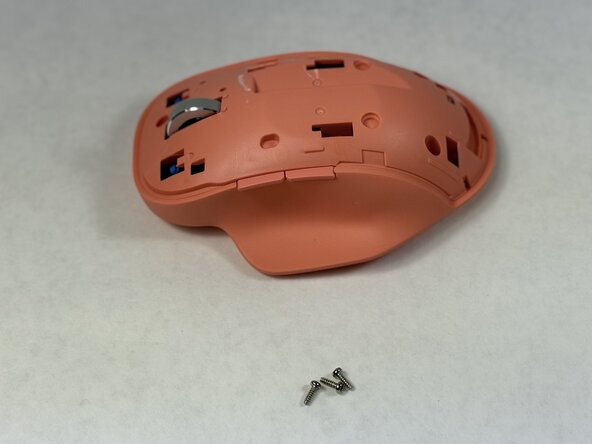


To reassemble your device, follow these instructions in reverse order.
Cancel: I did not complete this guide.
One other person completed this guide.

Team

UMass Dartmouth, Team 2-5, Biswokarma Spring 2026 Member of UMass Dartmouth, Team 2-5, Biswokarma Spring 2026
UMASSD-BISWOKARMA-S26S2G5
5 Members
72 Guides authored
