Introduction
This guide explains how to replace the batteries in a Microsoft Ergonomic Bluetooth Mouse. The battery powers the device, so replacing it is necessary if the mouse stops working or loses power frequently. This is a very simple process that does not require disassembling internal components.
-
-
-
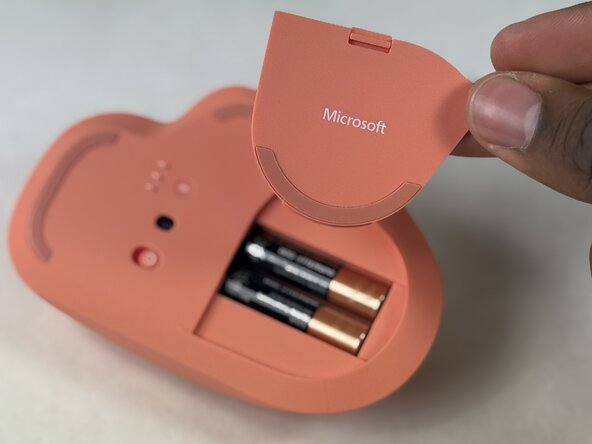
Flip the mouse over so the bottom side is facing up. Locate the battery cover.
 Ask FixBot
-
-
-
-
Take out the old batteries by lifting one end of each battery or removing them from the center.
-
-




To reassemble your device, follow the above steps in reverse order.
Take your e-waste to an R2 or e-Stewards certified recycler.
Repair didn’t go as planned? Try some basic troubleshooting or ask our Answers community for help.

Team

UMass Dartmouth, Team 2-5, Biswokarma Spring 2026 Member of UMass Dartmouth, Team 2-5, Biswokarma Spring 2026
UMASSD-BISWOKARMA-S26S2G5
5 Members
72 Guides authored
