
Meta Quest 3 Controller Strap Replacement

Andrew28709 and one other contributor
Last updated on Dec 22, 2023
Views: 10K
View statistics:
- Past 24 Hours:
- 15
- Past 7 Days:
- 104
- Past 30 Days:
- 475
- All Time:
- 9,979
Comments: 1
1 guide comment.
Go to guide commentsCompleted: 2 3
2 people have marked this guide "completed." Will you be next?
3 people have marked this guide "completed." Including you — great job!
Favorites: 0 1
No one has favorited (and subscribed to) this guide. Will you be the first?
1 person has favorited (and subscribed to) this guide — and that's you!
Introduction
Go to step 1 ↓Have you ever wanted to add accessory's to your oculus quest but were afraid to break something, or simply not know how? In this guide I will go over how to apply the Meta Quest Active Straps for the oculus quest 3 controllers. I will guide you step-by-step to ensure you do not break anything and know how to properly apply the accessory.
What you need
-
-
-
First, you will want to pick up any of the controllers to begin replacing the wrist strap.
 Ask FixBot
-
-
-
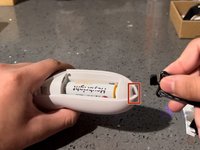
Adjacent to the controller's joystick is a white triangle button.
-
You need to press down firmly on the button to open the controller's battery compartment.
-
-
-
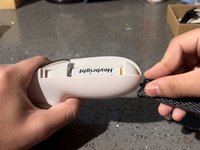
Once you open the compartment, pinch and pull up the strap to disconnect it from the controller.
-
-
-
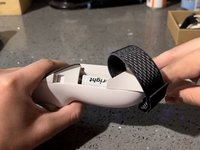
With the new wrist strap, push the black clip down into the now-empty small compartment to connect your new strap to the controller.
-
-
-
You can close the battery compartment using the new cover connected to the controller strap.
-
-
-
-
Put the controller in your hands to see if you need to adjust the fit of the strap.
-
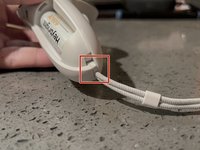
If Adjustments are needed, you can pull or push the strap through the clip's hole.
-
-






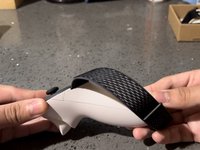


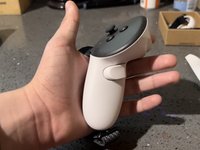
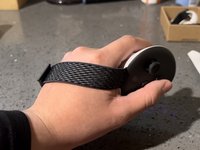
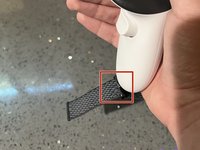


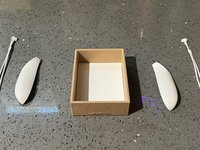
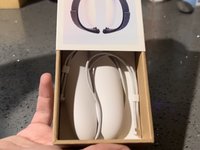
Once you have followed all these steps, you will have properly applied the accessory to your oculus quest 3 controllers.
Cancel: I did not complete this guide.
2 other people completed this guide.
Team

CSU Los Angeles, Team 3-17, Briggs Fall 2023 Member of CSU Los Angeles, Team 3-17, Briggs Fall 2023
CSULA-BRIGGS-F23S3G17
1 Member
12 Guides authored
