Free Shipping on Domestic Orders $75+

Meta Quest 2 Front Cover Replacement

Views: 5.7K

View statistics:

Past 24 Hours:
5
Past 7 Days:
36
Past 30 Days:
204
All Time:
5,728
Comments: 6

6 comments on steps.

Completed: 1

1 person has marked this guide "completed." Will you be next?

Favorites: 1

1 person has favorited (and subscribed to) this guide. Will you be next?

Time Required: 20 - 45 minutes
Difficulty: Moderate
Meta Quest 2 Front Cover Replacement

Introduction

Go to step 1 ↓

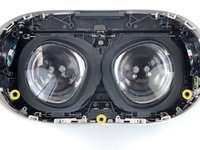
This guide shows how to remove and replace the front cover (aka front shell or faceplate) for your Meta Quest 2.

The front cover is the white plastic piece that covers the front of the headset. Removing the cover gives access to the motherboard.

Note: You'll need a long PH00 bit or a dedicated PH00 screwdriver to remove some recessed screws.

What you need

Tools

    1. Meta Quest 2 Front Cover Replacement, Power off your Meta Quest 2: step 1, image 1 of 1
      • Hold the power button for three seconds to fully turn off your headset.

      • You'll hear a power down chime, and the LED next to the power button will turn off.

      Ask FixBot

      Add Comment

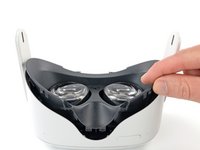
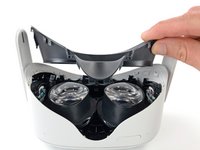
    1. Meta Quest 2 Front Cover Replacement, Remove the facial interface: step 2, image 1 of 2 Meta Quest 2 Front Cover Replacement, Remove the facial interface: step 2, image 2 of 2
      • Grasp and pull on the nose section of the facial interface to unclip it from the headset.

      Ask FixBot

      Add Comment

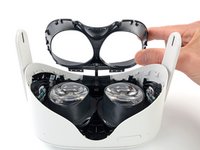
    2. Meta Quest 2 Front Cover Replacement: step 3, image 1 of 2 Meta Quest 2 Front Cover Replacement: step 3, image 2 of 2
      • Grasp and pull on the top section of the facial interface to unclip it from the headset.

      Ask FixBot

      Add Comment

    3. Meta Quest 2 Front Cover Replacement: step 4, image 1 of 1
      • Remove the facial interface.

      • During reassembly, align the facial interface to the headset and use your fingers to press along the perimeter to clip it back in.

      Ask FixBot

      Add Comment

    1. Meta Quest 2 Front Cover Replacement, Unclip the side straps: step 5, image 1 of 3 Meta Quest 2 Front Cover Replacement, Unclip the side straps: step 5, image 2 of 3 Meta Quest 2 Front Cover Replacement, Unclip the side straps: step 5, image 3 of 3
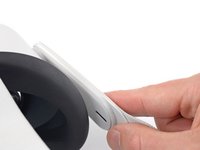
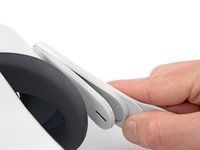
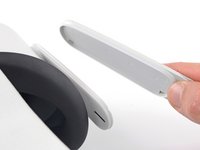
      • Use your fingers to grasp the right strap near the headset.

      • Peel the right strap away from the headset arm to unclip it.

      Ask FixBot

      Add Comment

    2. Meta Quest 2 Front Cover Replacement: step 6, image 1 of 2 Meta Quest 2 Front Cover Replacement: step 6, image 2 of 2
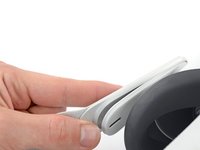
      • Repeat the procedure to peel the left strap away from the arm to unclip it.

      Ask FixBot

      Add Comment

    3. Meta Quest 2 Front Cover Replacement, Remove the top strap: step 7, image 1 of 2 Meta Quest 2 Front Cover Replacement, Remove the top strap: step 7, image 2 of 2
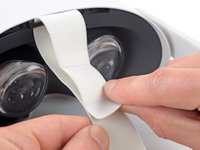
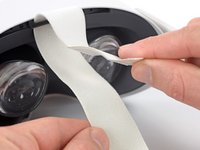
      • Separate the hook and loop strip on the top strap.

      Ask FixBot

      Add Comment

    4. Meta Quest 2 Front Cover Replacement, Remove the head strap: step 8, image 1 of 2 Meta Quest 2 Front Cover Replacement, Remove the head strap: step 8, image 2 of 2
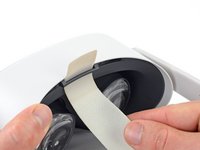
      • Unthread the top strap from its bracket.

      • Remove the head strap.

      Ask FixBot

      Add Comment

    1. Meta Quest 2 Front Cover Replacement, Remove the eyepiece trim screws: step 9, image 1 of 2 Meta Quest 2 Front Cover Replacement, Remove the eyepiece trim screws: step 9, image 2 of 2
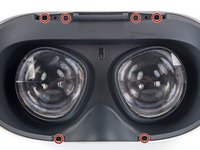
      • Use a Torx T2 driver to remove the six 3.5 mm‑long screws securing the eyepiece trim.

      Ask FixBot

      Add Comment

    2. Meta Quest 2 Front Cover Replacement, Release the eyepiece trim clips: step 10, image 1 of 2 Meta Quest 2 Front Cover Replacement, Release the eyepiece trim clips: step 10, image 2 of 2
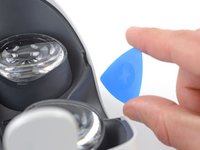
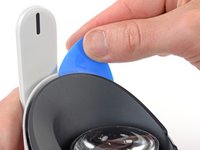
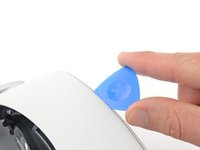
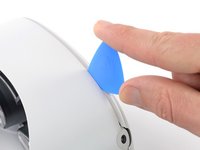
      • Insert an opening pick into the seam between the eyepiece trim and white outer shell, near the nose cutout.

      Ask FixBot

      Add Comment

    3. Meta Quest 2 Front Cover Replacement: step 11, image 1 of 3 Meta Quest 2 Front Cover Replacement: step 11, image 2 of 3 Meta Quest 2 Front Cover Replacement: step 11, image 3 of 3
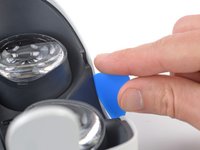
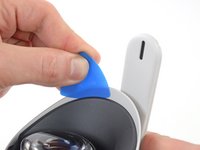
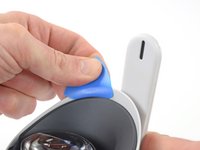
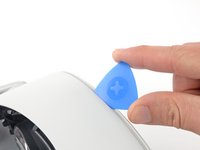
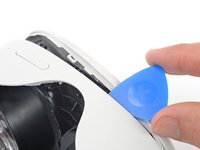
      • Slide the opening pick to the right along the seam to release the clips securing the eyepiece trim.

      • Pry with the opening pick to release the clips securing the right side of the eyepiece trim.

      • Leave the opening pick in the seam to prevent the clips from reengaging.

      Ask FixBot

      Add Comment

    4. Meta Quest 2 Front Cover Replacement: step 12, image 1 of 3 Meta Quest 2 Front Cover Replacement: step 12, image 2 of 3 Meta Quest 2 Front Cover Replacement: step 12, image 3 of 3
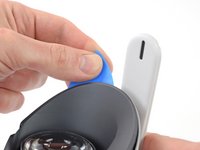
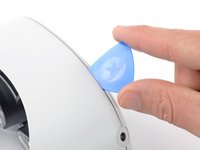
      • Repeat the prying procedure along the left edge to release the clips securing the eyepiece trim.

      • During reassembly, press your fingers along the perimeter of the eyepiece trim to clip it back in place.

      Ask FixBot

      Add Comment

    5. Meta Quest 2 Front Cover Replacement, Reposition the eyepiece trim: step 13, image 1 of 3 Meta Quest 2 Front Cover Replacement, Reposition the eyepiece trim: step 13, image 2 of 3 Meta Quest 2 Front Cover Replacement, Reposition the eyepiece trim: step 13, image 3 of 3
      • Don’t try to fully remove the eyepiece trim in this step. It’s still connected to the headset by a short cable.

      • Lift the eyepiece trim slightly and tilt it towards the top edge of the headset.

      • Set the trim down on your work surface, making sure not to strain the cable.

      Ask FixBot

      Add Comment

    6. Meta Quest 2 Front Cover Replacement, Disconnect the face sensor: step 14, image 1 of 3 Meta Quest 2 Front Cover Replacement, Disconnect the face sensor: step 14, image 2 of 3 Meta Quest 2 Front Cover Replacement, Disconnect the face sensor: step 14, image 3 of 3
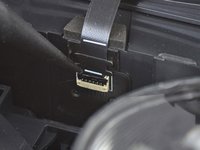
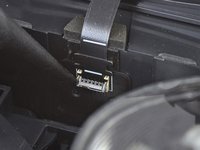
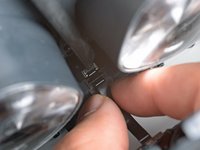
      • Use the point of a spudger to flip open the black lock tab on the ZIF connector securing the face sensor cable.

      Ask FixBot

      Add Comment

    7. Meta Quest 2 Front Cover Replacement: step 15, image 1 of 2 Meta Quest 2 Front Cover Replacement: step 15, image 2 of 2
      Tool used on this step:
      Tweezers
      $4.99
      Buy
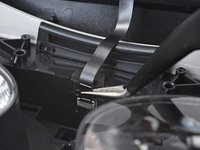
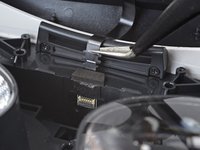
      • Use tweezers to pull the face sensor cable out of the ZIF connector.

      Ask FixBot

      Add Comment

    8. Meta Quest 2 Front Cover Replacement, Remove the eyepiece trim: step 16, image 1 of 1
      • Remove the eyepiece trim.

      Ask FixBot

      Add Comment

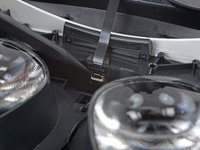
    9. Meta Quest 2 Front Cover Replacement, Reassembly note: step 17, image 1 of 2 Meta Quest 2 Front Cover Replacement, Reassembly note: step 17, image 2 of 2
      • During reassembly:

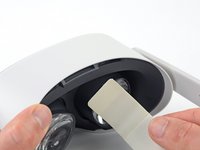
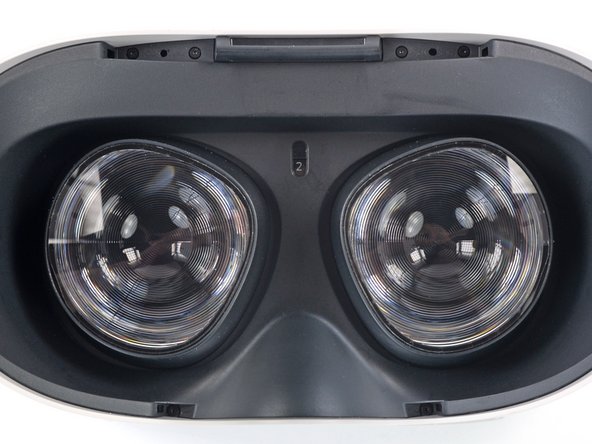
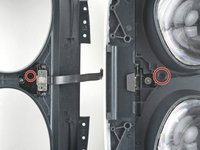
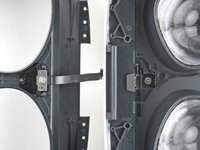
      • Make sure the lens spacing matches the spacing indicator. This allows the indicator peg to sit correctly in its notch.

      • If the lens spacing doesn't match the indicator, manually adjust the lens with your fingers.

      Ask FixBot

      Add Comment

    10. Meta Quest 2 Front Cover Replacement, Reassembly note: step 18, image 1 of 3 Meta Quest 2 Front Cover Replacement, Reassembly note: step 18, image 2 of 3 Meta Quest 2 Front Cover Replacement, Reassembly note: step 18, image 3 of 3
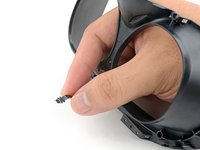
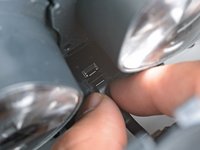
      • During reassembly, the face sensor cable can be tricky to connect. Follow these tips to connect the cable:

      • Thread your fingers through the eyepiece trim’s eyeholes and grasp the edges of the sensor cable.

      • Slide the sensor cable into the socket until the first set of tabs rests in the socket. This should flip the lock tab down partially.

      • Use a spudger to press the lock tab down towards the cable to lock it in place.

      Ask FixBot

      Add Comment

    1. Meta Quest 2 Front Cover Replacement, Remove the front cover screws: step 19, image 1 of 3 Meta Quest 2 Front Cover Replacement, Remove the front cover screws: step 19, image 2 of 3 Meta Quest 2 Front Cover Replacement, Remove the front cover screws: step 19, image 3 of 3
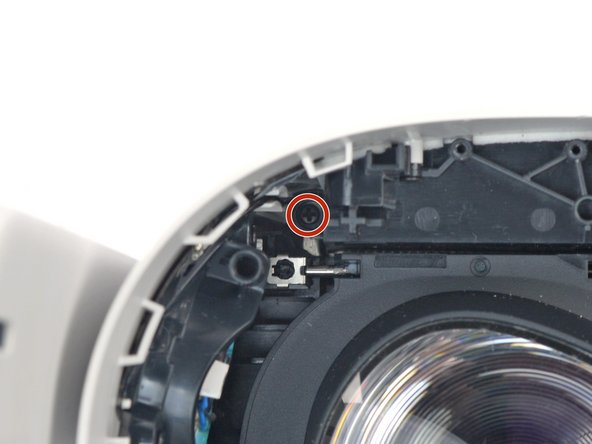
      • Use a Phillips screwdriver to remove the five 7.7 mm‑long screws securing the front cover to the headset:

      • One recessed in the top-left corner

      • One recessed in the top-right corner

      • Three along the lower edge

      Ask FixBot

      Add Comment

    2. Meta Quest 2 Front Cover Replacement, Release the front cover clips: step 20, image 1 of 2 Meta Quest 2 Front Cover Replacement, Release the front cover clips: step 20, image 2 of 2
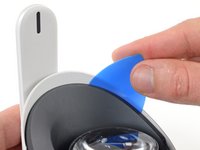
      • The front cover is still held in place by clips along the bottom and side edges.

      • Insert an opening pick into the seam between the bottom edge of the front cover and the headset.

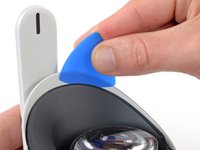
      • Pry with the opening pick to release the front cover clips.

      Ask FixBot

      Add Comment

    3. Meta Quest 2 Front Cover Replacement: step 21, image 1 of 3 Meta Quest 2 Front Cover Replacement: step 21, image 2 of 3 Meta Quest 2 Front Cover Replacement: step 21, image 3 of 3
      • Slide the opening clip along the seam and pry to release all the clips securing the front cover.

      Ask FixBot

      Add Comment

    4. Meta Quest 2 Front Cover Replacement, Remove the front cover: step 22, image 1 of 1
      • Remove the front cover.

      Ask FixBot

      Add Comment

Conclusion

To reassemble your device, follow these instructions in reverse order.

Take your e-waste to an R2 or e-Stewards certified recycler.

Repair didn’t go as planned? Try some basic troubleshooting, or ask our Answers community for help.

Cancel: I did not complete this guide.

One other person completed this guide.

Arthur Shi

Member since: 01/03/18

351,653 Reputation

937 Guides authored

Team

iFixit Member of iFixit

Staff

121 Members

72,895 Guides authored

0 Guide Comments

Add Comment

View Statistics:

Past 24 Hours: 5

Past 7 Days: 36

Past 30 Days: 204

All Time: 5,728