
Master and Dynamic MW50 Battery Replacement

Tyler Guffey and 4 other contributors
Last updated on Mar 7, 2019
Views: 2.9K
View statistics:
- Past 24 Hours:
- 7
- Past 7 Days:
- 27
- Past 30 Days:
- 100
- All Time:
- 2,923
Comments: 3
1 comment on steps, 2 guide comments.
Go to guide commentsCompleted: 0 1
No one has marked this guide "completed." Will you be the first?
1 person has marked this guide "completed." It's you — great job!
Favorites: 0 1
No one has favorited (and subscribed to) this guide. Will you be the first?
1 person has favorited (and subscribed to) this guide — and that's you!
Introduction
Go to step 1 ↓In order to safely replace or check other parts for this device, it is sometimes necessary to first disconnect the battery. This will also allow you to replace the battery if you determine it to be faulty. You will need to unsolder and solder to replace your battery, and there is an attached guide to show you how. You will be disassembling the right side of the headphones.
What you need
Tools


-
-
-
Pull the cushion off of the desired side by gripping the top of the headphones and pulling the cushion off.
 Ask FixBot
-
-
-
-
-
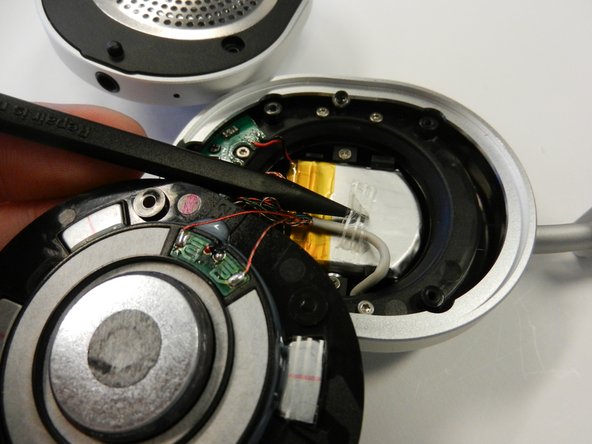
Remove the tape attaching the thicker white wire to the battery. You may consider keeping the tape to reattach the wire later.
-
-
-
-
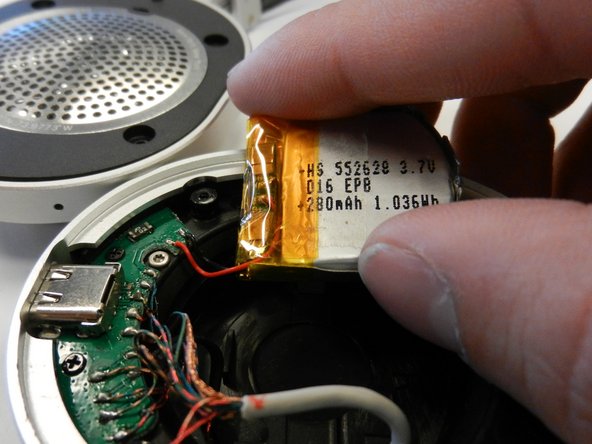
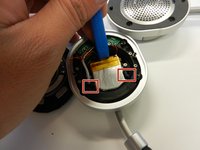
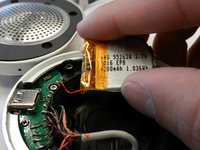
Use an iFixit opening tool or something similar to pry out the battery.
-
There are two small tabs circled here that are holding the battery in. Push these down while prying to make the battery come out easier.
-
-




To reassemble your device, follow these instructions in reverse order.

Team

Cal Poly, Team S1-G4, White Winter 2019 Member of Cal Poly, Team S1-G4, White Winter 2019
CPSU-WHITE-W19S1G4
4 Members
72 Guides authored
