
Marshall MS-2 Speaker Replacement

MacKinley and 6 other contributors
Last updated on Jan 30, 2017
Views: 5.4K
View statistics:
- Past 24 Hours:
- 5
- Past 7 Days:
- 27
- Past 30 Days:
- 132
- All Time:
- 5,434
Comments: 5
1 comment on steps, 4 guide comments.
Go to guide commentsCompleted: 2 3
2 people have marked this guide "completed." Will you be next?
3 people have marked this guide "completed." Including you — great job!
Favorites: 1 2
1 person has favorited (and subscribed to) this guide. Will you be next?
2 people have favorited (and subscribed to) this guide — including you!
What you need
Tools

-
-
-
First be sure to turn the power switch to the off position.
-
Do this by turning the leftmost knob counter-clockwise as until the line points to "off."
 Ask FixBot
-
-
-
Now remove the battery.
-
On the back of the device locate the battery cover.
-
Remove it by pushing down on the clip.
-
Then pull the piece of fabric until the battery comes out.
-
-
-
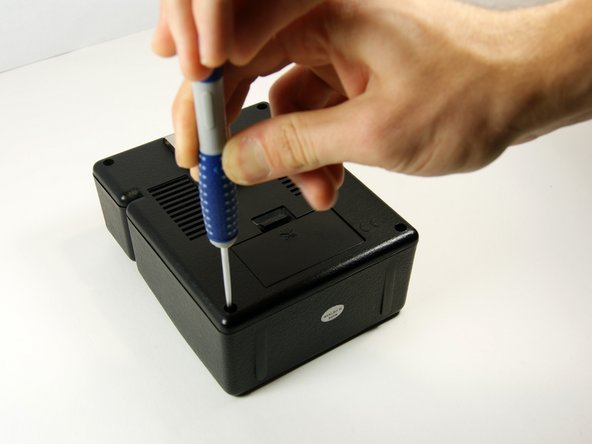
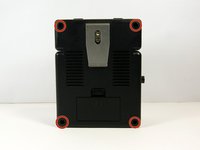
Use the long, skinny phillips head screwdriver to remove the 4 7/16" screws on the back of the device in the four corners.
-
-
-
-
Now pull the back panel off and place it down as shown. Pull the panel straight up so you do not lose the screws.
-
-
-
-
-
Remove the two 7/16" screws located in the bottom left and top right corners with a phillips head screw driver. After removing the screws, the metal clips will need to be removed as well.
-




To reassemble your device, follow these instructions in reverse order.
Cancel: I did not complete this guide.
2 other people completed this guide.

Team

University of Maryland, Team 1-1, Shastany Fall 2013 Member of University of Maryland, Team 1-1, Shastany Fall 2013
UMD-SHASTANY-F13S1G1
3 Members
60 Guides authored
4 Guide Comments
So where do we find a replacement speaker? If no parts are required what is the point in taking the speaker out?
This speaker unavailable in Marlins. Any online sources. How should an untutored amateur repairer describe the replacement in order to get the right thing
