Free Shipping on Domestic Orders $75+

Mad Catz Dual Force 2 Pro Buttons Replacement

Views: 1.2K

View statistics:

Past 24 Hours:
5
Past 7 Days:
28
Past 30 Days:
86
All Time:
1,169
Comments: 0

No one has left comments on this guide. Will you be first?

Go to guide comments
Completed: 0

No one has marked this guide "completed." Will you be the first?

Favorites: 1

1 person has favorited (and subscribed to) this guide. Will you be next?

Time Required: No estimate
Difficulty: Moderate
Slice and Dice

The steps in this guide should be split up and made into a series of prerequisite guides.

Missing Details

Some of this guide's details are missing. Help users by adding tools, difficulty, or time.

Mad Catz Dual Force 2 Pro Buttons Replacement

Introduction

Go to step 1 ↓

Please remember that these controllers are not designed to be repaired so do not be surprised if you need to be rough with it or something was not initially installed correctly. Also, the same kind of screw was used throughout the controller.

What you need

Tools

    1. Mad Catz Dual Force 2 Pro Buttons Replacement, Buttons: step 1, image 1 of 1
      • Remove the six 7 mm Phillips screws from the rear cover.

      Ask FixBot

      Add Comment

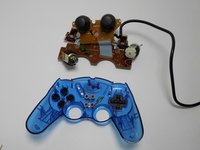
    2. Mad Catz Dual Force 2 Pro Buttons Replacement: step 2, image 1 of 1
      • Remove the back of the controller.

      Ask FixBot

      Add Comment

    3. Mad Catz Dual Force 2 Pro Buttons Replacement: step 3, image 1 of 1
      • Remove the two 7 mm screws on the closest circuit board.

      Ask FixBot

      Add Comment

    4. Mad Catz Dual Force 2 Pro Buttons Replacement: step 4, image 1 of 2 Mad Catz Dual Force 2 Pro Buttons Replacement: step 4, image 2 of 2
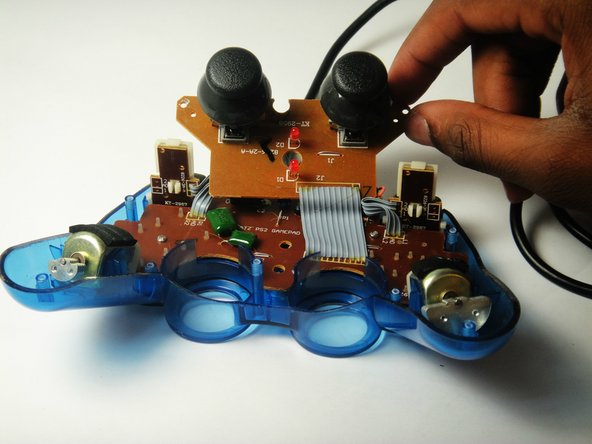
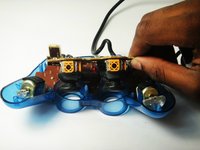
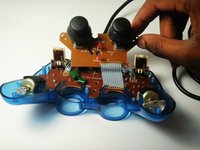
      • Lift the closest circuit board away from the motherboard.

      • Be sure you do not tear the ribbon connecting the smaller circuit board to the motherboard.

      Ask FixBot

      Add Comment

    5. Mad Catz Dual Force 2 Pro Buttons Replacement: step 5, image 1 of 1
      • Remove the two 7 mm Philip screws on the larger circuit board.

      Ask FixBot

      Add Comment

    6. Mad Catz Dual Force 2 Pro Buttons Replacement: step 6, image 1 of 2 Mad Catz Dual Force 2 Pro Buttons Replacement: step 6, image 2 of 2
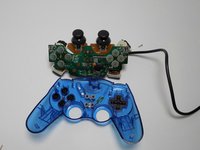
      • Remove the motherboard assembly from the cover.

      Ask FixBot

      Add Comment

    7. Mad Catz Dual Force 2 Pro Buttons Replacement: step 7, image 1 of 1
      • Lift out any of the plastic buttons you want to replace.

      Ask FixBot

      Add Comment

Conclusion

To reassemble your device, follow these instructions in reverse order.

Cancel: I did not complete this guide.

Alexander Coyne

Member since: 01/11/15

847 Reputation

5 Guides authored

Team

USF Tampa, Team 7-2, Remmell Winter 2015 Member of USF Tampa, Team 7-2, Remmell Winter 2015

USFT-REMMELL-W15S7G2

4 Members

60 Guides authored

0 Guide Comments

Add Comment

View Statistics:

Past 24 Hours: 5

Past 7 Days: 28

Past 30 Days: 86

All Time: 1,169