Free Shipping on Domestic Orders $75+

Macintosh Classic disassembly

What you need

  1. Macintosh Classic disassembly, Open the Mac: step 1, image 1 of 1
    • Turn the Mac so the screen is face-down

    • Put a cloth under the screen to not scratch the screen.

    • Unscrew the four Torx screws.

    • Two screws are on the bottom side near the ports, the other two are Hidden in the handle.

    Ask FixBot

    Add Comment

  2. Macintosh Classic disassembly, Discharge the Catode Ray Tube (CRT): step 2, image 1 of 1
    • WARNING, IF YOU COME INTO CONTACT WITH THE DISCHARGE FROM THE CRT YOU RISK DYING, We recommend looking for a tutorial on YouTube

    • Connect a flat screwdriver to the CRT ground cable (black cable attached to the screw) with an alligator cable.

    • Slowly push the screwdriver under the red suction cup connected to the CRT and touch the metal part with the screwdriver.

    Ask FixBot

    Add Comment

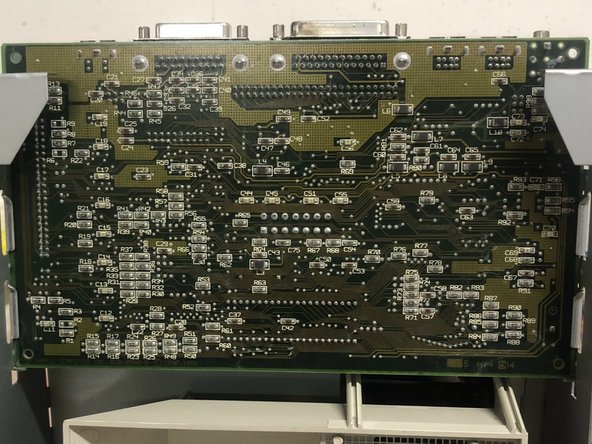
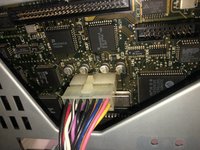
  3. Macintosh Classic disassembly, Removing the motherboard.: step 3, image 1 of 2 Macintosh Classic disassembly, Removing the motherboard.: step 3, image 2 of 2
    • The motherboard has no screws, so it can be removed by pulling upwards.

    • Make sure to disconnect all cables.

    Ask FixBot

    Add Comment

  4. Macintosh Classic disassembly, Remove The Floppy Drive: step 4, image 1 of 1
    • Remove the four screws and pay attention to the two hidden screws.

    • The Floppy lock and Disk go away easily.

    Ask FixBot

    Add Comment

  5. Macintosh Classic disassembly, Remove the Power Supply: step 5, image 1 of 1
    • WARNING - The POWER SUPPLY may still contain current inside it. Do not touch any capacitors on the power supply

    • Unscrew the two screws that secure it to the chassis and remove the connected cables.

    Ask FixBot

    Add Comment

  6. Macintosh Classic disassembly, Remove the Chassis: step 6, image 1 of 1
    • To remove the Chassis you must use the same Torx 15 screwdriver as the handle.

    • Unscrew the four screws and the Chassis can be removed.

    Ask FixBot

    Add Comment

  7. Macintosh Classic disassembly, Remove the CRT: step 7, image 1 of 1
    • CAUTION: The cathode ray tube is under pressure, avoid scratching or breaking it.

    • To remove the CRT, simply unscrew the four screws placed at the corners.

    Ask FixBot

    Add Comment

Conclusion

To reassemble the device, follow these instructions in reverse order.

Cancel: I did not complete this guide.

2 other people completed this guide.

Special thanks to these translators:

it en

100%

These translators are helping us fix the world! Want to contribute?
Start translating ›

Attached Documents

Marc developer

Member since: 08/16/21

1,443 Reputation

4 Guides authored

0 Guide Comments

Add Comment

View Statistics:

Past 24 Hours: 3

Past 7 Days: 32

Past 30 Days: 140

All Time: 5,860