
MacBook Pro 16" 2021 Lower Case Replacement

Alex Diaz-Kokaisl and one other contributor
Last updated on Jun 18, 2025
Views: 20K
View statistics:
- Past 24 Hours:
- 15
- Past 7 Days:
- 100
- Past 30 Days:
- 425
- All Time:
- 20,011
Comments: 4
3 comments on steps, 1 guide comment.
Go to guide commentsCompleted: 7 8
7 people have marked this guide "completed." Will you be next?
8 people have marked this guide "completed." Including you — great job!
Favorites: 2 3
2 people have favorited (and subscribed to) this guide. Will you be next?
3 people have favorited (and subscribed to) this guide — including you!
Introduction
Go to step 1 ↓Use this guide to replace the lower case in your MacBook Pro 16" 2021.
What you need


-
-
Tool used on this step:Magnetic Project Mat$19.95
-
Use a P5 Pentalobe driver to remove eight screws securing the lower case:
-
Four 9.1 mm screws
-
Four 5 mm screws
 Ask FixBot
-
-
-
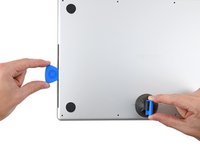
Press a suction handle into place near the front edge of the lower case, between the screw holes.
-
Pull up on the suction handle to create a small gap under the lower case.
-
-
-
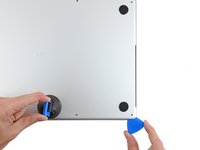
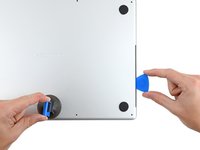
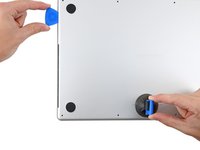
Insert an opening pick into the gap you just created.
-
Slide the opening pick around the nearest corner and then halfway up the side of the MacBook Pro.
-
-
-
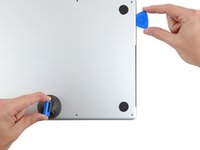
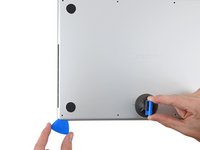
Repeat the previous step on the other side, using an opening pick to to release the second clip.
-
-
-
-
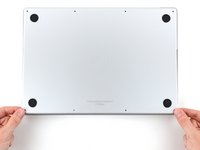
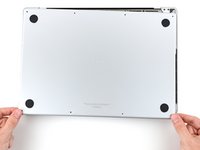
Pull firmly to slide the lower case towards the front edge of the MacBook (away from the hinge area) to separate the last of the clips securing the lower case.
-
Pull first at one corner, then the other.
-
-
-
Remove the lower case.
-
Set it in place and align the sliding clips near the display hinge. Press down and slide the cover toward the hinge. It should stop sliding as the clips engage.
-
When the sliding clips are fully engaged and the lower case looks correctly aligned, press down firmly on the lower case to engage the four hidden clips underneath. You should feel and hear them snap into place.
-
-






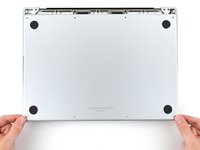


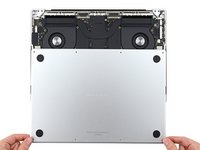
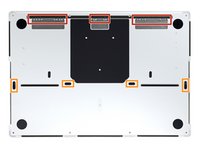
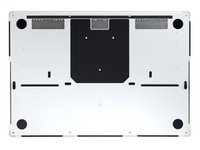
To reassemble your device, follow these instructions in reverse order.
Compare your new replacement part to the original part—you may need to transfer remaining components or remove adhesive backings from the new part before you install it.
Repair didn’t go as planned? Try some basic troubleshooting, or ask our MacBook Pro 16" 2021 Answers community for help.
Cancel: I did not complete this guide.
7 other people completed this guide.

Team

1 Guide Comment
Thank you for this guide. It is incredibly easy to understand and follow.
