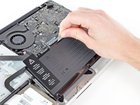
MacBook Pro 13" Unibody Mid 2012 Battery Replacement

Andrew Optimus Goldheart and 9 other contributors
Last updated on Aug 27, 2022
Views: 696K
View statistics:
- Past 24 Hours:
- 53
- Past 7 Days:
- 311
- Past 30 Days:
- 1,426
- All Time:
- 696,100
Comments: 118
66 comments on steps, 52 guide comments.
Go to guide commentsCompleted: 798 799
798 people have marked this guide "completed." Will you be next?
799 people have marked this guide "completed." Including you — great job!
Favorites: 134 135
134 people have favorited (and subscribed to) this guide. Will you be next?
135 people have favorited (and subscribed to) this guide — including you!
Featured Guide
This guide has been found to be exceptionally cool by the iFixit staff.
Introduction
Go to step 1 ↓Use this guide to replace a worn-out battery. If your battery is swollen, take appropriate precautions.
What you need
Fix Kit
This kit contains all the parts and tools needed to complete this guide.

Parts

Tools
-
Spudger4.9
-


Video Overview
-
-
-
Remove the following ten screws:
-
Three 14.4 mm Phillips #00 screws
-
Three 3.5 mm Phillips #00 screws
-
Four 3.5 mm shouldered Phillips #00 screws
 Ask FixBot
-
-
-
Use your fingers to pry the lower case away from the body of the MacBook near the vent.
-
Remove the lower case.
-
-
-
-
-
Use the edge of a spudger to pry the battery connector upwards from its socket on the logic board.
-
-
-
-
Bend the battery cable slightly away from its socket on the logic board so it does not accidentally connect itself while you work.
-
-
-
-
-
Remove the following two screws:
-
One 5.6 mm Tri-point screw
-
One 13 mm Tri-point screw
-
-
-
Carefully peel the battery warning label off the upper case between the battery and the optical drive.
-
-
-
Use the attached plastic pull tab to remove the battery from the upper case.
-
Charge it to 100%, and then keep charging it for at least 2 more hours. Next, unplug and use it normally to drain the battery. When you see the low battery warning, save your work, and keep your laptop on until it goes to sleep due to low battery. Wait at least 5 hours, then charge your laptop uninterrupted to 100%.
-
If you notice any unusual behavior or problems after installing your new battery, you may need to reset your MacBook's SMC.
-
-


To reassemble your device, follow these instructions in reverse order.
Take your e-waste to an R2 or e-Stewards certified recycler.
Cancel: I did not complete this guide.
798 other people completed this guide.


52 Guide Comments
I thought these batteries couldn't be replaced.
These batteries are built to the same spec as OEM (Apple)
They are just not "user friendly" to replace like most devices are, the price we pay for pretty devices.
This guide is excellent and now I know I need 1 more tool before I do this myself. I need that tri-wing screwdriver.
Clear, well written instructions, thank you! (But yes, a line about take off shoes and socks and ground yourself is helpful. )
