Free Shipping on Domestic Orders $75+

Mac mini Late 2014 AirPort Card Replacement

What you need

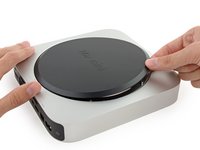
  1. Mac mini Late 2014 AirPort Card Replacement, Bottom Cover: step 1, image 1 of 1
    • The bottom cover is clipped onto three screw posts.

    • Pry near, but not right on the screw posts.

    Ask FixBot

    Add Comment

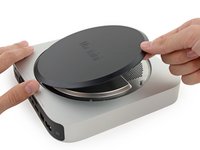
  2. Mac mini Late 2014 AirPort Card Replacement: step 2, image 1 of 3 Mac mini Late 2014 AirPort Card Replacement: step 2, image 2 of 3 Mac mini Late 2014 AirPort Card Replacement: step 2, image 3 of 3
    • Use the plastic opening tool to pry the bottom cover up off of the Mac mini.

    Ask FixBot

    Add Comment

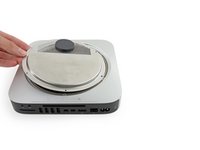
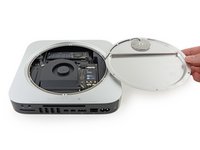
  3. Mac mini Late 2014 AirPort Card Replacement: step 3, image 1 of 2 Mac mini Late 2014 AirPort Card Replacement: step 3, image 2 of 2
    • Lift and remove the bottom cover.

    Ask FixBot

    Add Comment

  4. Mac mini Late 2014 AirPort Card Replacement, Antenna Plate: step 4, image 1 of 1
    • Remove the following TR6 screws from the antenna plate:

    • Three 4.1 mm screws

    • Three 1.9 mm screws

    Ask FixBot

    Add Comment

  5. Mac mini Late 2014 AirPort Card Replacement: step 5, image 1 of 2 Mac mini Late 2014 AirPort Card Replacement: step 5, image 2 of 2
    • Do not completely remove the antenna plate; it is still connected to the Mac mini by an antenna cable.

    • With the I/O ports facing you, flip the antenna plate to the right to allow access to the antenna cable connector.

    Ask FixBot

    Add Comment

  6. Mac mini Late 2014 AirPort Card Replacement: step 6, image 1 of 1
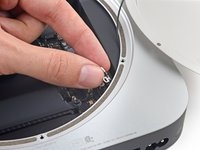
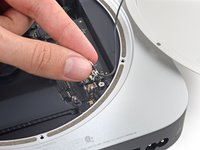
    • Remove the single 3.4 mm T6 screw and washer from the antenna cable.

    • Be careful not to lose the washer when removing the screw.

    Ask FixBot

    Add Comment

  7. Mac mini Late 2014 AirPort Card Replacement: step 7, image 1 of 2 Mac mini Late 2014 AirPort Card Replacement: step 7, image 2 of 2
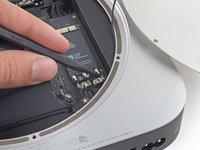
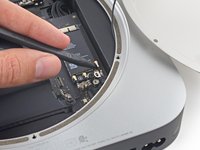
    • Use the point of a spudger to lift the antenna connector straight up off its socket on the airport card.

    Ask FixBot

    Add Comment

  8. Mac mini Late 2014 AirPort Card Replacement: step 8, image 1 of 2 Mac mini Late 2014 AirPort Card Replacement: step 8, image 2 of 2
    • Carefully pull the antenna cable out from the gap between the power supply and case.

    Ask FixBot

    Add Comment

  9. Mac mini Late 2014 AirPort Card Replacement: step 9, image 1 of 1
    • Remove the antenna plate from the Mac mini.

    Ask FixBot

    Add Comment

  10. Mac mini Late 2014 AirPort Card Replacement, AirPort Card: step 10, image 1 of 1
    • Remove the single 3.4 mm T6 screw and washer from the antenna cable.

    • Be careful not to lose the washer when removing the screw.

    Ask FixBot

    Add Comment

  11. Mac mini Late 2014 AirPort Card Replacement: step 11, image 1 of 3 Mac mini Late 2014 AirPort Card Replacement: step 11, image 2 of 3 Mac mini Late 2014 AirPort Card Replacement: step 11, image 3 of 3
    • Use the point of a spudger to lift the antenna connectors up off their sockets.

    Ask FixBot

    Add Comment

  12. Mac mini Late 2014 AirPort Card Replacement: step 12, image 1 of 1
    • Remove the 2.7 mm T5 screw securing the AirPort card.

    Ask FixBot

    Add Comment

  13. Mac mini Late 2014 AirPort Card Replacement: step 13, image 1 of 3 Mac mini Late 2014 AirPort Card Replacement: step 13, image 2 of 3 Mac mini Late 2014 AirPort Card Replacement: step 13, image 3 of 3
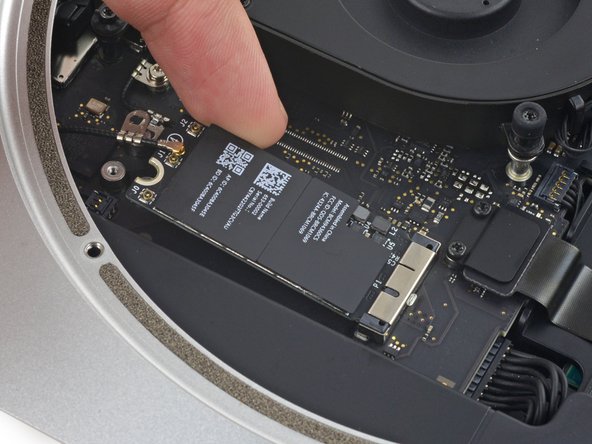
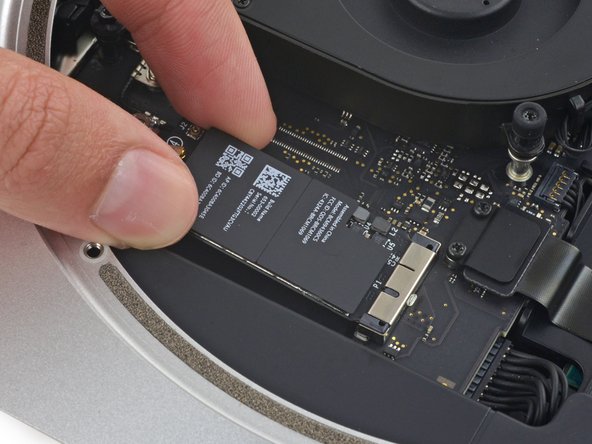
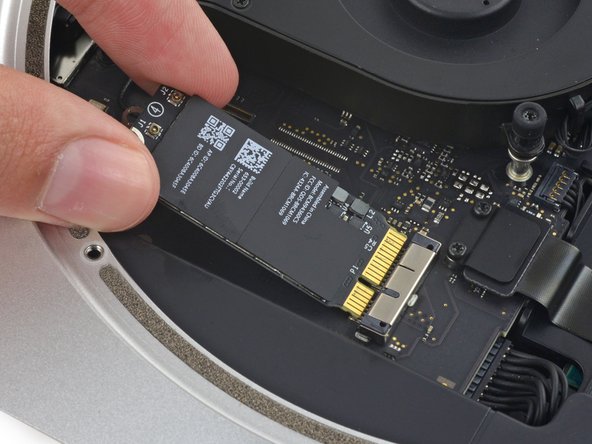
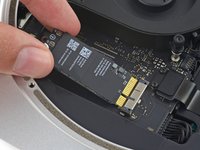
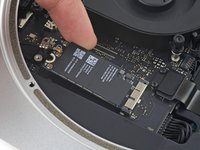
    • Lift the free end of the AirPort card enough to grasp it by the edges.

    Ask FixBot

    Add Comment

  14. Mac mini Late 2014 AirPort Card Replacement: step 14, image 1 of 2 Mac mini Late 2014 AirPort Card Replacement: step 14, image 2 of 2
    • Pull the AirPort card straight out of its socket on the logic board and remove it from the Mac mini.

    Ask FixBot

    Add Comment

Conclusion

To reassemble your device, follow these instructions in reverse order.

Cancel: I did not complete this guide.

16 other people completed this guide.

Sam Goldheart

Member since: 10/18/12

477,615 Reputation

538 Guides authored

Team

iFixit Member of iFixit

Staff

122 Members

26,593 Guides authored

4 Guide Comments

Thanks. Took all of 20 minutes start to finish to upgrade my broken NIC.

Erik Westlund - Reply Share

Hmm, look like an M.2 interface, could an M.2 SSD be installed instead?

The Bionic Cyclist - Reply Share
Can confirm that the airport card for the 2015 Macbook Pro fits and functions perfectly as a replacement if you can’t find the mac mini one.

Sam Goddard - Reply Share

If something wrong with my bluetooth, is it also replace this logic board ?

Gordon Lee - Reply Share

Add Comment

View Statistics:

Past 24 Hours: 9

Past 7 Days: 42

Past 30 Days: 130

All Time: 25,023