Free Shipping on Domestic Orders $75+

MSI GT72 2QE Dominator Pro CD Drive Replacement

Views: 2.3K

View statistics:

Past 24 Hours:
1
Past 7 Days:
23
Past 30 Days:
101
All Time:
2,308
Comments: 0

No one has left comments on this guide. Will you be first?

Go to guide comments
Completed: 3

3 people have marked this guide "completed." Will you be next?

Favorites: 1

1 person has favorited (and subscribed to) this guide. Will you be next?

Time Required: 5 minutes
Difficulty: Easy
MSI GT72 2QE Dominator Pro CD Drive Replacement

Introduction

Go to step 1 ↓

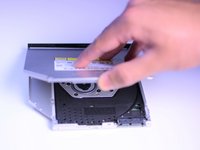
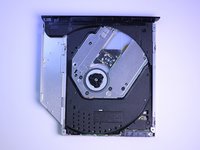
CD drive not working properly? CD drive not functioning properly and refusing to come out? This guide will take you through how to remove the CD drive.

What you need

Tools

    1. MSI GT72 2QE Dominator Pro CD Drive Replacement, CD Drive: step 1, image 1 of 2 MSI GT72 2QE Dominator Pro CD Drive Replacement, CD Drive: step 1, image 2 of 2
      • Remove the indicated seven (7) 6 mm Phillips #0 screws for the back cover.

      • The same PHO screwdriver bit can be used throughout all the steps.

      Ask FixBot

      Add Comment

    2. MSI GT72 2QE Dominator Pro CD Drive Replacement: step 2, image 1 of 2 MSI GT72 2QE Dominator Pro CD Drive Replacement: step 2, image 2 of 2
      • Lift the back cover using the tab to expose the hardware beneath.

      Ask FixBot

      Add Comment

    3. MSI GT72 2QE Dominator Pro CD Drive Replacement: step 3, image 1 of 3 MSI GT72 2QE Dominator Pro CD Drive Replacement: step 3, image 2 of 3 MSI GT72 2QE Dominator Pro CD Drive Replacement: step 3, image 3 of 3
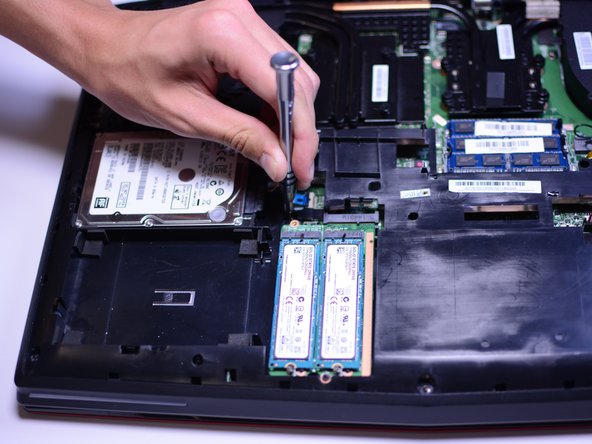
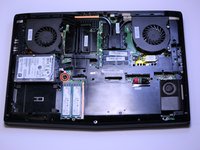
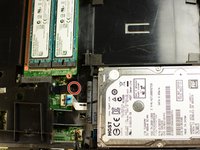
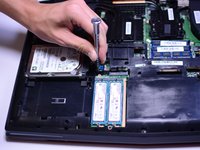
      • Remove the indicated 5mm Phillips #0 screw.

      • This is the only screw holding the CD drive in place. Do not lose it.

      Ask FixBot

      Add Comment

    4. MSI GT72 2QE Dominator Pro CD Drive Replacement: step 4, image 1 of 1
      • Using the plastic opening tool, pull out the CD drive.

      Ask FixBot

      Add Comment

    5. MSI GT72 2QE Dominator Pro CD Drive Replacement: step 5, image 1 of 2 MSI GT72 2QE Dominator Pro CD Drive Replacement: step 5, image 2 of 2
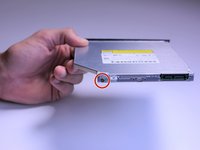
      • Remove the indicated 4mm Phillips #0 screw and metal hinge.

      Ask FixBot

      Add Comment

    6. MSI GT72 2QE Dominator Pro CD Drive Replacement: step 6, image 1 of 2 MSI GT72 2QE Dominator Pro CD Drive Replacement: step 6, image 2 of 2
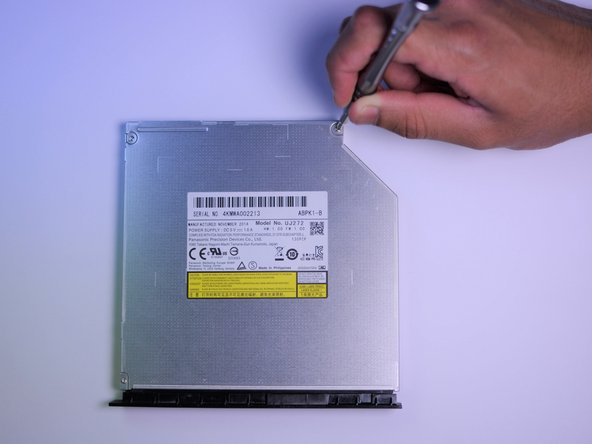
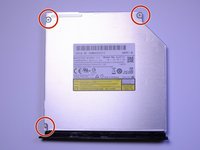
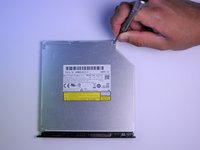
      • Remove the three (3) indicated 2mm Phillips #0 screws.

      Ask FixBot

      Add Comment

    7. MSI GT72 2QE Dominator Pro CD Drive Replacement: step 7, image 1 of 2 MSI GT72 2QE Dominator Pro CD Drive Replacement: step 7, image 2 of 2
      • Lift metal cover gently, using the tab like indent located where the arrow is pointed.

      • This should expose the inside of the CD drive.

      Ask FixBot

      Add Comment

Conclusion

To reassemble your device, follow these instructions in reverse order.

Cancel: I did not complete this guide.

3 other people completed this guide.

Ankit Maurya

Member since: 04/18/17

201 Reputation

1 Guide authored

Team

Cal Poly, Team S17-G2, Banghart Spring 2017 Member of Cal Poly, Team S17-G2, Banghart Spring 2017

CPSU-BANGHART-S17S17G2

5 Members

60 Guides authored

0 Guide Comments

Add Comment

View Statistics:

Past 24 Hours: 1

Past 7 Days: 23

Past 30 Days: 101

All Time: 2,308