Introduction
If your MSI GS66 Stealth laptop (model 11UE-007) is having difficulty charging or holding a charge, a battery replacement using this guide is necessary. The battery is the device in the laptop that supplies power to the device. A faulty battery would be the reason your laptop is not charging properly in a number of ways such as not holding a charge properly which would result in the laptop dying early or not charging at all.
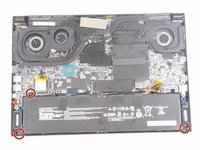
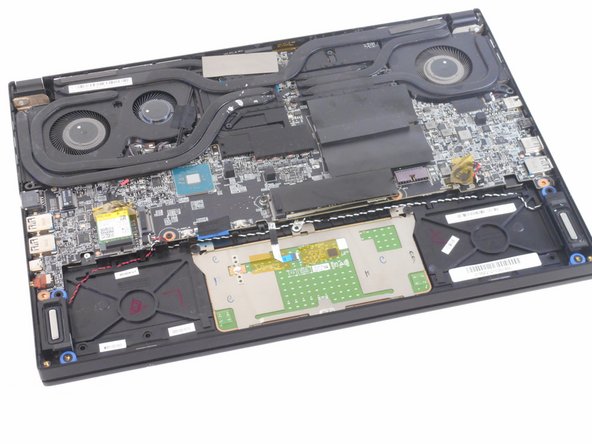
Unfortunately, there is no "easy" fix to this problem and will require the steps seen in this guide to remove it from the inside of the laptop. Before proceeding with disassembly, make sure it is fully disconnected from the charger and the device is powered off. First remove the backplate from the bottom part of the laptop and once inside the laptop push out the white connector. For this guide, you will need to use a Phillips J1 screwdriver, a blue iFixit opening tool, and an iFixit opening pick.
What you need
-
-
-
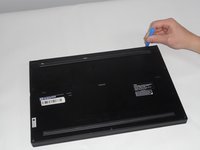
Orient your laptop so that the bottom is facing up and the hinge is away from yourself.
 Ask FixBot
-
-
-
Identify the nine screws around the perimeter. One screw will be under the factory seal sticker.
-
-
-
-
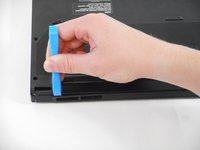
Use the tip of the blue plastic opening tool to slip between the backplate and the body of the laptop at the hinge side.
-
Wiggle the blue plastic opening tool as you slide it around the perimeter of the backplate to separate is from the body of the laptop.
-
-
-
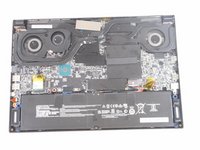
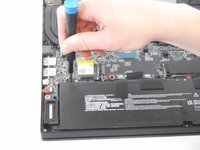
Use the tip of the spudger or your fingernail to gently push out the white connector.
-
-






To reassemble your device, follow these instructions in reverse order.
Cancel: I did not complete this guide.
5 other people completed this guide.

Team

University of Memphis, Team 1-4, Sneed Fall 2023 Member of University of Memphis, Team 1-4, Sneed Fall 2023
UM-SNEED-F23S1G4
4 Members
72 Guides authored
