Free Shipping on Domestic Orders $75+

M3t Kiosk Preventative maintenance

  1. M3t Kiosk  Preventative maintenance, Handle and Lock: step 1, image 1 of 1
    • Make sure the door lock and handle are in good working order and not bent or loose

    Ask FixBot

    Add Comment

  2. M3t Kiosk  Preventative maintenance, Opt cords: step 2, image 1 of 2 M3t Kiosk  Preventative maintenance, Opt cords: step 2, image 2 of 2
    • Check the opt cords to make sure they aren’t broken or crimped

    Ask FixBot

    Add Comment

  3. M3t Kiosk  Preventative maintenance, Opt Lights: step 3, image 1 of 1
    • Make sure all the opt box lights that are supposed to be on are on.

    Ask FixBot

    Add Comment

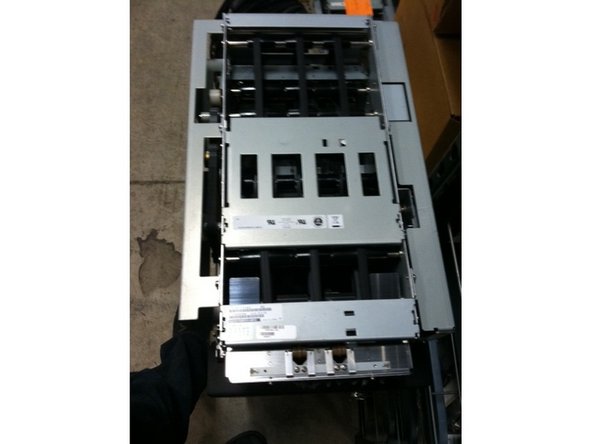
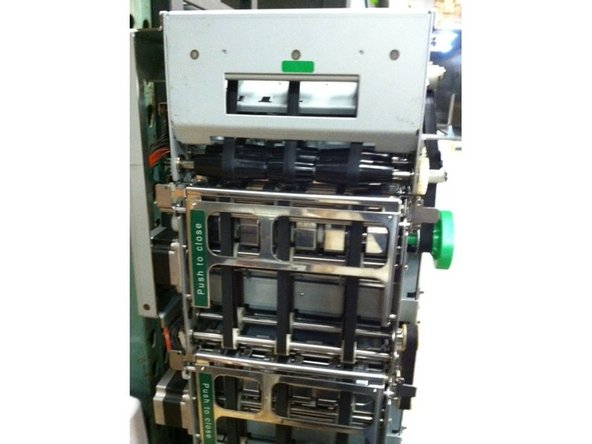
  4. M3t Kiosk  Preventative maintenance, Dispenser Belts: step 4, image 1 of 2 M3t Kiosk  Preventative maintenance, Dispenser Belts: step 4, image 2 of 2
    • Clean belts on top and on the back of the dispenser.

    Ask FixBot

    Add Comment

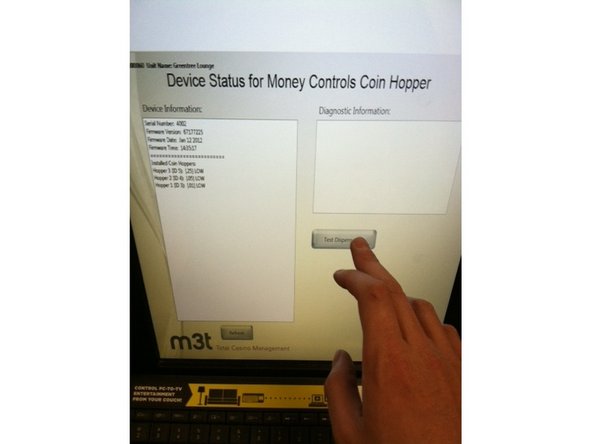
  5. M3t Kiosk  Preventative maintenance, Test Dispense: step 5, image 1 of 3 M3t Kiosk  Preventative maintenance, Test Dispense: step 5, image 2 of 3 M3t Kiosk  Preventative maintenance, Test Dispense: step 5, image 3 of 3
    • Test dispense the coin hoppers and the cash dispenser

    Ask FixBot

    Add Comment

  6. M3t Kiosk  Preventative maintenance, Test Dispense (continued): step 6, image 1 of 2 M3t Kiosk  Preventative maintenance, Test Dispense (continued): step 6, image 2 of 2
    • (Continued)

    Ask FixBot

    Add Comment

  7. M3t Kiosk  Preventative maintenance: step 7, image 1 of 1
    • Check the coin hoppers to make sure nothing is in it other than coins (like rubber bands or something that was dropped in it)

    Ask FixBot

    Add Comment

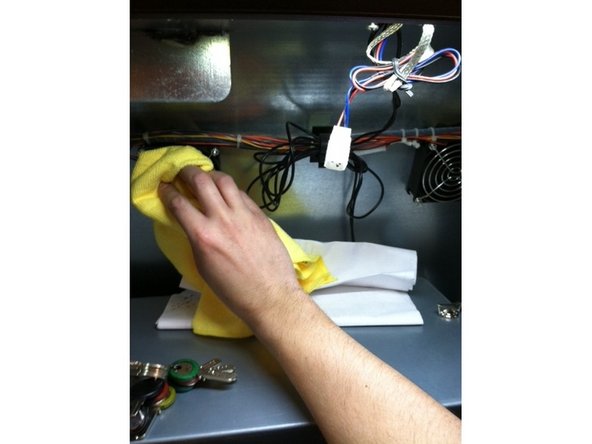
  8. M3t Kiosk  Preventative maintenance, Fans: step 8, image 1 of 2 M3t Kiosk  Preventative maintenance, Fans: step 8, image 2 of 2
    • Clean any dust off of the fans

    Ask FixBot

    Add Comment

  9. M3t Kiosk  Preventative maintenance, Printer: step 9, image 1 of 1
    • Check the printer for paper and put in more if it's needed

    Ask FixBot

    Add Comment

  10. M3t Kiosk  Preventative maintenance: step 10, image 1 of 2 M3t Kiosk  Preventative maintenance: step 10, image 2 of 2
    • Open and blow out the printer to remove any loose paper

    Ask FixBot

    Add Comment

  11. M3t Kiosk  Preventative maintenance, Clean Bill Validator: step 11, image 1 of 1
    • Run a cleaning strip through the BV

    Ask FixBot

    Add Comment

  12. M3t Kiosk  Preventative maintenance, Bill Validator board: step 12, image 1 of 1
    • Check for coins on the BV board.

    Ask FixBot

    Add Comment

  13. M3t Kiosk  Preventative maintenance, Bill Validator protector: step 13, image 1 of 1
    • Put a board protector on if it’s missing and you have one available

    Ask FixBot

    Add Comment

  14. M3t Kiosk  Preventative maintenance, Screen cleaning: step 14, image 1 of 1
    • Clean the touch screen

    Ask FixBot

    Add Comment

  15. M3t Kiosk  Preventative maintenance, Door lights: step 15, image 1 of 1
    • Check to see if the door lights are on and working

    Ask FixBot

    Add Comment

Conclusion

To reassemble your device, follow these instructions in reverse order.

Cancel: I did not complete this guide.

2 other people completed this guide.

Timothy Morse

Member since: 12/30/15

1,198 Reputation

6 Guides authored

Team

The Curo Group Member of The Curo Group

Community

2 Members

7 Guides authored

0 Guide Comments

Add Comment

View Statistics:

Past 24 Hours: 0

Past 7 Days: 2

Past 30 Days: 27

All Time: 595