Free Shipping on Domestic Orders $75+

Lorex LHV210800 Button Panel Replacement

What you need

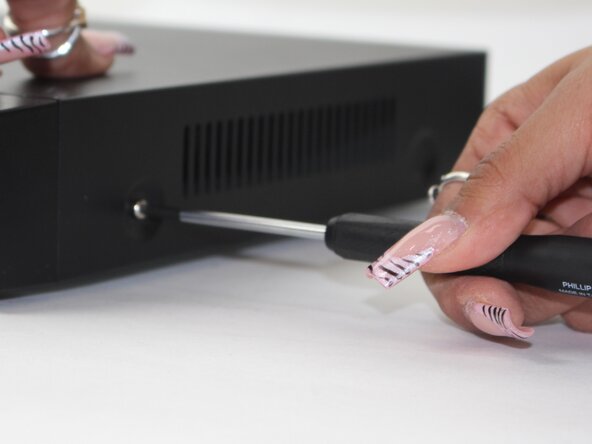
  1. Lorex LHV210800 Button Panel Replacement, Upper Case: step 1, image 1 of 3 Lorex LHV210800 Button Panel Replacement, Upper Case: step 1, image 2 of 3 Lorex LHV210800 Button Panel Replacement, Upper Case: step 1, image 3 of 3
    • Before beginning, disconnect the DVR from power and unplug all peripheries.

    • Remove each of the two 1 cm screws on the right and left sides of the DVR with a Phillips screwdriver.

  2. Lorex LHV210800 Button Panel Replacement: step 2, image 1 of 2 Lorex LHV210800 Button Panel Replacement: step 2, image 2 of 2
    • Remove the four 1 cm Phillips screws on the rear panel.

    • Do not unscrew the screw connected to the lower case.

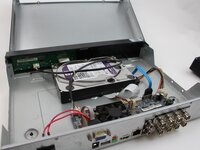
  3. Lorex LHV210800 Button Panel Replacement: step 3, image 1 of 1
    • Lift up and remove the top cover.

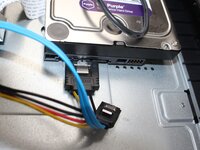
  4. Lorex LHV210800 Button Panel Replacement, Button Panel: step 4, image 1 of 2 Lorex LHV210800 Button Panel Replacement, Button Panel: step 4, image 2 of 2
    • Unplug the two cables from the HDD.

    • These plugs will have a BLUE and R/B/B/Y color scheme.

  5. Lorex LHV210800 Button Panel Replacement: step 5, image 1 of 1
    • Flip the DVR over so the underside is facing up.

    • Remove the 1 cm Phillips screws on the lower case.

  6. Lorex LHV210800 Button Panel Replacement: step 6, image 1 of 1
    • Lift the HDD up and out of the chassis.

  7. Lorex LHV210800 Button Panel Replacement: step 7, image 1 of 1
    • Remove the five Phillips screws that secure the button panel.

  8. Lorex LHV210800 Button Panel Replacement: step 8, image 1 of 1
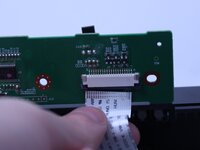
    • Depress the white clip that secures the button panel connector.

    • Disconnect the white button panel connector.

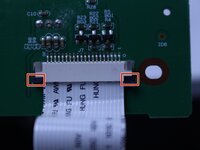
  9. Lorex LHV210800 Button Panel Replacement: step 9, image 1 of 2 Lorex LHV210800 Button Panel Replacement: step 9, image 2 of 2
    • Release the retaining tabs that secure the button panel ribbon cable.

    • Disconnect the ribbon cable.

    • Remove the button panel.

Conclusion

To reassemble your device, follow the above steps in reverse order.
Take your e-waste to an R2 or e-Stewards certified recycler.
Repair didn’t go as planned? Try some basic troubleshooting or ask our Answers community for help.

Maxwell Cash

Member since: 02/19/25

387 Reputation

3 Guides authored

2 Guide Comments

In the details section, there is no time estimation. It took our group 13 minutes to disassemble the dvr and put it back together.

Joshua Anderson - Reply Share

In the details section it does not list the tools needed.

Anthony - Reply Share

Add Comment

View Statistics:

Past 24 Hours: 1

Past 7 Days: 4

Past 30 Days: 39

All Time: 299