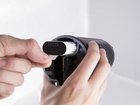
Logitech UE MegaBoom Battery Replacement

Oscar Ambriz and 6 other contributors
Last updated on Nov 16, 2022
Views: 70K
View statistics:
- Past 24 Hours:
- 22
- Past 7 Days:
- 127
- Past 30 Days:
- 600
- All Time:
- 69,718
Comments: 38
13 comments on steps, 25 guide comments.
Go to guide commentsCompleted: 17 18
17 people have marked this guide "completed." Will you be next?
18 people have marked this guide "completed." Including you — great job!
Favorites: 8 9
8 people have favorited (and subscribed to) this guide. Will you be next?
9 people have favorited (and subscribed to) this guide — including you!
Featured Student Guide
This guide has been the hard work of our awesome students and is found to be exceptionally cool by the iFixit staff.
Introduction
Go to step 1 ↓A dead battery can be an inexpensive fix for devices that will not charge, or have a short battery life. This guide will show you how this part can be replaced.
What you need
Parts

Tools


-
-
-
Locate the ends of the speaker.
-
Put a plastic opening tool in-between the rubber end and the mesh.
-
Apply a upward force in order to pry open the end.
-
Apply this procedure to the other side as well.
 Ask FixBot
-
-
-
Take the Jimmy and pry up the rubber strip that has the volume buttons on it.
-
Remove all the rubber you pried off.
-
-
Tool used on this step:Tweezers$4.99
-
Use tweezers to lift end of plastic retainer on edge of mesh out of its channel.
-
Work the plastic retainer out of the channel all the way around the speaker.
-
Repeat for other side.
-
-
-
-
-
-
Remove inner plastic gasket on circuit board.
-
Remove 2nd plastic gasket around outer circuit board edge, under rubber gasket.
-





To reassemble your device, follow these instructions in reverse order.
Cancel: I did not complete this guide.
17 other people completed this guide.

Team

Cal Poly, Team S9-G2, Banghart Fall 2017 Member of Cal Poly, Team S9-G2, Banghart Fall 2017
CPSU-BANGHART-F17S9G2
4 Members
84 Guides authored
25 Guide Comments
There is a way to take it apart without all these steps and a complete tear down.
^ the person who says that you only need to remove the one end-cap to replace the battery is correct. The process outlined in this article is more likely to damage all the fabric and other end-cap than just opening one end and gently prying it back until you can slide out the battery. FYI, the pull tab on my battery broke right off, and I had to pull it out with pliers.
