Logitech UE Boom Bluetooth Adapter Replacement

Jose Cruz Arinaga and 5 other contributors
Last updated on Sep 3, 2024
Views: 13K
View statistics:
- Past 24 Hours:
- 4
- Past 7 Days:
- 26
- Past 30 Days:
- 129
- All Time:
- 12,740
Comments: 9
9 comments on steps.
Completed: 7 8
7 people have marked this guide "completed." Will you be next?
8 people have marked this guide "completed." Including you — great job!
Favorites: 1 2
1 person has favorited (and subscribed to) this guide. Will you be next?
2 people have favorited (and subscribed to) this guide — including you!
Better Introduction
Improve this guide by completing or revising its introduction.
What you need
Tools


-
-
-
Turn the device over. The D-ring will be on the left face of the speaker when viewing the device from this orientation.
 Ask FixBot
-
-
-
-
-
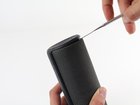
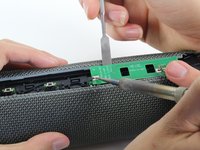
Holding the speaker upright, wedge the metal spudger in between the casing and the speaker. Gently pry open the tabs as they are easily broken.
-
-
-
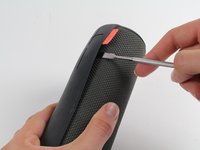
Find the part of the casing that covers the volume controls. Wedge the metal spudger under this and pry open all of the tabs as in the previous step.
-
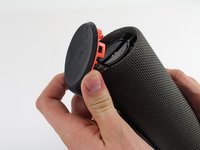
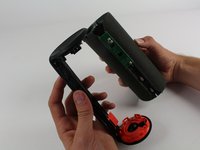
Repeat for the bottom of the speaker and pry the casing open with your fingers.
-
-
-
Using the Phillips J0 head screwdriver, unscrew the four silver 9 mm screws.
-
Do the same for the two black 7 mm screws.
-
-
-
-
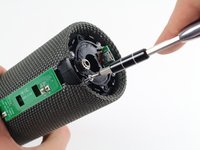
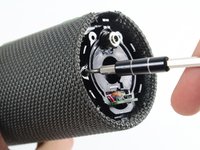
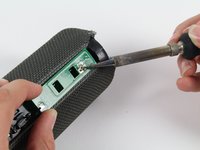
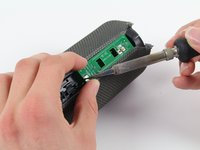
Using a soldering iron, de-solder the two ends of the switch plate. Desolder the two terminals on headphone jack side first, as the middle connection is notched and should be slid out when molten.
-
-
-
With the switch plate disconnected, remove it and your device should now look like this.
-
-







To reassemble your device, follow these instructions in reverse order.
Cancel: I did not complete this guide.
7 other people completed this guide.

Team

Cal Poly, Team 4-1, Maness Fall 2015 Member of Cal Poly, Team 4-1, Maness Fall 2015
CPSU-MANESS-F15S4G1
4 Members
72 Guides authored
