
Logitech UE Boom 3 Battery Replacement

Ethan Donahue and 3 other contributors
Last updated on Jun 28, 2024
Views: 6.1K
View statistics:
- Past 24 Hours:
- 17
- Past 7 Days:
- 92
- Past 30 Days:
- 314
- All Time:
- 6,146
Comments: 1
1 comment on steps.
Completed: 2 3
2 people have marked this guide "completed." Will you be next?
3 people have marked this guide "completed." Including you — great job!
Favorites: 0 1
No one has favorited (and subscribed to) this guide. Will you be the first?
1 person has favorited (and subscribed to) this guide — and that's you!
Introduction
Go to step 1 ↓This guide is for the Logitech UE Boom 3 - model number: S-00171. Alternative model numbers could be S-00171-A, S-00171-B, S-00171-C.
The primary objective of this guide is to provide step-by-step instructions for replacing the battery of the Logitech UE BOOM 3. By following these instructions carefully, users can address issues such as low battery life, device not turning on, or poor speaker function.
The battery is essential as it provides the power needed for its portable operation.
What you need
Parts

Tools


-
-
-
Flip the speaker so the base is facing upwards.
-
Place the iFixit opening picks in the gaps of the speaker.
-
Use the picks to pry open the speaker.
 Ask FixBot
-
-
-
-
-
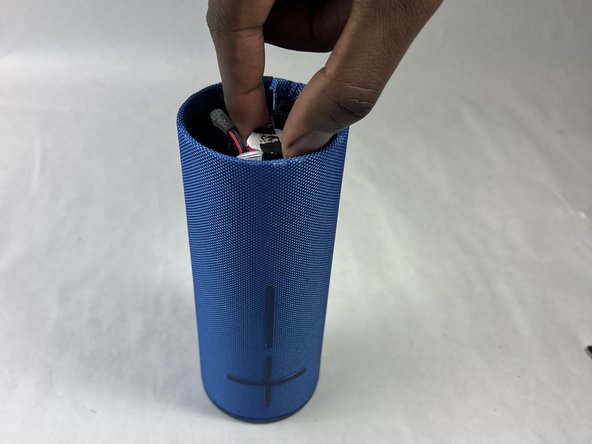
Remove the adhesive strap holding the battery in place.
-
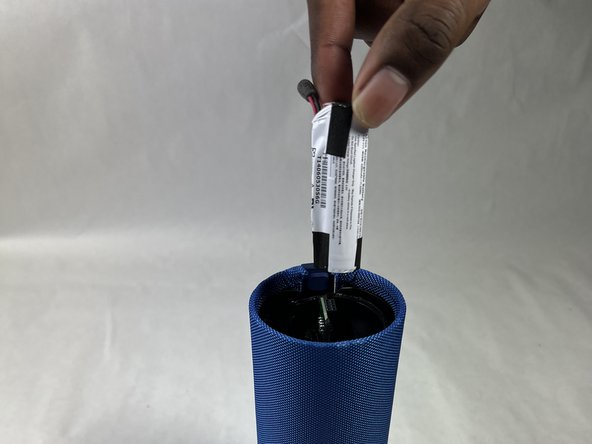
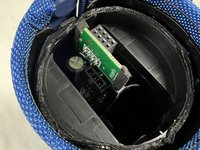
Pull out the battery by hand until it is out of the casing and being held by the cable only.
-
-
-
-
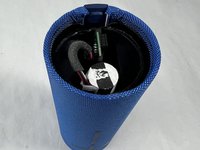
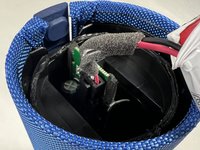
Carefully press down on the lever on the end of the cable and disconnect it from the motherboard.
-
Remove the battery from the motherboard.
-
-






To reassemble your device, follow these instructions in reverse order.
Cancel: I did not complete this guide.
2 other people completed this guide.

Team

UMass Dartmouth, Team 1-4, Konn Spring 2024 Member of UMass Dartmouth, Team 1-4, Konn Spring 2024
UMASSD-KONN-S24S1G4
4 Members
72 Guides authored
