Introduction
Follow this guide to replace the USB cable in your Logitech RS H‑Shifter.
If your cable has a loose connection or won't connect at all, you may need to replace the USB cable.
Before starting this repair, try cleaning the port you're connecting the H‑Shifter into to ensure the problem is with the cable and not the port.
Note: This repair requires a long-shank Phillips screwdriver.
What you need
-
-
-
Unplug the H‑Shifter's USB cable.
-
Completely unmount the shifter from the clamp and remove any accessories so you're left with just the shifter.
-
Use a 4.0 mm hex screwdriver to remove the 31 mm‑long screws securing the shifter to the clamp.
 Ask FixBot
-
-
-
-
-
Twist the shift knob counterclockwise to unscrew and remove it.
-
-
-
-
-
Use a 2.5 mm hex screwdriver to remove the four 12 mm‑long screws securing the top cover.
-
-
-
-
-
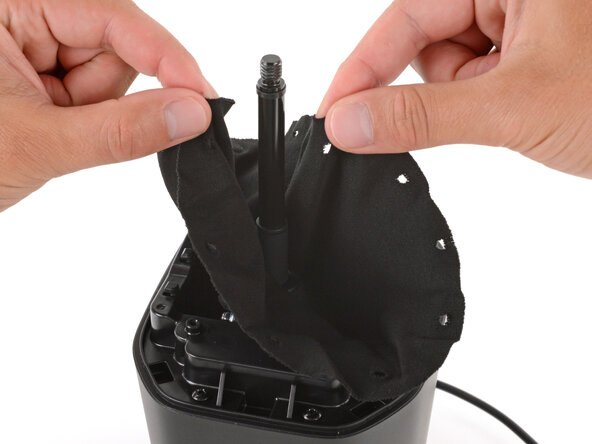
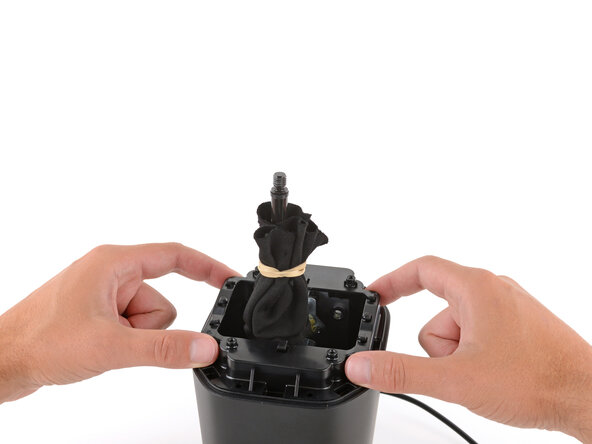
Completely unhook the fabric gaiter and use a rubber band to secure it to the shift lever.
-
-
-
-
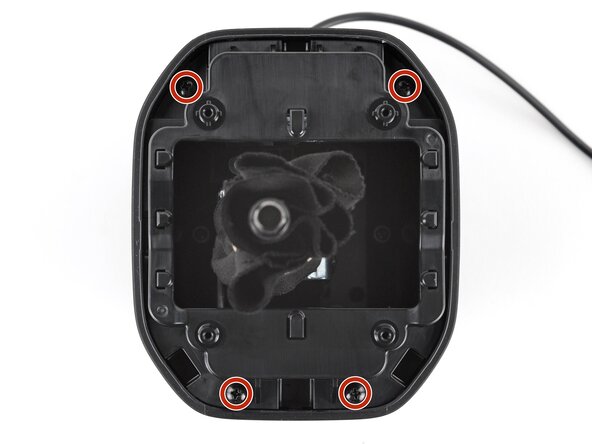
Use a Phillips screwdriver to remove the four 12 mm‑long screws securing the chassis.
-
-
-
-
-
Use a long‑shank Phillips screwdriver to remove the six 17 mm‑long screws securing the midframe.
-
-
-
-
-
Use your fingers to grip the USB cable's white connector and pull it straight out of the socket.
-
-
-
Remove the six screws securing the shifter assembly:
-
Two 12 mm‑long Phillips screws
-
Four 14 mm‑long 3.0 mm hex screws
-
Make sure the ground wire's metal eyelet gets installed under the hex screw nearest the USB cable connector.
-
-
-
Secure the base with one hand, and use your free hand to lift and remove the shifter assembly by the back plate.
-
-
-
-
-
Remove the USB cable.
-
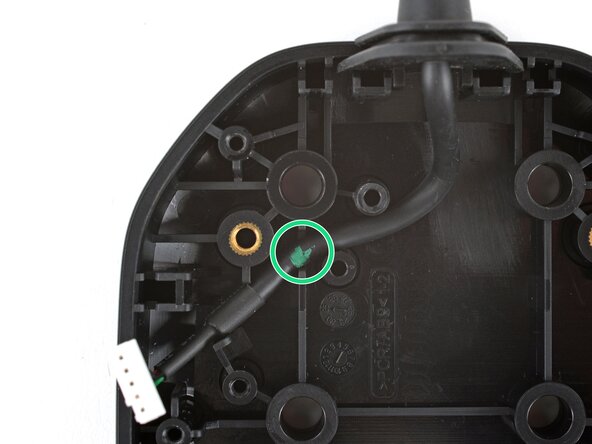
Use the second photo to ensure the cable is properly routed through the grooves on the base. The cable marking should sit in the groove.
-
Make sure there are no gaps on the back edge where the rubber gasket meets the base.
-
-










To reassemble your device, follow these instructions in reverse order.
Take your e-waste to an R2 or e-Stewards certified recycler.
Repair didn’t go as planned? Try some basic troubleshooting, or ask our Answers community for help.

