
Logitech K345 Battery Replacement

GianaV and 2 other contributors
Last updated on Dec 18, 2024
Views: 2.8K
View statistics:
- Past 24 Hours:
- 7
- Past 7 Days:
- 41
- Past 30 Days:
- 182
- All Time:
- 2,818
Comments: 1
1 comment on steps.
Completed: 1 2
1 person has marked this guide "completed." Will you be next?
2 people have marked this guide "completed." Including you — great job!
Favorites: 0 1
No one has favorited (and subscribed to) this guide. Will you be the first?
1 person has favorited (and subscribed to) this guide — and that's you!
Introduction
Go to step 1 ↓Is your Logitech K345 keyboard not working, or is the connection to your computer spotty? Try replacing your batteries, and follow this repair guide to do just that. The batteries can be the cause of your spotty connection since they power the whole keyboard. In order to be certain about the cause of your spotty connection try referencing the Troubleshooting Page to find the exact source of the issue.


 Ask FixBot
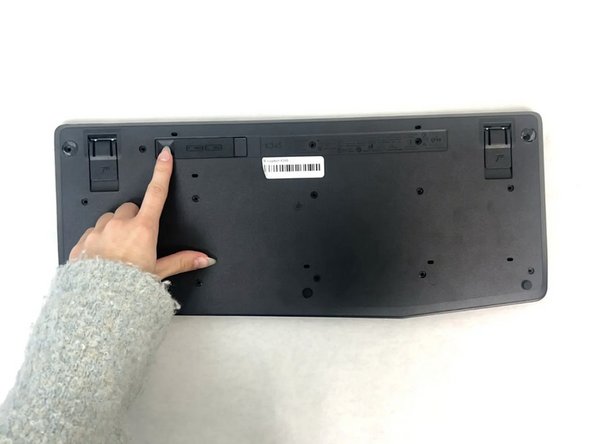
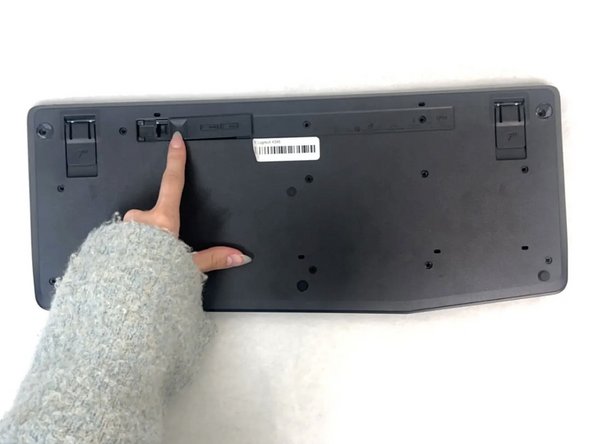
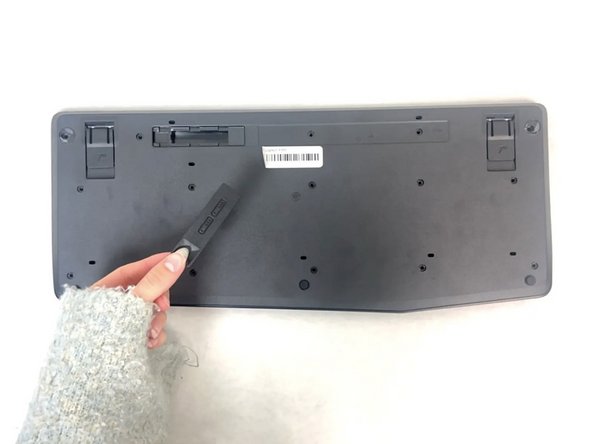


To reassemble your device, follow these instructions in reverse order.
Cancel: I did not complete this guide.
One other person completed this guide.

Team

University of North Texas, Team 4-1, Harold Fall 2024 Member of University of North Texas, Team 4-1, Harold Fall 2024
UNT-HAROLD-F24S4G1
3 Members
60 Guides authored
