
Logitech K270 Gasket Replacement

Anthony and 4 other contributors
Last updated on Jun 27, 2025
Views: 900
View statistics:
- Past 24 Hours:
- 3
- Past 7 Days:
- 18
- Past 30 Days:
- 106
- All Time:
- 900
Comments: 1
1 comment on steps.
Completed: 0 1
No one has marked this guide "completed." Will you be the first?
1 person has marked this guide "completed." It's you — great job!
Favorites: 0 1
No one has favorited (and subscribed to) this guide. Will you be the first?
1 person has favorited (and subscribed to) this guide — and that's you!
Action Shots
Be an action hero! This guide needs images that better demonstrate how to perform specific actions.
Needs Better Images
Better photos will improve this guide. Help out by taking, editing, or uploading new ones!
Introduction
Go to step 1 ↓This guide will walk you through the process of replacing the gasket in a Logitech K270 wireless keyboard. Over time, the internal gasket may wear out or degrade, leading to reduced typing comfort, inconsistent key response, or increased noise. Replacing the gasket can restore the keyboard's performance and extend its lifespan.
What you need
Tools


-
-
-
Flip the keyboard over and remove all screws with a Phillips #0 screwdriver.
 Ask FixBot
-
-
-


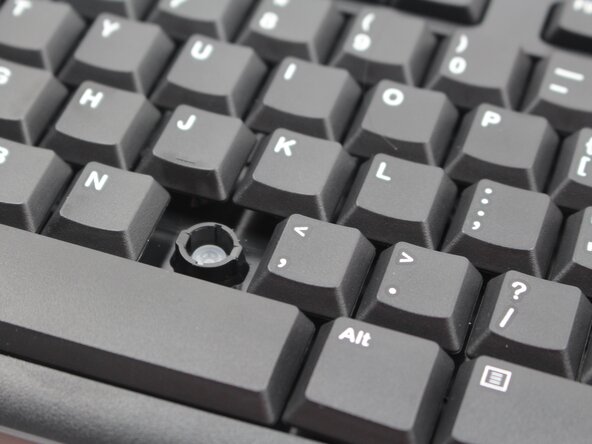
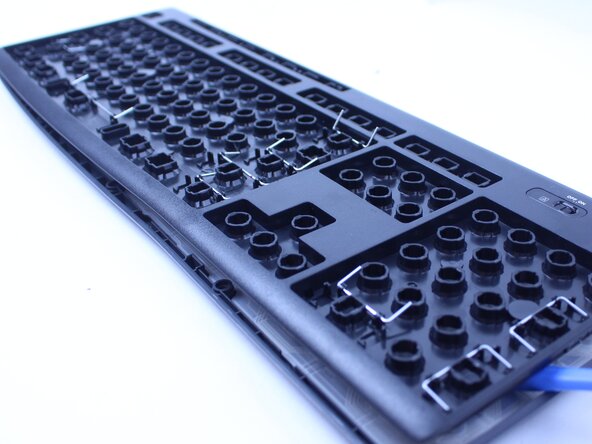


To reassemble your device, follow these instructions in reverse order.

Team

Sam Houston State, Team 7-4, Thornton Spring 2025 Member of Sam Houston State, Team 7-4, Thornton Spring 2025
SHSU-THORNTON-S25S7G4
4 Members
24 Guides authored
