Free Shipping on Domestic Orders $75+

Logitech K120 Mouse Scroll Wheel Replacement

What you need

    1. Logitech K120 Mouse Scroll Wheel Replacement, Scroll Wheel: step 1, image 1 of 2 Logitech K120 Mouse Scroll Wheel Replacement, Scroll Wheel: step 1, image 2 of 2
      • Flip the mouse upside down.

      Ask FixBot

      Add Comment

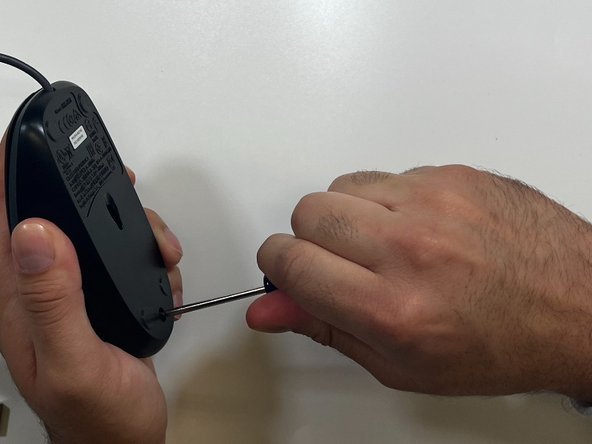
    2. Logitech K120 Mouse Scroll Wheel Replacement: step 2, image 1 of 2 Logitech K120 Mouse Scroll Wheel Replacement: step 2, image 2 of 2
      • Remove the single screw from the bottom of the mouse using a Phillips #000 screwdriver.

      Ask FixBot

      Add Comment

    3. Logitech K120 Mouse Scroll Wheel Replacement: step 3, image 1 of 2 Logitech K120 Mouse Scroll Wheel Replacement: step 3, image 2 of 2
      • Separate the bottom base and the top base.

      Ask FixBot

      Add Comment

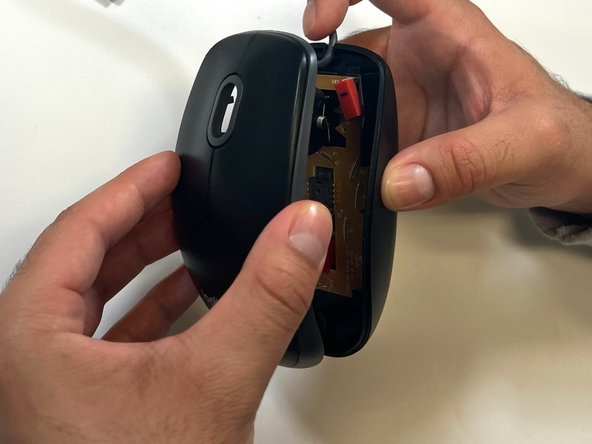
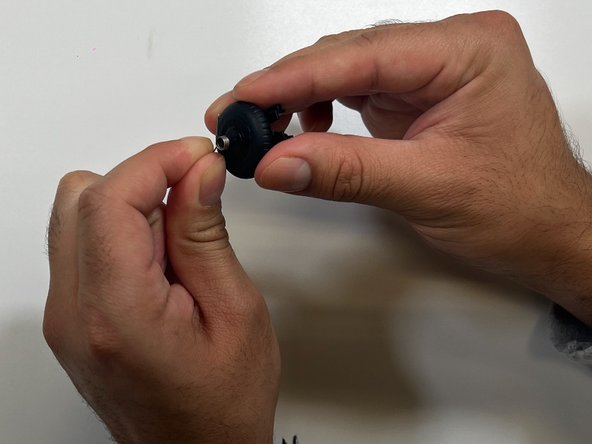
    4. Logitech K120 Mouse Scroll Wheel Replacement: step 4, image 1 of 3 Logitech K120 Mouse Scroll Wheel Replacement: step 4, image 2 of 3 Logitech K120 Mouse Scroll Wheel Replacement: step 4, image 3 of 3
      • Lift the scrolling wheel up.

      Ask FixBot
      Add Comment

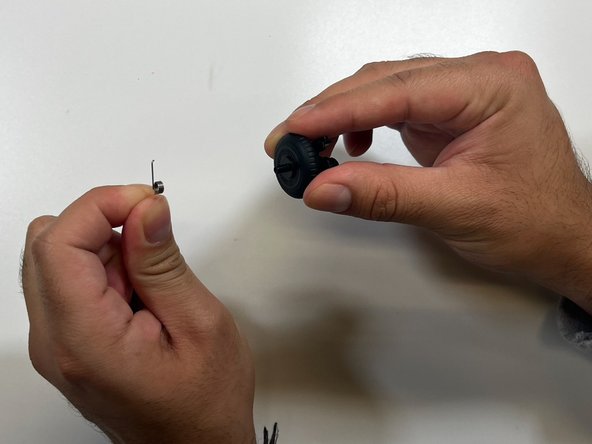
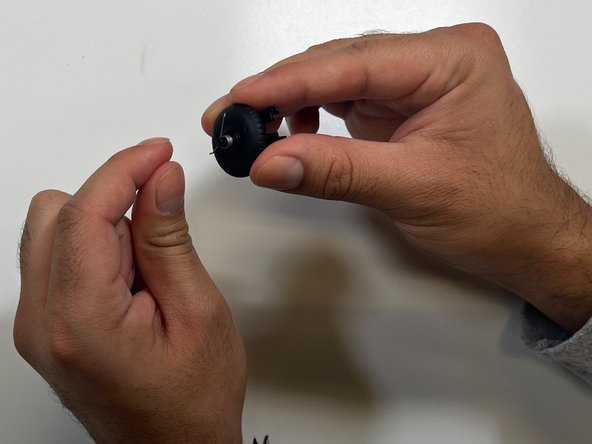
    5. Logitech K120 Mouse Scroll Wheel Replacement: step 5, image 1 of 2 Logitech K120 Mouse Scroll Wheel Replacement: step 5, image 2 of 2
      • Remove the metal spring.

      Ask FixBot
      Add Comment

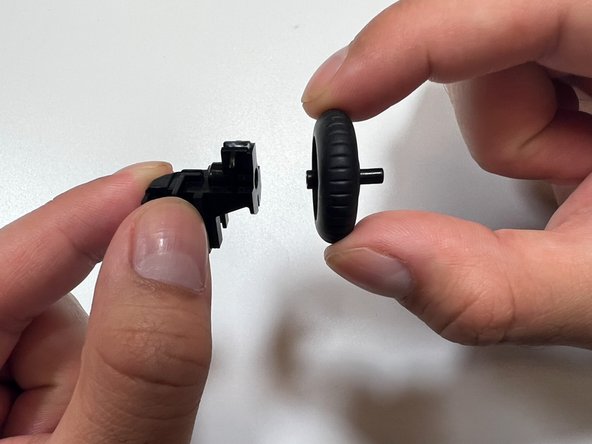
    6. Logitech K120 Mouse Scroll Wheel Replacement: step 6, image 1 of 3 Logitech K120 Mouse Scroll Wheel Replacement: step 6, image 2 of 3 Logitech K120 Mouse Scroll Wheel Replacement: step 6, image 3 of 3
      • Remove the scrolling wheel.

      Ask FixBot

      Add Comment

    7. Logitech K120 Mouse Scroll Wheel Replacement: step 7, image 1 of 3 Logitech K120 Mouse Scroll Wheel Replacement: step 7, image 2 of 3 Logitech K120 Mouse Scroll Wheel Replacement: step 7, image 3 of 3
      • Insert the new scroll wheel.

      Ask FixBot

      Add Comment

    8. Logitech K120 Mouse Scroll Wheel Replacement: step 8, image 1 of 3 Logitech K120 Mouse Scroll Wheel Replacement: step 8, image 2 of 3 Logitech K120 Mouse Scroll Wheel Replacement: step 8, image 3 of 3
      • Insert the metal spring back in the original spot.

      Ask FixBot

      Add Comment

    9. Logitech K120 Mouse Scroll Wheel Replacement: step 9, image 1 of 3 Logitech K120 Mouse Scroll Wheel Replacement: step 9, image 2 of 3 Logitech K120 Mouse Scroll Wheel Replacement: step 9, image 3 of 3
      • Insert the scroll wheel back into the mouse base.

      Ask FixBot

      Add Comment

    10. Logitech K120 Mouse Scroll Wheel Replacement: step 10, image 1 of 2 Logitech K120 Mouse Scroll Wheel Replacement: step 10, image 2 of 2
      • Place the upper base back onto the bottom base.

      Ask FixBot

      Add Comment

    11. Logitech K120 Mouse Scroll Wheel Replacement: step 11, image 1 of 2 Logitech K120 Mouse Scroll Wheel Replacement: step 11, image 2 of 2
      • Reinsert the screw using a Phillips #000 screwdriver.

      Ask FixBot

      Add Comment

    12. Logitech K120 Mouse Scroll Wheel Replacement: step 12, image 1 of 1
      • Flip the mouse right-side up.

      Ask FixBot

      Add Comment

Finish Line

Cancel: I did not complete this guide.

0 Guide Comments

Add Comment

View Statistics:

Past 24 Hours: 0

Past 7 Days: 11

Past 30 Days: 69

All Time: 3,485