
Logitech Harmony Companion Remote Motherboard Replacement

Cassidy Wardlow and 3 other contributors
Last updated on Feb 14, 2022
Views: 8.3K
View statistics:
- Past 24 Hours:
- 3
- Past 7 Days:
- 22
- Past 30 Days:
- 130
- All Time:
- 8,260
Comments: 3
2 comments on steps, 1 guide comment.
Go to guide commentsCompleted: 6 7
6 people have marked this guide "completed." Will you be next?
7 people have marked this guide "completed." Including you — great job!
Favorites: 0 1
No one has favorited (and subscribed to) this guide. Will you be the first?
1 person has favorited (and subscribed to) this guide — and that's you!
Introduction
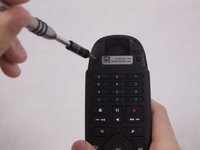
Go to step 1 ↓The motherboard is a central part in the operation of your Companion remote. If your remote is not working after adjusting the settings and replacing the battery, you may need to replace the motherboard. All you need for this guide is a plastic opening tool and a Phillps #0 screwdriver.
What you need


-
-
-
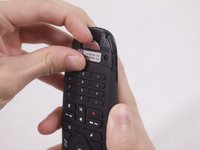
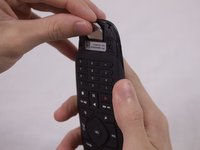
Use your finger to lift the battery out of the compartment.
-
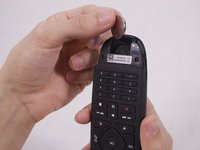
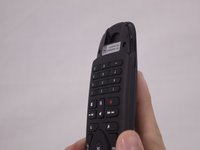
When the battery has lifted, push it up to remove it.
-
-
-
-
-
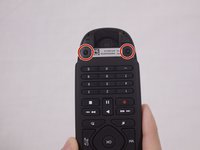
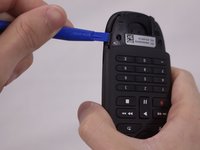
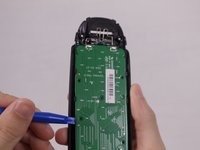
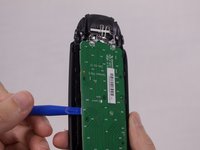
Use the plastic opening tool to pry open the back cover of the remote.
-
Insert the opening tool on each side of the bottom of the remote, and pull up until you hear the cover click open.
-
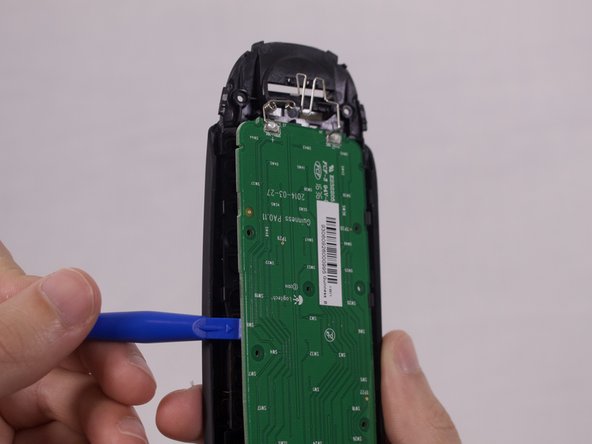
Pry the back cover off by sliding the plastic opening tool down each side.
-

 Ask FixBot







To reassemble your device, follow these instructions in reverse order.
Cancel: I did not complete this guide.
6 other people completed this guide.

Team

USF Tampa, Team S1-G3, Nance Fall 2017 Member of USF Tampa, Team S1-G3, Nance Fall 2017
USFT-NANCE-F17S1G3
3 Members
48 Guides authored
1 Guide Comment
Any source on that motherboard? I've got two dead buttons and replacement remotes are expensive and hard to come by.
