
Logitech G930 Earpads + Headband Replacement

Vladislav Ignatov and 4 other contributors
Last updated on Nov 15, 2024
Views: 8K
View statistics:
- Past 24 Hours:
- 2
- Past 7 Days:
- 20
- Past 30 Days:
- 106
- All Time:
- 7,977
Comments: 0
No one has left comments on this guide. Will you be first?
Go to guide commentsCompleted: 10 11
10 people have marked this guide "completed." Will you be next?
11 people have marked this guide "completed." Including you — great job!
Favorites: 3 4
3 people have favorited (and subscribed to) this guide. Will you be next?
4 people have favorited (and subscribed to) this guide — including you!
Community-Contributed Guide
An awesome member of our community made this guide. It was not created by iFixit staff.
-
-
-
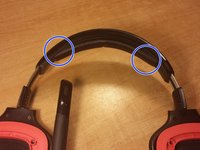
Grab the top right corner of the ear pad and pull way from the headset. Do the same to the other side.
-
-
-
-
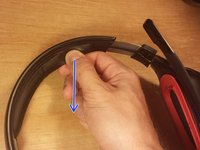
Pinch the edge of the headband and pull away from the head set while holding it down.
-
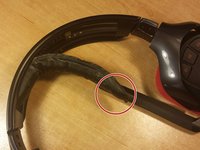
Grab the end and pull the headband out all the way.
-
-
-
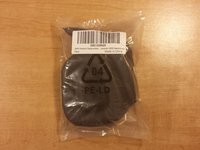
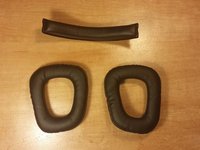
I got these parts of ebay. They are very common.
-
To place these part on just follow these instructions in reverse order.
-


 Ask FixBot




To reassemble your device, follow these instructions in reverse order.
Cancel: I did not complete this guide.
10 other people completed this guide.

