
Logitech G733 Battery Replacement

Antonio Jensen and
Last updated on Jan 22, 2025
Views: 18K
View statistics:
- Past 24 Hours:
- 6
- Past 7 Days:
- 28
- Past 30 Days:
- 105
- All Time:
- 17,665
Comments: 6
1 comment on steps, 5 guide comments.
Go to guide commentsCompleted: 6 7
6 people have marked this guide "completed." Will you be next?
7 people have marked this guide "completed." Including you — great job!
Favorites: 0 1
No one has favorited (and subscribed to) this guide. Will you be the first?
1 person has favorited (and subscribed to) this guide — and that's you!
Archived Guide
This guide is retained solely for historical purposes. Use the updated version of the guide to perform your repair.
What you need
Fix Kit
This kit contains all the parts and tools needed to complete this guide.

Parts

Tools
-
Spudger4.9
-


Introduction
Go to step 1 ↓If your battery will no longer accept a charge and you need to replace the battery, you can do so with this guide. For this guide, you will need a T4 Torx screwdriver and a spudger. This is a popular repair and it is very easy to do!
-
-
-
Gently pull the right ear pad off, starting from the top.
-
Slide your finger around the edges until it releases completely.
-
Remove the ear pad.
 Ask FixBot
-
-
-
Remove the four screws that secure the speaker housing using a Phillips screwdriver.
-
-
-
-
Lift off the speaker housing with care not to strain the connected cable.
-
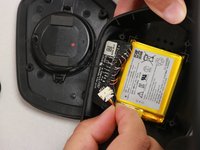
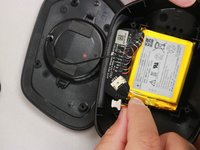
Gently wiggle the white battery cable connector side to side while pulling it out to disconnect the battery.
-
-


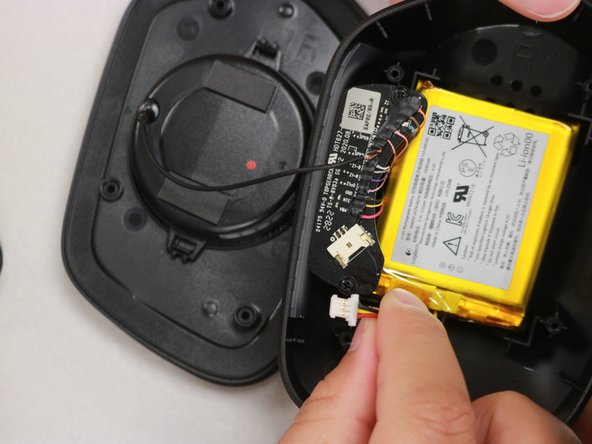

To reassemble your device, please follow these instructions in reverse order.
Cancel: I did not complete this guide.
6 other people completed this guide.

Team

Western Carolina University, Team 1-5, Virtue Spring 2023 Member of Western Carolina University, Team 1-5, Virtue Spring 2023
WCU-VIRTUE-S23S1G5
4 Members
60 Guides authored
5 Guide Comments
This guide is great, but mentioning what kind of battery to purchase for the headset would make it infinitely better...
I fully agree
Its a 1.5 phillips on the right side. On the left side its a T5 screw not a T4. And you can easily remove the battery without a spudger. It came out with my bare hands.
took 2 mins to find battery info ..........................
Logi 533-000181
after a quick search i bought this and it fit:
https://he.aliexpress.com/item/100500538...
