
Logitech G703 Mouse Feet Replacement

Dominik Schnabelrauch and 2 other contributors
Last updated on Aug 1, 2025
Views: 4.9K
View statistics:
- Past 24 Hours:
- 3
- Past 7 Days:
- 32
- Past 30 Days:
- 157
- All Time:
- 4,902
Comments: 0
No one has left comments on this guide. Will you be first?
Go to guide commentsCompleted: 1 2
1 person has marked this guide "completed." Will you be next?
2 people have marked this guide "completed." Including you — great job!
Favorites: 0 1
No one has favorited (and subscribed to) this guide. Will you be the first?
1 person has favorited (and subscribed to) this guide — and that's you!
Introduction
Go to step 1 ↓Use this guide to remove and replace the feet (also called skates or pads) on the bottom of a Logitech G703 wireless gaming mouse.
It’s possible to cleanly remove the feet, but you may need replacements if one rips or any adhesive is left behind.
What you need
Tools


-
-
-
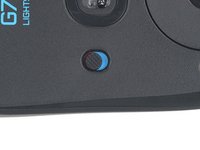
Slide the mouse's power switch down so it's in the OFF position.
-
Unplug all cables from the mouse.
 Ask FixBot
-
-
-
-
-
Heat an iOpener and lay it on the mouse feet for one minute to heat the adhesive.
-
-
-
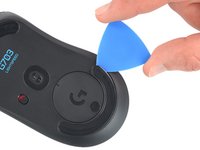
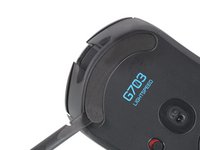
Slide the tip of an opening pick under an edge of the bottom mouse foot, making sure it goes under both the foot and its adhesive pad.
-
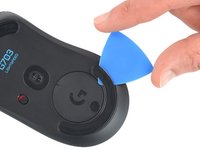
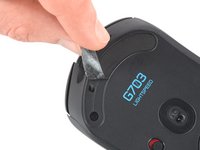
Gently slide the pick farther under the foot and lift until you can grip it with your fingers.
-
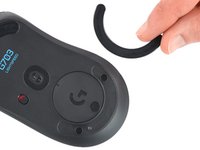
Use your fingers to peel up and remove the foot.
-
Repeat the procedure to remove the top mouse foot.
-
-
-
-
Slide the flat end of a spudger under an edge of the adhesive. If the adhesive seems stuck, you may need to heat it further.
-
Peel the adhesive off.
-
Use a spudger to carefully scrape up and remove any remaining adhesive bits.
-
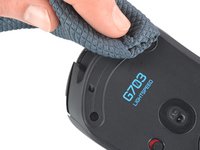
Use isopropyl alcohol and a microfiber cloth to thoroughly clean all adhesive residue from the foot recesses. Allow the surface to completely dry.
-
Remove the feet from their backing and firmly press them into place.
-
-






To reassemble your device, follow the above steps in reverse order.
Take your e-waste to an R2 or e-Stewards certified recycler.
Repair didn’t go as planned? Check out our Answers community for troubleshooting help.
Cancel: I did not complete this guide.
One other person completed this guide.


