Free Shipping on Domestic Orders $75+

Logitech G502 Proteus Core Cable Replacement

What you need

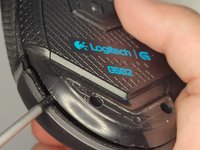
    1. Logitech G502 Proteus Core Cable Replacement, Cable: step 1, image 1 of 2 Logitech G502 Proteus Core Cable Replacement, Cable: step 1, image 2 of 2
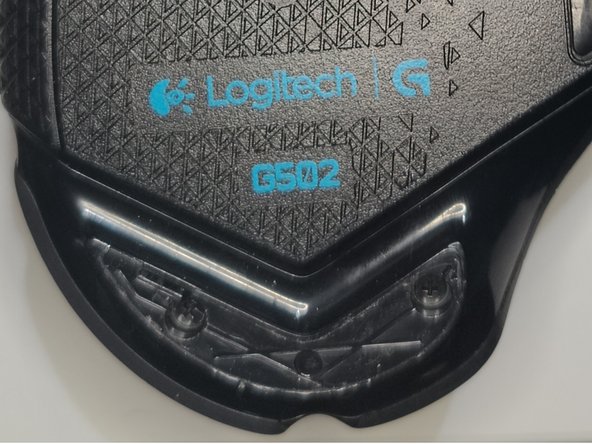
      • Use a hairdryer to heat three mouse feet briefly.

      • Each mouse foot should take 7-8 seconds to heat up.

      Ask FixBot
      Add Comment

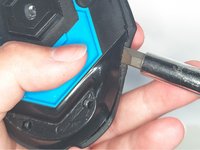
    2. Logitech G502 Proteus Core Cable Replacement: step 2, image 1 of 3 Logitech G502 Proteus Core Cable Replacement: step 2, image 2 of 3 Logitech G502 Proteus Core Cable Replacement: step 2, image 3 of 3
      • Remove the mouse feet gently.

      • Avoid bending the mouse feet.

      Ask FixBot
      Add Comment

    3. Logitech G502 Proteus Core Cable Replacement: step 3, image 1 of 2 Logitech G502 Proteus Core Cable Replacement: step 3, image 2 of 2
      • Use a screwdriver to remove the four 12.5 mm screws.

      Ask FixBot
      Add Comment

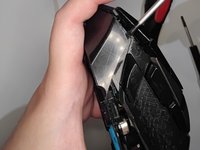
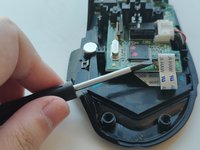
    4. Logitech G502 Proteus Core Cable Replacement: step 4, image 1 of 3 Logitech G502 Proteus Core Cable Replacement: step 4, image 2 of 3 Logitech G502 Proteus Core Cable Replacement: step 4, image 3 of 3
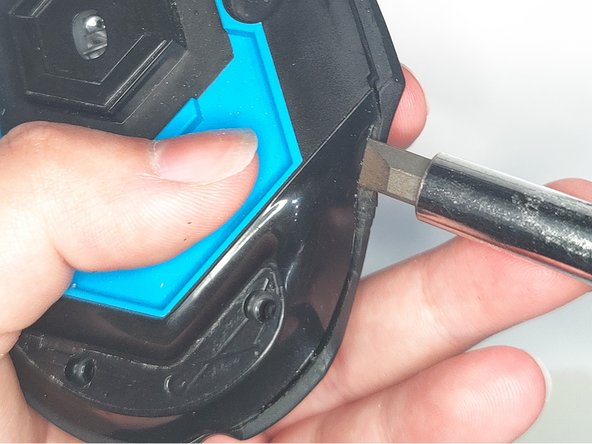
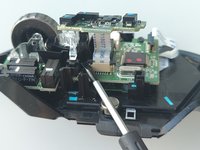
      • Use a spudger to pry open the bottom case.

      • A screwdriver is shown in the photo but screwdrivers shouldn't be used for prying. They might accidentally damage internal components with a slip.

      Ask FixBot

      Add Comment

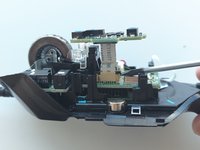
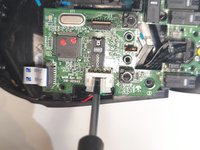
    5. Logitech G502 Proteus Core Cable Replacement: step 5, image 1 of 2 Logitech G502 Proteus Core Cable Replacement: step 5, image 2 of 2
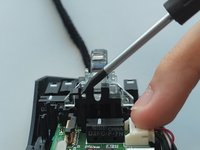
      • Raise the tabs to disconnect the ribbon.

      Ask FixBot

      Add Comment

    6. Logitech G502 Proteus Core Cable Replacement: step 6, image 1 of 2 Logitech G502 Proteus Core Cable Replacement: step 6, image 2 of 2
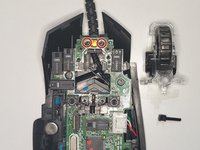
      • Pull out the pin and remove the scroll wheel assembly.

      • Take out the two springs under the scroll wheel assembly.

      • Be careful when lifting the scroll wheel assembly. Do not lose the two specified springs.

      Ask FixBot

      Add Comment

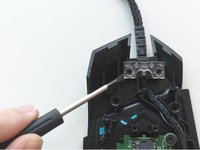
    7. Logitech G502 Proteus Core Cable Replacement: step 7, image 1 of 1
      • Unscrew five 12.5mm screws from the motherboard.

      Ask FixBot
      Add Comment

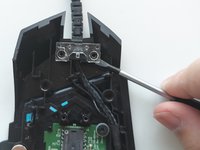
    8. Logitech G502 Proteus Core Cable Replacement: step 8, image 1 of 3 Logitech G502 Proteus Core Cable Replacement: step 8, image 2 of 3 Logitech G502 Proteus Core Cable Replacement: step 8, image 3 of 3
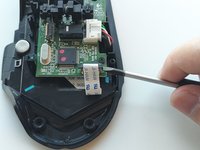
      • Open the tabs lock on each side so you can disconnect the ribbon.

      • Disconnect the PCB from the mouse cable.

      Ask FixBot
      Add Comment

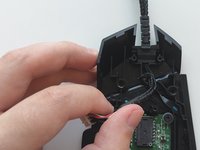
    9. Logitech G502 Proteus Core Cable Replacement: step 9, image 1 of 3 Logitech G502 Proteus Core Cable Replacement: step 9, image 2 of 3 Logitech G502 Proteus Core Cable Replacement: step 9, image 3 of 3
      • Pull out the plastic piece.

      • Remove the mouse cable.

      Ask FixBot
      Add Comment

Conclusion

To reassemble your device, follow these instructions in reverse order.

Cancel: I did not complete this guide.

9 other people completed this guide.

Sen

Member since: 09/19/21

412 Reputation

1 Guide authored

Team

2 Guide Comments

Let's say you're trying to fix your G502 without a legit logitech cord, you can just splice a usb cable and solder the correct wires to the pins. I did this twice and it works flawlessly

Black.Technician - Reply Share

If you are careful enough, you don't need to remove the side button ribbon.

Yueh Tse Chen - Reply Share

Add Comment

View Statistics:

Past 24 Hours: 3

Past 7 Days: 9

Past 30 Days: 67

All Time: 10,902