
Logitech G305 Lightspeed Mouse Switch Replacement

Jai Dhawal and 2 other contributors
Last updated on May 18, 2026
Views: 2K
View statistics:
- Past 24 Hours:
- 19
- Past 7 Days:
- 150
- Past 30 Days:
- 594
- All Time:
- 2,049
Comments: 0
No one has left comments on this guide. Will you be first?
Go to guide commentsCompleted: 0 1
No one has marked this guide "completed." Will you be the first?
1 person has marked this guide "completed." It's you — great job!
Favorites: 0 1
No one has favorited (and subscribed to) this guide. Will you be the first?
1 person has favorited (and subscribed to) this guide — and that's you!
Introduction
Go to step 1 ↓This guide will show you how to disassemble and replace the switch used by the left and right click buttons found in the Logitech G305 Lightspeed gaming mouse. Soldering is involved in this guide, so if you need to, look over the soldering guide for review or if you're not familiar with soldering.
While following the guide, be careful handling components as they are very delicate and can result in further damage if handled roughly. Be especially careful removing the clicker wires from the housing.
What you need
Tools

-
-
-
Take off the four plastic guides/covers on the bottom side of the mouse, exposing 4 black screws.
 Ask FixBot
-
-
-
Using a Phillips #00 screwdriver, remove the four black screws on the back of the mouse.
-
-
-
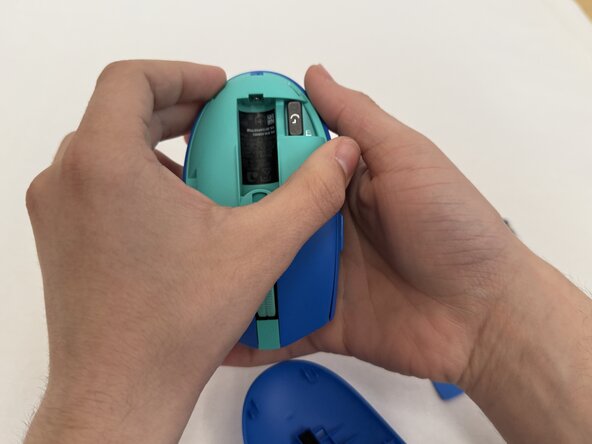
Flip the mouse over, and pull down the outer lid exposing the battery.
-
Take out the battery.
-
-
-
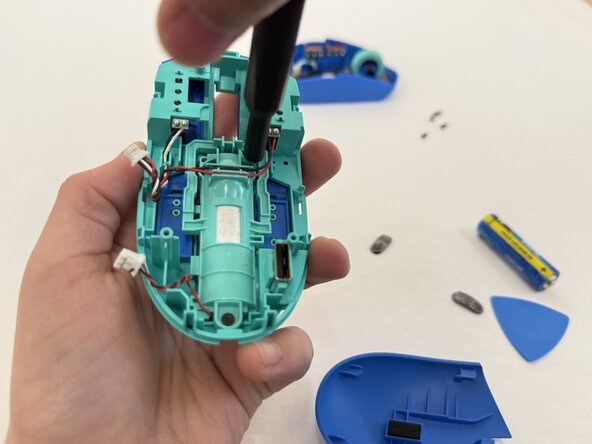
Carefully separate the lid of the mouse and locate the two white connectors that link the bottom of the mouse to the top of it.
-
Disconnect these connectors.
-
-
-
Inside of the mouse, remove seven black screws holding the mouse click covers in place.
-
-
-
Push down the top base of the plastic mouse cover and remove it from the casing.
-
Remove the two newly exposed black screws.
-
-
-
-
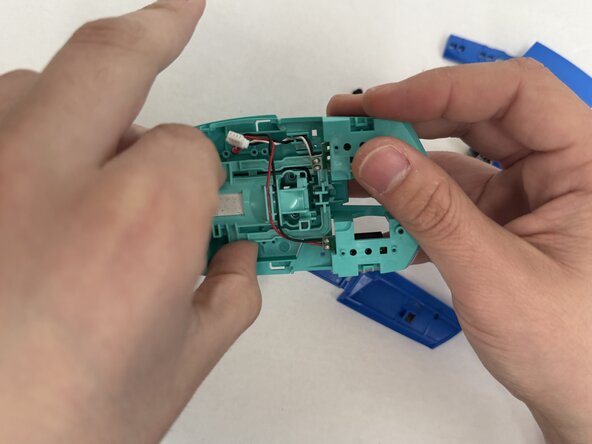
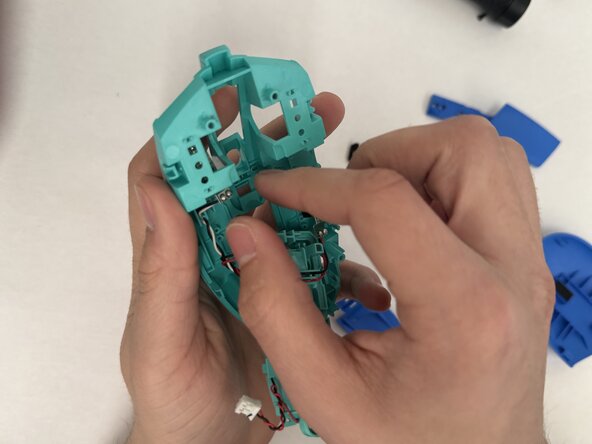
Carefully pull up the center plastic piece and remove the two circuit boards holding the switches.
-
-
-
Desolder the switch and remove it from the circuit board.
-
Solder in the replacement switch and reassemble the mouse.
-
-









To reassemble your device, follow these instructions in reverse order.

Team

UC Davis, Team 1-8, Morris Winter 2026 Member of UC Davis, Team 1-8, Morris Winter 2026
UCD-MORRIS-W26S1G8
2 Members
12 Guides authored
