Free Shipping on Domestic Orders $75+

Logitech G1 Optical Mouse Scroll Wheel Replacement

What you need

    1. Logitech G1 Optical Mouse Scroll Wheel Replacement, Scroll Wheel: step 1, image 1 of 1
      • Remove one screw at the bottom of the mouse.

      Ask FixBot

      Add Comment

    2. Logitech G1 Optical Mouse Scroll Wheel Replacement: step 2, image 1 of 2 Logitech G1 Optical Mouse Scroll Wheel Replacement: step 2, image 2 of 2
      • Pull the top of the mouse lid gently to separate it from the rest of the mouse.

      • Potential for device damage: The lid and the body are connected with a wire, so separate them gently.

      Ask FixBot

      Add Comment

    3. Logitech G1 Optical Mouse Scroll Wheel Replacement: step 3, image 1 of 2 Logitech G1 Optical Mouse Scroll Wheel Replacement: step 3, image 2 of 2
      • Pull the white connector from the circuit board.

      • Be sure the two small holes in the connector are positioned at the top when reassembling.

      Ask FixBot

      Add Comment

    4. Logitech G1 Optical Mouse Scroll Wheel Replacement: step 4, image 1 of 2 Logitech G1 Optical Mouse Scroll Wheel Replacement: step 4, image 2 of 2
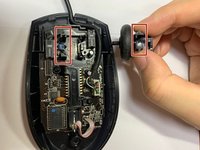
      • Carefully pull the scroll wheel up.

      • The long parts of the spring should be in the southeast and southwest directions when reassembling.

      Ask FixBot

      Add Comment

    5. Logitech G1 Optical Mouse Scroll Wheel Replacement: step 5, image 1 of 2 Logitech G1 Optical Mouse Scroll Wheel Replacement: step 5, image 2 of 2
      • Carefully remove the two Phillips #0 screws.

      Ask FixBot

      Add Comment

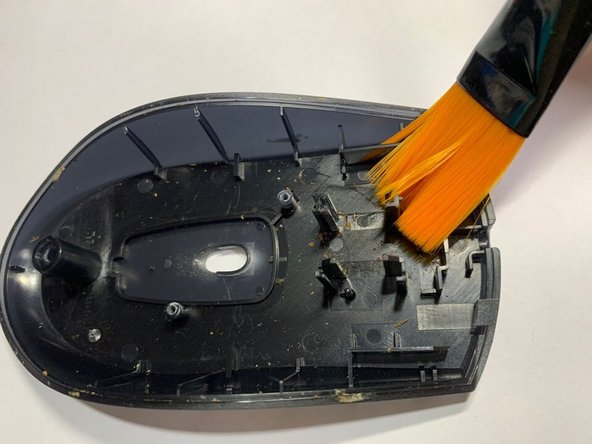
    6. Logitech G1 Optical Mouse Scroll Wheel Replacement: step 6, image 1 of 2 Logitech G1 Optical Mouse Scroll Wheel Replacement: step 6, image 2 of 2
      • Clean the mouse case, lid, and module with a dry cotton swab or soft brush.

      • Potential for device damage: Do not use water or an iron brush to clean it.

      Ask FixBot

      Add Comment

    7. Logitech G1 Optical Mouse Scroll Wheel Replacement: step 7, image 1 of 2 Logitech G1 Optical Mouse Scroll Wheel Replacement: step 7, image 2 of 2
      • Place the new scroll wheel into the mouse.

      Ask FixBot

      Add Comment

    8. Logitech G1 Optical Mouse Scroll Wheel Replacement: step 8, image 1 of 1
      • The spring should be inserted into a small groove.

      • The spring can be inserted after combining the mouse body.

      Ask FixBot

      Add Comment

Finish Line

Cancel: I did not complete this guide.

4 other people completed this guide.

wooseok yang

Member since: 01/19/21

358 Reputation

1 Guide authored

0 Guide Comments

Add Comment

View Statistics:

Past 24 Hours: 0

Past 7 Days: 10

Past 30 Days: 56

All Time: 2,501