
Logitech Extreme 3D Pro Joystick Trigger Replacement

Emanuel Canela and one other contributor
Last updated on Jun 26, 2018
Views: 2.2K
View statistics:
- Past 24 Hours:
- 5
- Past 7 Days:
- 21
- Past 30 Days:
- 90
- All Time:
- 2,214
Comments: 2
2 comments on steps.
Completed: 1 2
1 person has marked this guide "completed." Will you be next?
2 people have marked this guide "completed." Including you — great job!
Favorites: 0 1
No one has favorited (and subscribed to) this guide. Will you be the first?
1 person has favorited (and subscribed to) this guide — and that's you!
Introduction
Go to step 1 ↓After a long use the joystick trigger might experience a lack of strength within the trigger's internal spring.
What you need
Tools

-
-
-
Remove these three Phillips #1 screws:
-
Two 10mm screws.
-
One 7mm screw.
 Ask FixBot
-
-
-
Using your fingers, lower the rubber boot to reveal two screws underneath the joystick.
-
Remove the two 10mm Phillips #1 screws.
-
-
-
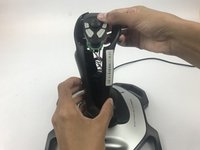
Pull apart the joystick chassis by hand.
-
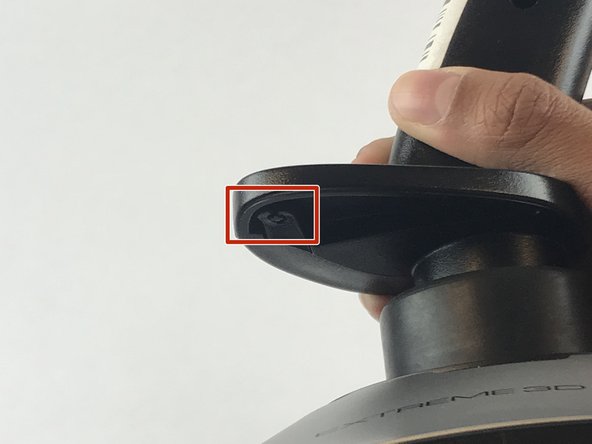
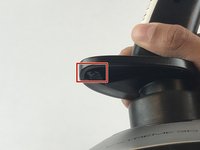
Release this clip located underneath the hand rest
-
-
-
-



To reassemble your device, follow these instructions in reverse order.
Cancel: I did not complete this guide.
One other person completed this guide.

Team

USF Tampa, Team S7-G1, Passmore Spring 2018 Member of USF Tampa, Team S7-G1, Passmore Spring 2018
USFT-PASSMORE-S18S7G1
4 Members
84 Guides authored
